Rate transportation loads in Dynamics 365 Supply Chain Management
Menu item
ITMCostCalcEstimate
Show what matters for
PAGE GUIDEWhat the page does and how to use it7 sections. Choose a role to highlight what matters to you.
Everyone
1What it is and why
What it is
A dialog page that creates a new landed cost estimate for a chosen set of items, based on a cost template and the details of a planned journey.
What you do here
Use this page to estimate the landed cost of goods before they are purchased, mainly so that the estimate can be added to the standard cost of standard-cost items.
Example
For example, a buyer estimates the landed cost of a planned sea shipment of ten new products from a vendor's port so that the standard cost already includes freight and duty when the goods later arrive on a voyage.
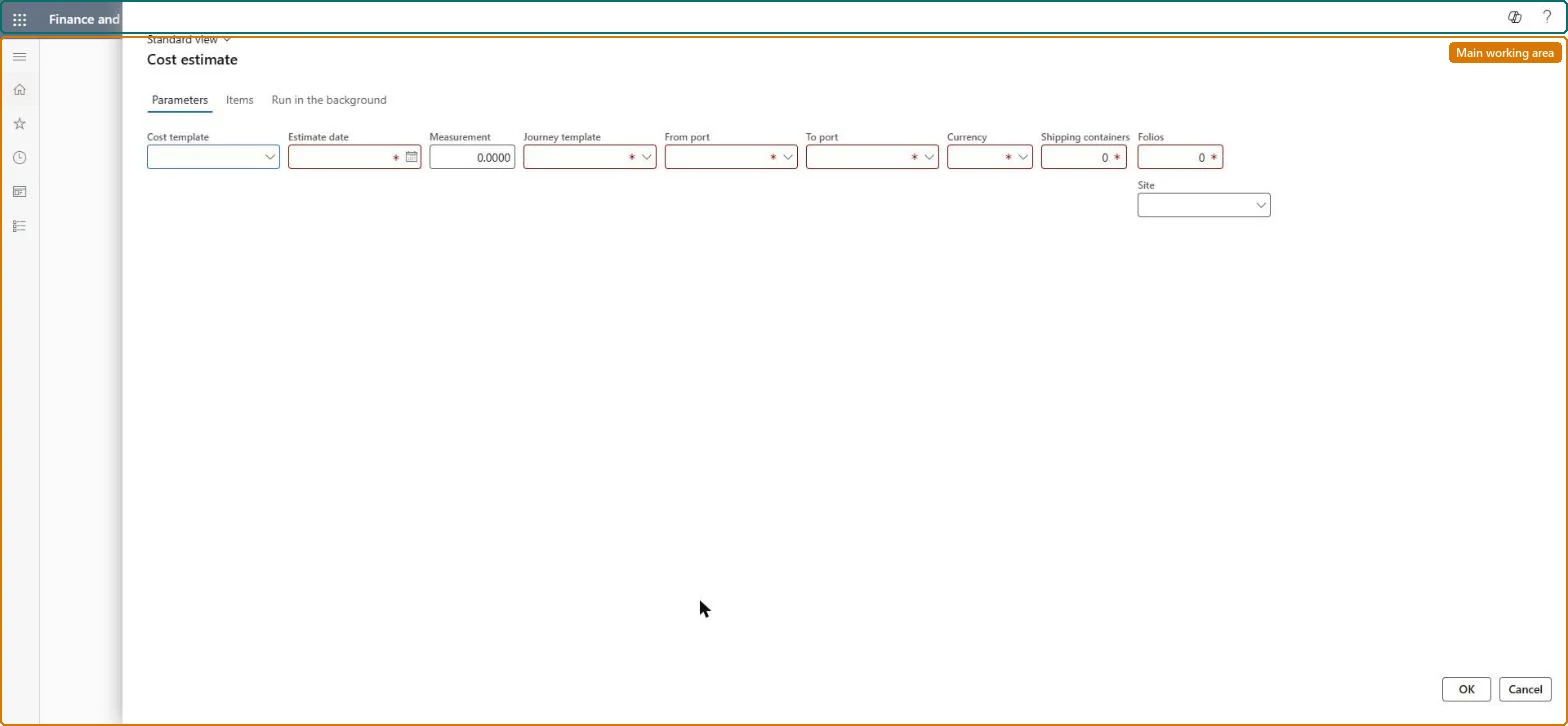
The page in Dynamics 365. page title tab to open what to set or check
About the examples: Examples and screenshots in this guide use BEAT, a demo company in a Dynamics 365 test environment. Use your own company's codes and values instead of copying them.
When to run it
When to run it
Before you buy, when you want the expected landed cost of goods, mainly to set the standard cost of standard-cost items.
How often
On demand, for each new sourcing scenario, or when auto costs, prices or exchange rates change.
What the output shows
A new cost estimate with one line per item showing cost price, estimated landed cost for the total quantity and the cost per unit. A per-unit cost that looks too low often means the cost template or journey template didn't pick up the auto costs you expected.
Go to Landed cost > Periodic tasks > Cost estimate.
On the Parameters tab, select the Cost template whose settings decide which auto costs apply, and keep or change the Estimate date that picks the prices, auto costs and exchange rate.
Select the Journey template; From port and To port are filled in from it. Then set Currency, Containers, Folios and Site.
Enter a Measurement value when costs depend on a measurement such as volume, or 1 when no measurement-based apportionment applies.
On the Items tab, add each item with its vendor, quantity and cost price. Use a dummy item for a product that doesn't exist yet.
Select OK. The Cost estimates page opens with the new estimate; check Estimated landed cost and Per unit for each item.
On the Items tab, the item to price; a dummy item can be used for products not yet created.Microsoft Learn
Solution architect
4Design impact
Can it be undone
Yes: The estimate doesn't change item costs until you select Update standard cost or run Item cost price update. You can change and recalculate it on the Cost estimates page, or lock it to stop further changes. Microsoft Learn
If you change it later
Creates a cost estimate record. Item cost prices don't change until the estimate is used to update standard cost. Microsoft Learn
Technical architect
5Technical
Menu item
ITMCostCalcEstimateChecked in Dynamics 365
Form
ITMCostEstimateDialogChecked in Dynamics 365
Roles to set it up and use it
To use itLanded cost agent ITMAgentGive people one of these roles. On this system, 1 role can run this page.Checked in Dynamics 365