About the examples: Examples and screenshots in this guide use BEAT, a demo company in a Dynamics 365 test environment. Use your own company's codes and values instead of copying them.
Step by step, with screenshots
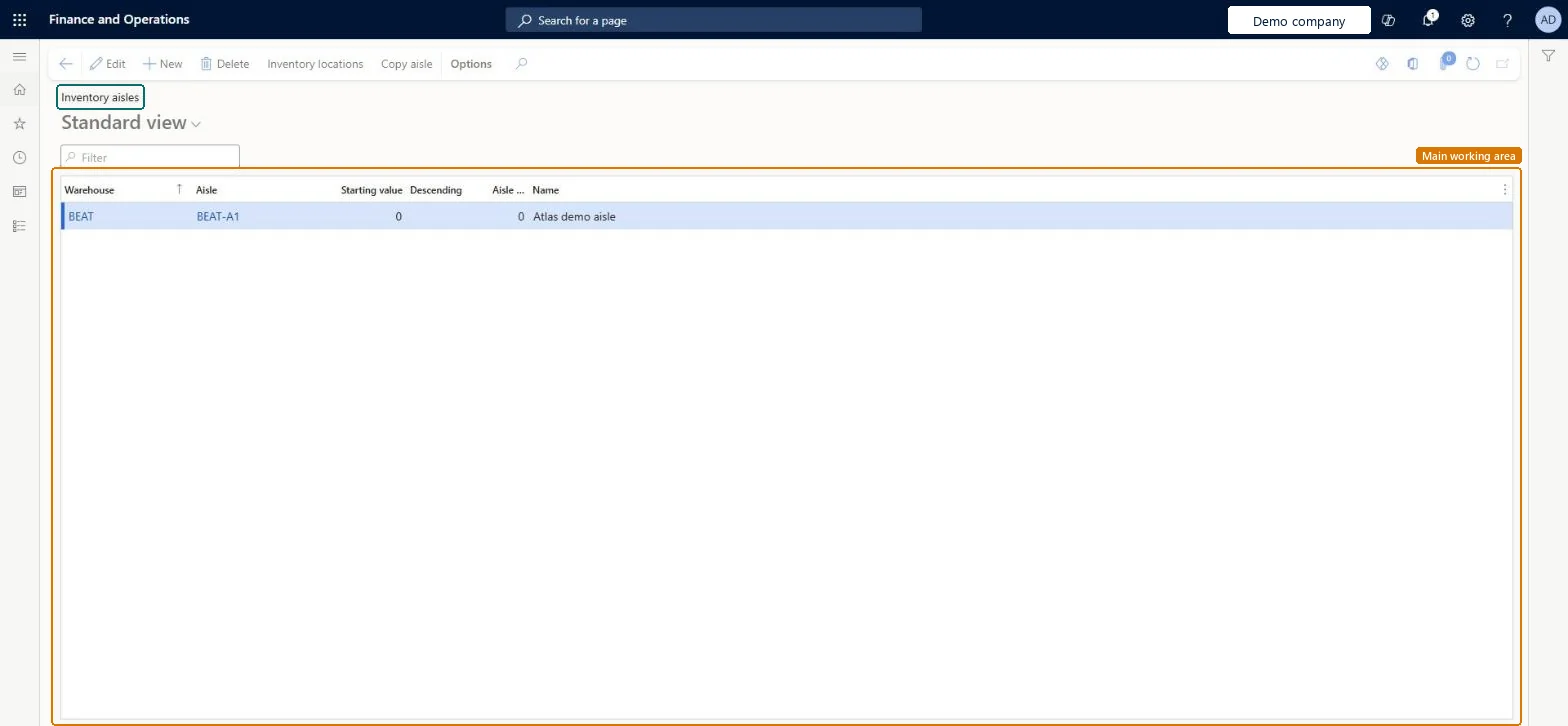
Set up Inventory aisles1 screen
Use this page to identify each aisle by ID and number; the aisle number is used when sort codes for picking are generated.
Screen 1
Create an inventory aisle
Go to Inventory management > Setup > Inventory breakdown > Inventory aisles
Make sure the warehouse exists (here demo warehouse BEAT)
Select New
Select the warehouse
Enter the aisle ID and a name
Optionally enter the aisle number used for sort codes, the starting value and whether numbering is descending
Select Save
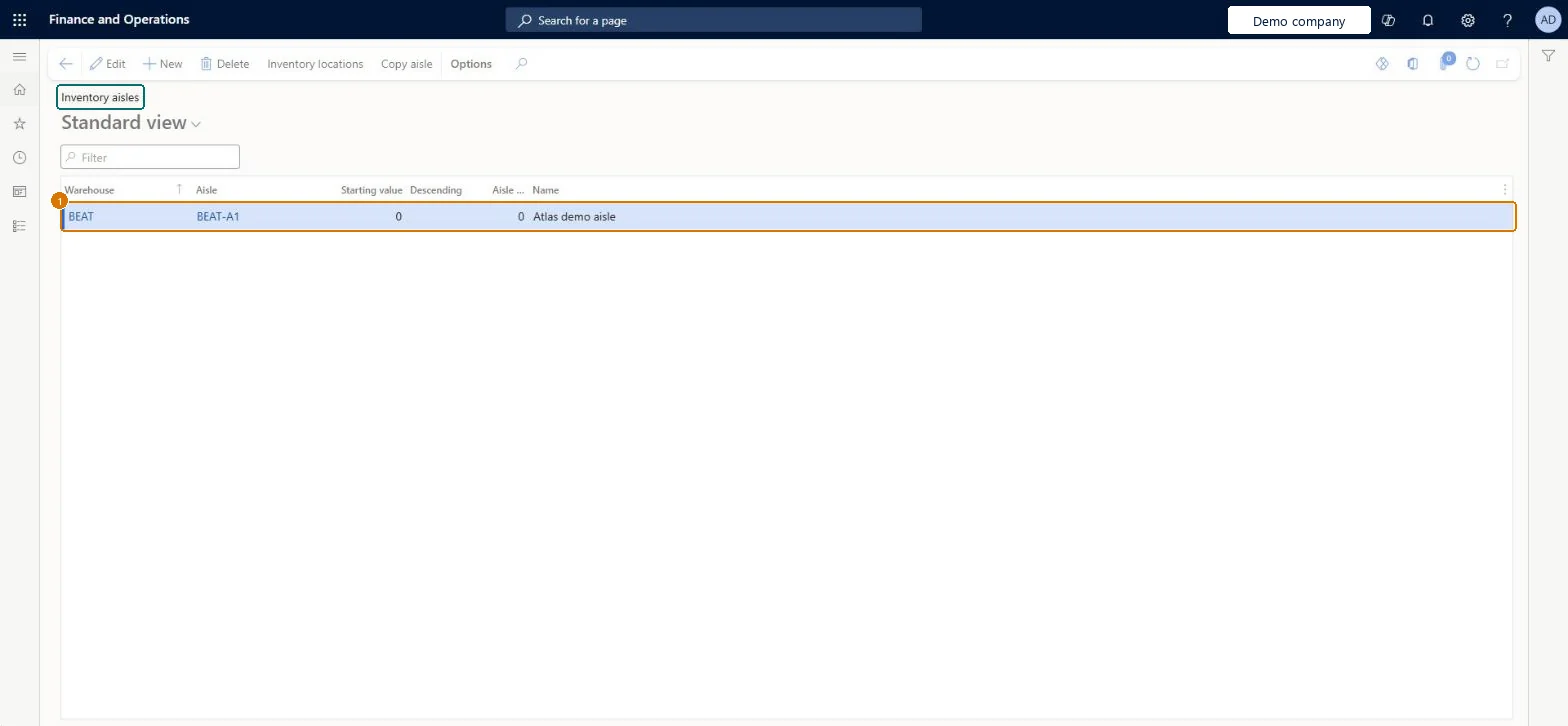
1Aisle
BEAT-A1
Warehouse
BEAT
Name
Aisle
Show the full screen page title tab to open what to set or check
How to use it
Go to Inventory management > Setup > Inventory breakdown > Inventory aisles.
Select New to add an aisle.
Enter the Warehouse, Aisle, Starting value, Descending, Aisle number and Name.
Select Inventory locations on the Action Pane to open the locations for the aisle, or Copy aisle to copy it.
Select Save.
Source: Checked in Dynamics 365
Fields on the page
Field
What it means
Example
Table column
Aisle
The ID of the aisle, usually the first part of the location name.Microsoft Learn
A01
aisleId
Aisle number
A numbers-only ID of the aisle, used to generate sort codes.Microsoft Learn
Selecting Descending without meaning to: it reverses the picking route for the aisle, from the highest value to the lowest. The numeric aisle number is what sort codes use.
PrivilegesMaintain inventory aisles WMSAisleMaintainView inventory aisles WMSAisleViewDutiesInquire into warehouse operation master WMSWarehouseOperationMasterInquireMaintain warehouse operation master WMSWarehouseOperationMasterMaintain6 security rolesField Service Integration User FieldServiceIntegrationUserProduction supervisor ProdProductionSupervisorProcess engineer RouteProcessEngineerProcess engineering manager RouteProcessEngineeringManagerWarehouse planner WHSWarehousePlannerWarehouse manager WMSWarehouseManagerChecked in Dynamics 365
Roles to set it up and use it
To set it up or change itWarehouse manager WMSWarehouseManagerProcess engineer RouteProcessEngineerTo use itProduction supervisor ProdProductionSupervisorField Service Integration User FieldServiceIntegrationUserWarehouse planner WHSWarehousePlannerProcess engineering manager RouteProcessEngineeringManagerGive people one of these roles. On this system, 6 roles can open this page.Checked in Dynamics 365
Actions on the page
Options: Personalize, Page options, ShareChecked in Dynamics 365
WMSWarehouseAisleEntity (Inventory aisle): loaded for each company, in Microsoft's default template 300 - Inventory.Load order: Microsoft's default template 300 - Inventory loads Inventory aisle at execution unit 1, level 300, sequence 60. Lower levels load first, and entities at the same level load in sequence order.Load first: Warehouses, the default templates at lower levels (System setup to Budgeting)Microsoft Learn
Checked in a working Dynamics 365 system, version 10.0.49: the menu item, form, table and security, the page, the demo records and the values in the screenshots.
To cite this step: IM-SETUP-260, Set up Inventory aisles. Beyond ERP Atlas Hub, 2026-11-11. https://www.beyonderp.cloud/atlas/step/IM-SETUP-260