BeyondERP.Newsletter
Menu

Job page · Inventory management

Sort codes

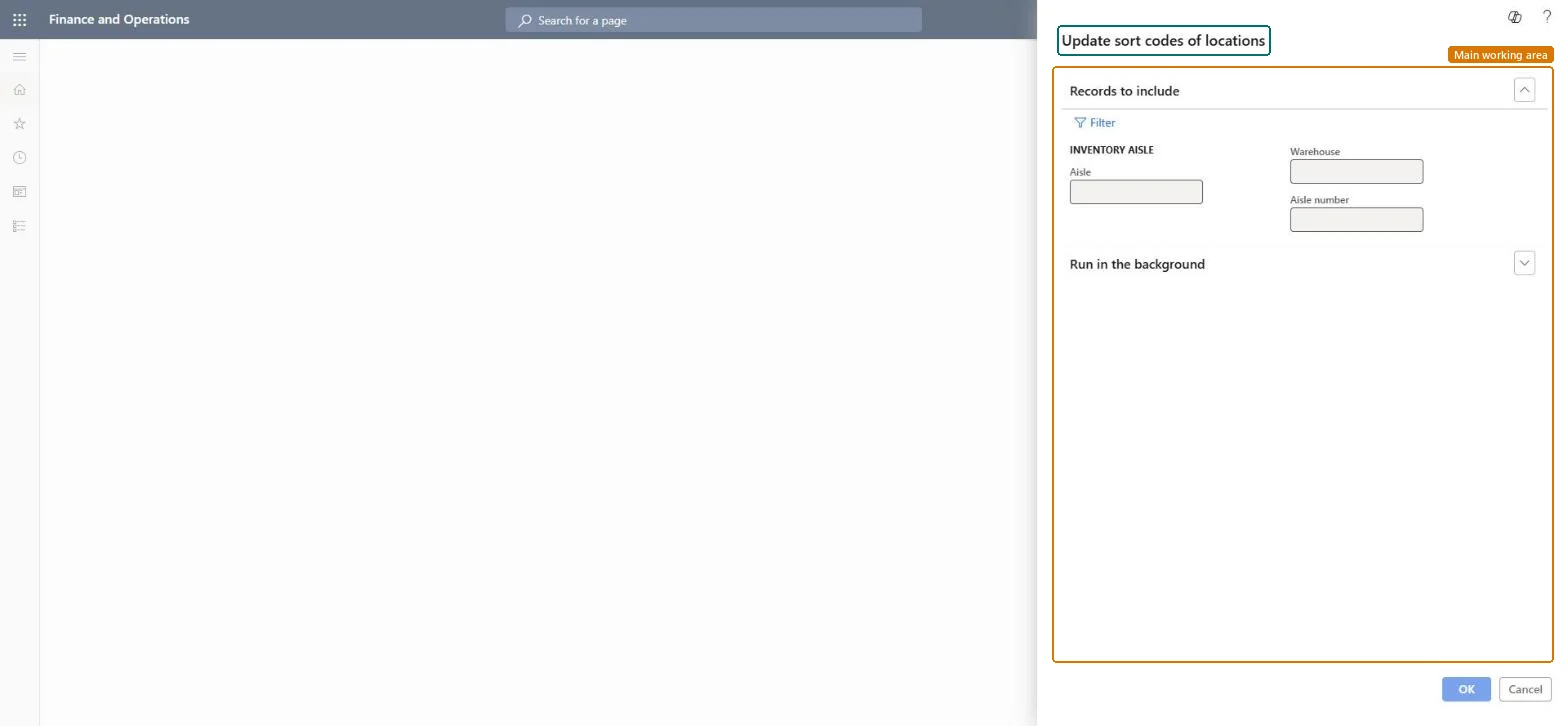
A periodic task dialog titled Update sort codes of locations that updates the sort codes of inventory locations for the aisles you select.

Business process
Design warehouse layout
Menu item
action:WMSUpdateSortCodes
Show what matters for
PAGE GUIDEWhat the page does and how to use it7 sections. Choose a role to highlight what matters to you.
Everyone

1What it is and why

What it isA periodic task dialog titled Update sort codes of locations that updates the sort codes of inventory locations for the aisles you select.
What you do hereUse this task to update location sort codes, limiting the run by aisle, warehouse or aisle number, and run it now or in the background.
Sort codes page in Dynamics 365
The page in Dynamics 365. page title tab to open what to set or check
Functional consultant · Solution architect

2Where it fits

Business processManage warehouse operations › Design warehouse layout
Menu pathInventory management › Periodic tasks › Locations › Sort codes
End user · Functional consultant

3How to do it

About the examples: Examples and screenshots in this guide use BEAT, a demo company in a Dynamics 365 test environment. Use your own company's codes and values instead of copying them.

When to run it

When to run itAfter you add or renumber locations or aisles, so picking lines are sorted in walking order.
How oftenOn demand, after changes to the warehouse layout.
What the output showsUpdated sort codes on the selected locations. Picking lines that come out in a strange order usually mean the aisle coordinates or the selection were wrong.

Source: Microsoft Learn

Steps from Microsoft

  1. Go to Inventory management > Periodic tasks > Locations > Sort codes.
  2. Under Records to include, enter the Aisle, Warehouse and Aisle number to limit the run, or select Filter.
  3. Know what changes: sort codes set the order of picking lines and are calculated from the aisle and other coordinates of each location.
  4. Locations whose sort code was assigned manually should be left out of the selection if you want to keep those codes.
  5. After the run, open Inventory locations and check the sort codes of a few locations in the aisle.

Source: Microsoft Learn

Solution architect

4Design impact

Can it be undoneNo: The job replaces the sort codes of the selected locations. Note any manual codes before you run it. Microsoft Learn
If you change it laterOverwrites the sort codes of the selected locations, which changes the order of picking lines. Microsoft Learn
Technical architect

5Technical

Menu itemaction:WMSUpdateSortCodes Checked in Dynamics 365
FormDialog Checked in Dynamics 365
Roles to set it up and use itTo use itWarehouse manager WMSWarehouseManagerProcess engineer RouteProcessEngineerGive people one of these roles. On this system, 2 roles can run this page.Checked in Dynamics 365
Developer

6Developer

Open it by URLhttps://<your-environment>/?mi=action:WMSUpdateSortCodes
Everyone

7Sources