Chief financial officer, Accountant, Accounting manager and 5 more roles
Business process
Process customer payments
Menu item
BankDeposit
Main table
BankDeposit
Setup steps
1 on this page
Show what matters for
SETUP GUIDEHow to set it up8 sections. Choose a role to highlight what matters to you.
Everyone
1What it is and why
What it is
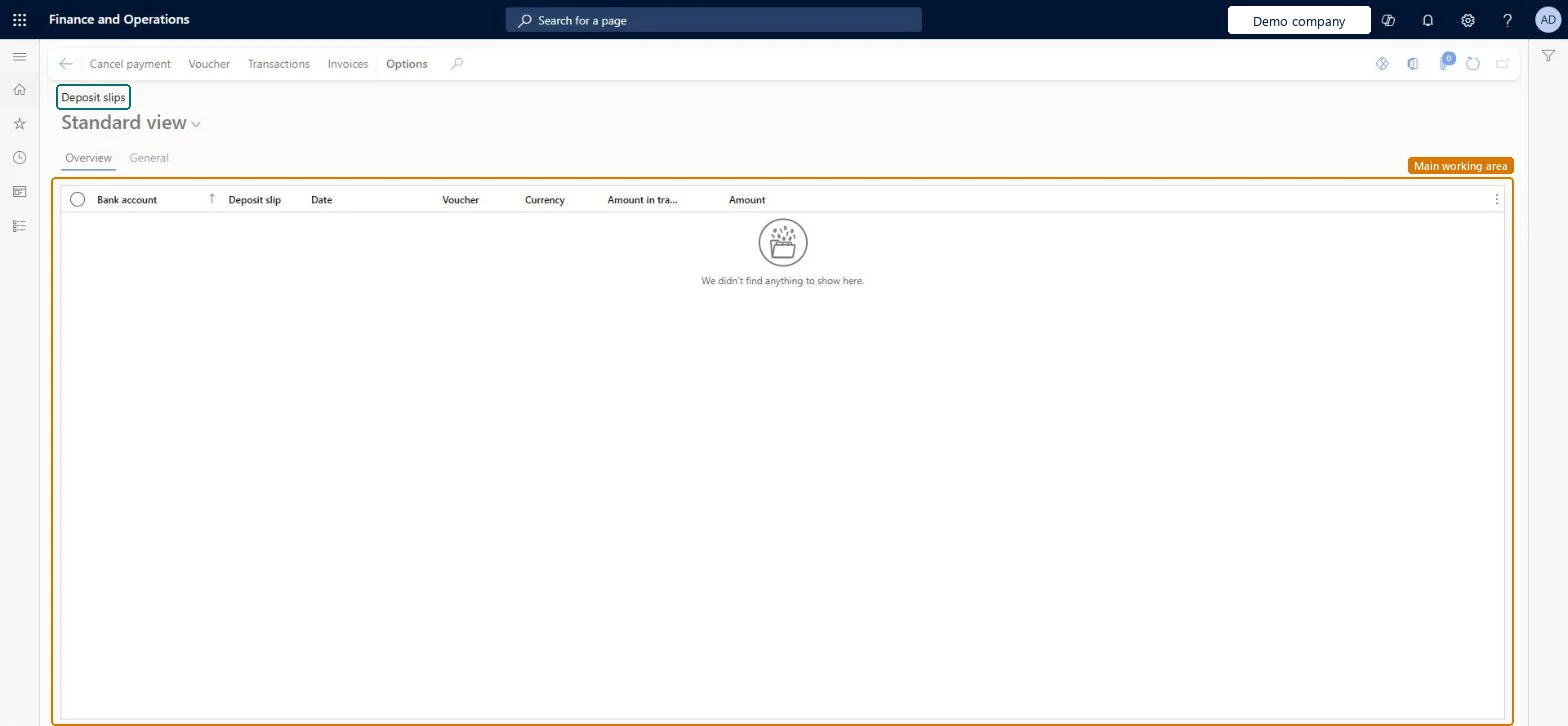
A list of the deposit slips for customer payments paid into the company's bank accounts, where a single payment on a slip can be cancelled.
What you do here
Use this page to cancel one customer payment on a deposit slip when the payment turns out to be invalid, for example a returned check, without touching the other lines on the slip.
Example
For example, a deposit slip lists three customer checks of 1,200.00, 800.00 and 500.00. The bank returns the 800.00 check, so you cancel only that payment with reason code NSF; the slip keeps the other 1,700.00.
The page in Dynamics 365. page title tab to open what to set or check
About the examples: Examples and screenshots in this guide use BEAT, a demo company in a Dynamics 365 test environment. Use your own company's codes and values instead of copying them.
Setup steps on this page
Cancel a deposit slip payment
Cancel one invalid customer payment on a deposit slip, with a reason, and route it for review when the company requires it.
Steps from Microsoft
Go to Cash and bank management > Payment reversals > Deposit slips.
Select the line with the deposit slip payment to cancel. A payment that is already reconciled on a bank statement can't be cancelled.
Select Cancel payment.
In the Reason code field, select the reason for the cancellation; a reason is required when Require reasons for deposit slip payment cancellations is on in the parameters.
Keep or change the Reason comment, and select a Journal name when cancellations are reviewed.
Select OK. With review on, the cancellation waits as Pending cancellation on Deposit slip payment reversal; without review, it posts at once.
The reason for cancelling the payment, required when the parameters ask for one.Microsoft Learn
NSF
Reason
Reason comment
Free text that explains the cancellation; it defaults from the reason code and can be changed.Microsoft Learn
Check returned unpaid by the bank
Journal name
The journal of type Bank deposit slip cancellation that holds the cancellation for review. Needed only when Use review process for deposit slip payment cancellations is on.Microsoft Learn
Common errors and fixes
Message
What to do
The Cancel payment action doesn't cancel the payment because it is reconciled
A deposit slip payment that is already reconciled on a bank statement can't be cancelled. Find out why the bank returned it and record the return as a new bank transaction instead. Microsoft Learn
Cancel payment asks for a reason code
Require reasons for deposit slip payment cancellations is on in Cash and bank management parameters. Set up financial reasons for the bank and select one. Microsoft Learn
Test checklist
Post a customer payment journal with two payments and Use a deposit slip = Yes, then generate the deposit slip.
On this page, cancel one of the two payments with a reason code.
Check that the other payment on the same slip is unchanged.
Check that the cancelled payment is reopened on the customer account (or Pending cancellation when review is on).
Require reasons for deposit slip payment cancellations = Yes, and Use review process for deposit slip payment cancellations = Yes when someone other than the clerk must approve the cancellation.Only the single payment is cancelled, not the whole slip, and a reviewed cancellation holds the payment as Pending cancellation so it can't be reconciled by mistake before it is approved.
Numbers the deposit slips created from customer payment journals. Set it on the Number sequences tab of Cash and bank management parameters; BEAT uses Bank_3. Checked in Dynamics 365
Feature management and licence
Licence or add-in
In this system 8 roles can open this page, among them Chief financial officer, Accountant, Accounting manager and Accounting supervisor.
Hard to reverse: A posted cancellation reverses the customer payment; it can only be recorded again.
If you change it later
A deposit slip payment that is already reconciled on a bank statement can't be cancelled. With review on, the payment is Pending cancellation until the journal is posted or rejected, and the bank statement that lists it can't be reconciled meanwhile. Microsoft Learn
Technical architect
6Technical
Menu item
BankDepositChecked in Dynamics 365
Form
BankDepositChecked in Dynamics 365
Table
BankDepositShown as “Bank deposit” in Record infoKey field: DepositNum, AccountIdChecked in Dynamics 365
Who can open it
PrivilegesView deposit slips BankDepositViewDutiesInquire into bank transaction status BankBankTransactionStatusInquireCustBankTransactionStatusInquire8 security rolesChief financial officer CompanyChiefFinancialOfficerAccountant LedgerAccountantAccounting manager LedgerAccountingManagerAccounting supervisor LedgerAccountingSupervisorFinancial controller LedgerFinancialControllerAccounts receivable centralized payments clerk PaymAccountsReceivableCentralPaymClerkAccounts receivable payments clerk PaymAccountsReceivablePaymentsClerkTreasurer PaymTreasurerChecked in Dynamics 365
Roles to set it up and use it
To use itTreasurer PaymTreasurerChief financial officer CompanyChiefFinancialOfficerAccounting manager LedgerAccountingManagerFinancial controller LedgerFinancialControllerAccountant LedgerAccountantGive people one of these roles. On this system, 8 roles can open this page.Checked in Dynamics 365
Actions on the page
Options: Personalize, Page options, ShareChecked in Dynamics 365
Developer
7Developer
Open it by URL
https://<your-environment>/?mi=BankDeposit
Data migration
Load order: A deposit slip has no data entity in Data management, so it can't be loaded from a file or a configuration template. Deposit slips are created when customer payment journals with Use a deposit slip are posted, so they come with the payments. At go-live, enter open deposits as part of the opening bank and customer balances.Checked in Dynamics 365