About the examples: Examples and screenshots in this guide use BEAT, a demo company in a Dynamics 365 test environment. Use your own company's codes and values instead of copying them.
Step by step, with screenshots
Set up Financial reasons1 screen
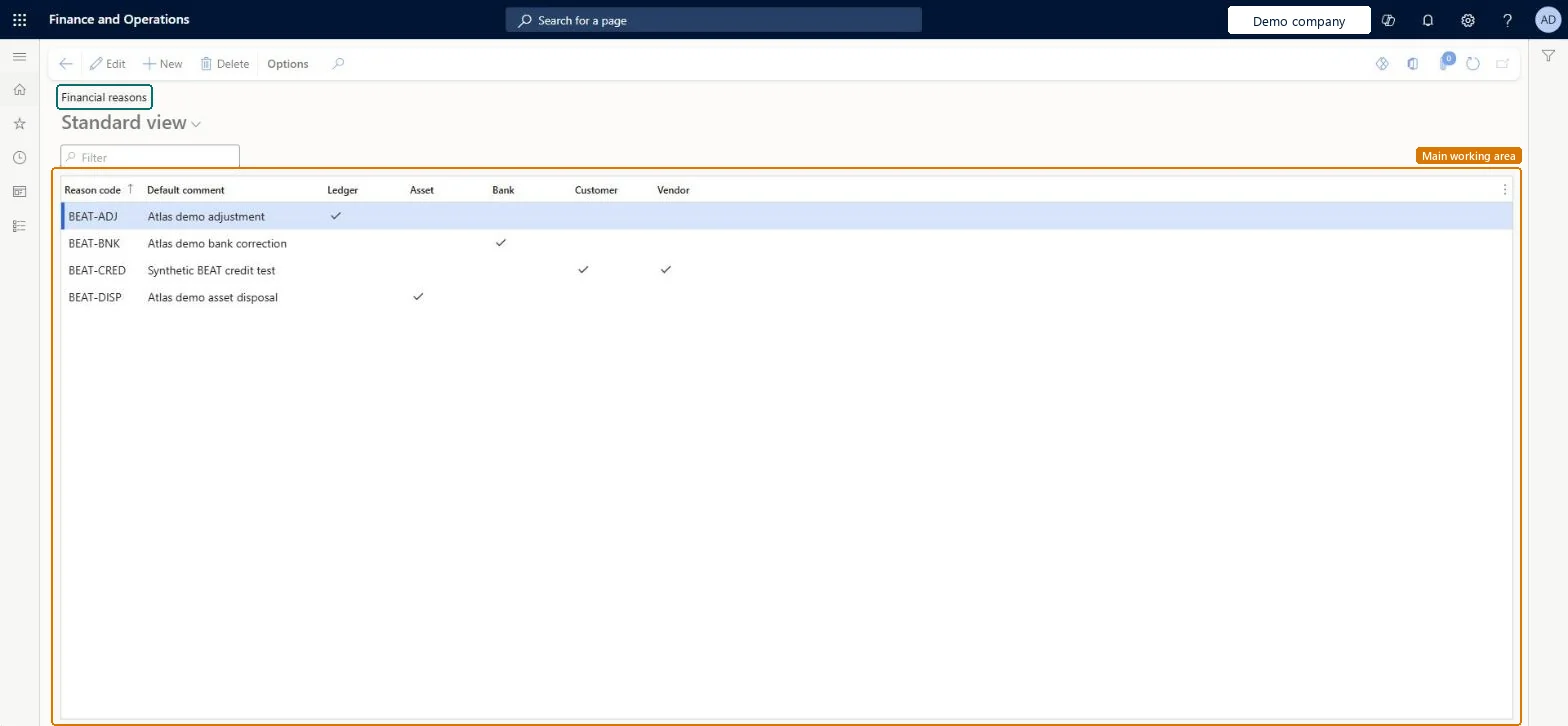
Use this page to create reason codes and choose the modules (Ledger, Asset, Bank, Customer, and Vendor) in which each code is available.
Screen 1
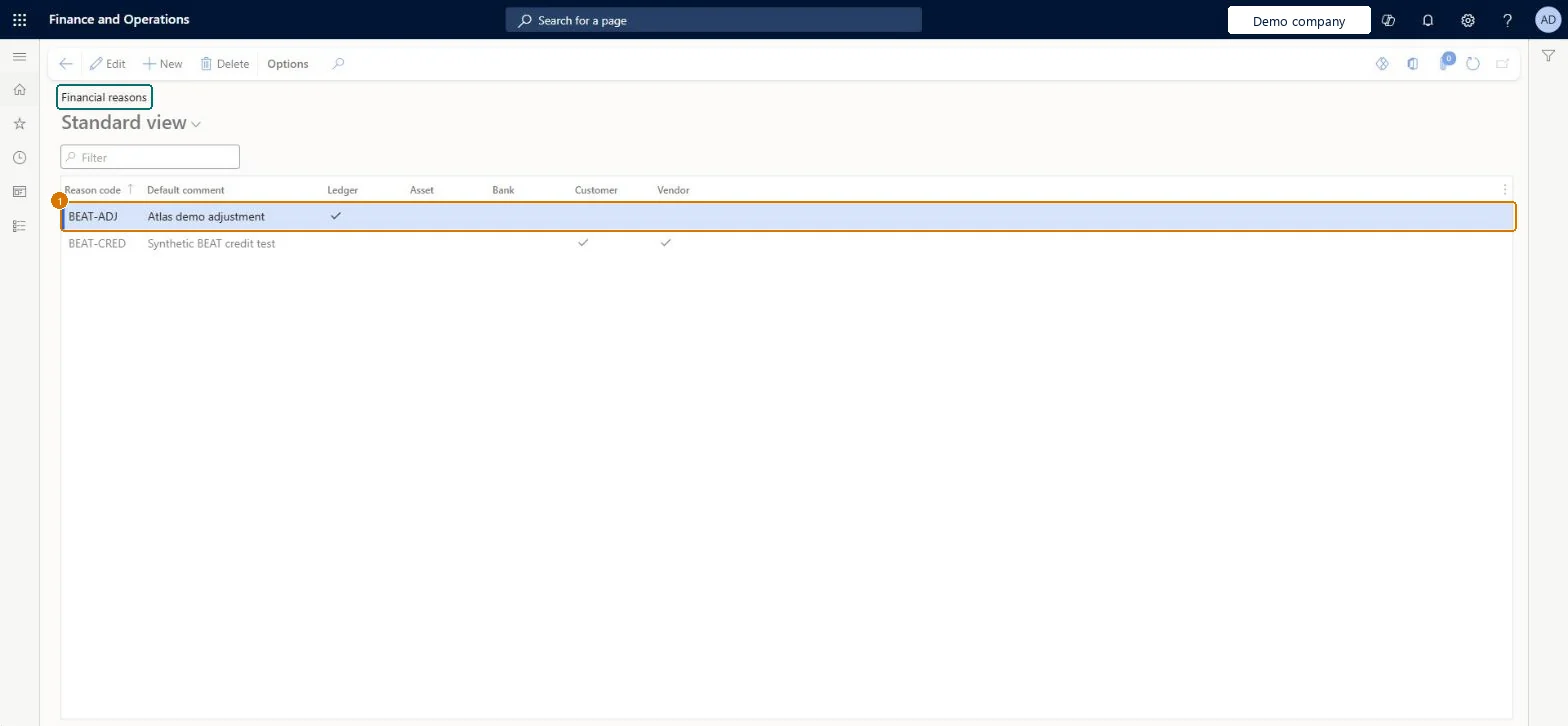
Confirm the reason on Financial reasons
Go to General ledger > Journal setup > Financial reasons
Find the BEAT-ADJ reason code made on the Ledger reasons page
Check that Ledger is ticked
1Reason code
BEAT-ADJ
Default comment
Adjustment
Ledger
Yes
Show the full screen page title tab to open what to set or check
Steps from Microsoft
Go to Organization administration > Setup > Financial reasons.
Select New.
In the Reason code column, enter the code.
In the Default comment column, enter the default comment.
Select the Ledger, Asset, Bank, Customer and Vendor checkboxes for the modules that can use the code.
A standard list of reason codes with default comments, each enabled only in the modules (Ledger, Asset, Bank, Customer, Vendor) where it appliesStandard reason codes give users set choices instead of free text and let management and auditors analyze transaction history by reason.
Leaving a module checkbox clear: the reason code is only available in the modules selected on its row.
Reversible: Reason codes and module checkboxes can be changed at any time for new documents. When tax posts, the Reason code and Reason comment are stored in the Tax transactions table, so posted tax history keeps the values that were used. Microsoft Learn
Technical architect
6Technical
Menu item
ReasonsChecked in Dynamics 365
Form
ReasonsChecked in Dynamics 365
Table
ReasonTableShown as “Reasons” in Record infoKey field: Reason, DescriptionChecked in Dynamics 365
To set it up or change itAccounting manager LedgerAccountingManagerRental manager RentalManagerAccounting supervisor LedgerAccountingSupervisorRental sales manager RentalSalesManagerRental purchasing manager RentalPurchasingManagerTo use itCollections manager CollectionLetterCollectionsManagerAccounts receivable manager CustInvoiceAccountsReceivableManagerBudget manager BudgetBudgetManagerFinancial controller LedgerFinancialControllerAccountant LedgerAccountantGive people one of these roles. On this system, 18 roles can open this page.Checked in Dynamics 365
Actions on the page
Options: Personalize, Page options, ShareChecked in Dynamics 365
LedgerFinancialReasonEntity (Financial reasons): loaded for each company, in Microsoft's default template 025 - General ledger.VendVendorReasonsEntity (Vendor reasons): loaded for each company, in Microsoft's default template 120 - Accounts payable.Load order: Microsoft's default template 025 - General ledger loads Financial reasons at execution unit 1, level 25, sequence 10. Lower levels load first, and entities at the same level load in sequence order.Load first: the default templates at lower levels (System setup to Workflow)Microsoft Learn
Checked in a working Dynamics 365 system, version 10.0.49: the menu item, form, table and security, the page, the demo records and the values in the screenshots.