Cash and bank managementInquiries and reportsPositive pay
PayrollPositivePayTableInquiry
Used by
Payroll administrator, Payroll manager
Business process
Pay employees
Menu item
PayrollPositivePayTableInquiry
Main table
BankPositivePayTable
Setup steps
1 on this page
Show what matters for
SETUP GUIDEHow to set it up8 sections. Choose a role to highlight what matters to you.
Everyone
1What it is and why
What it is
The list of payroll positive pay files generated for payroll checks, with their status, where a file is confirmed with the bank's number or recalled.
What you do here
Use this page to record the bank's confirmation number for a payroll positive pay file, or to recall it so a new file can be created. US payroll only: the legal entity's primary address must be in the United States.
Example
For example, the bi-weekly payroll pays 12 workers by check for 21,840.00. After the bank confirms the payroll positive pay file with number PR-5521, you select Confirmation and record it.
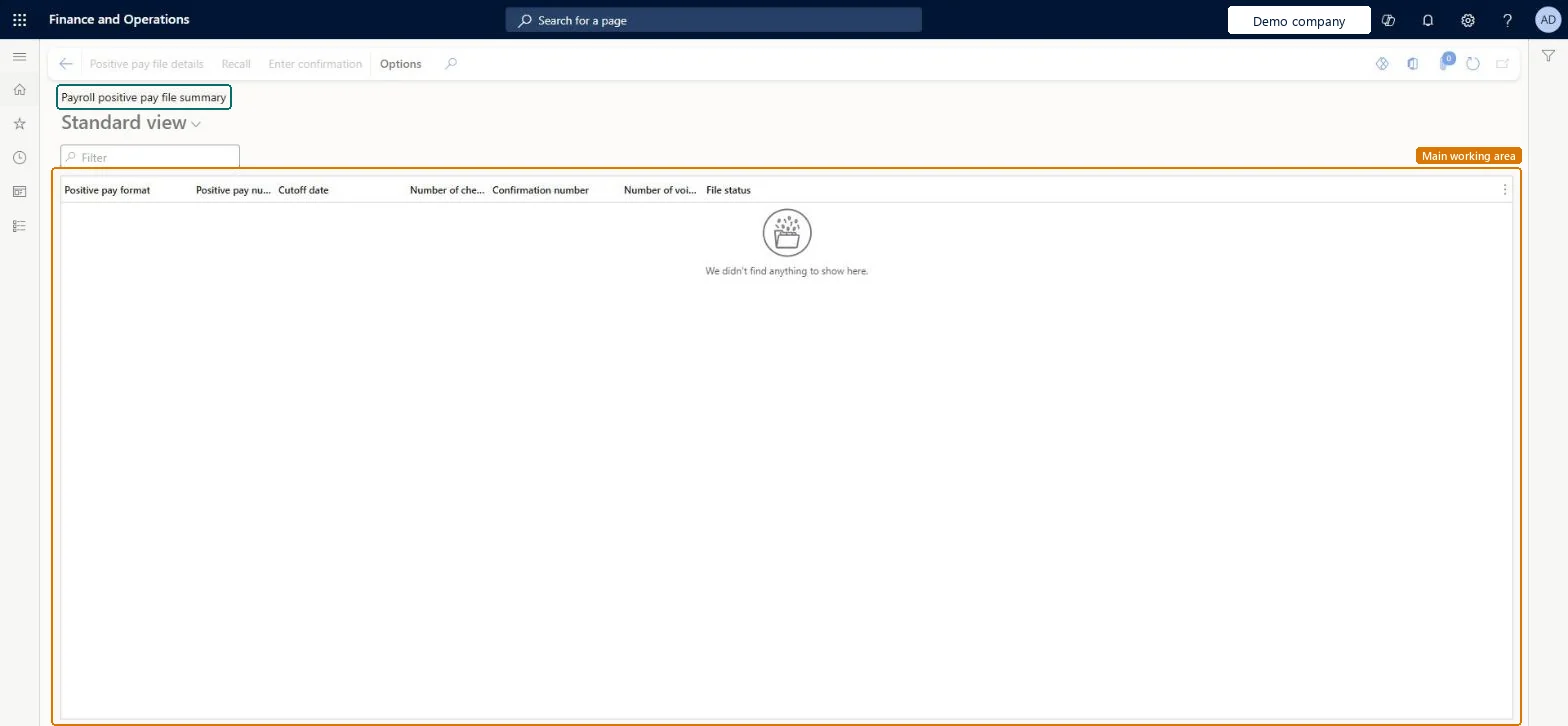
The page in Dynamics 365. page title tab to open what to set or check
About the examples: Examples and screenshots in this guide use BEAT, a demo company in a Dynamics 365 test environment. Use your own company's codes and values instead of copying them.
Setup steps on this page
Confirm or recall payroll positive pay files
Record the bank's confirmation or recall a payroll positive pay file.
Steps from Microsoft
Go to Cash and bank management > Inquiries and reports > Positive pay > Payroll positive pay file summary.
Select a payroll positive pay file that has the status Created.
Select Confirmation, enter the confirmation number from the bank, and select OK.
If the file must change, select Recall; the checks' positive pay flag is reset so a new file can be created from Payroll positive pay.
Created for a generated payroll file that can still be confirmed or recalled.Microsoft Learn
Created
Confirmation number
The number the bank sends after it pays the payroll checks.Microsoft Learn
PR-5521
Common errors and fixes
Message
What to do
Payroll positive pay can't start
Payroll configuration must identify a valid bank account and positive pay format (payroll payment method setup); set them before you generate the file. Microsoft Learn
Test checklist
In a US legal entity, submit pay statements paid by check and generate the checks.
Run Payroll positive pay with the pay date as cut-off.
Open this page, check the file has status Created and enter a confirmation number.
Confirm every payroll file when the bank sends its number; recall only files with status Created that must change.The confirmation proves the bank received the payroll check list; recall lets a corrected file be created.
Shared: the positive pay file table isn't kept per legal entity; vendor and payroll files are in the same table. Microsoft data model
Can it be undone
Reversible: A Created file can be recalled.
If you change it later
Recalling a payroll positive pay file resets the flag on each of its checks, so you can create a new file. Microsoft Learn
Technical architect
6Technical
Menu item
PayrollPositivePayTableInquiryChecked in Dynamics 365
Form
BankPositivePaySummaryChecked in Dynamics 365
Table
BankPositivePayTableShown as “Bank positive payment table” in Record infoKey field: PositivePayNumChecked in Dynamics 365
Who can open it
PrivilegesMaintain payroll positive pay information PayrollPositivePayProcessView payroll positive pay information PayrollPositivePayViewDutiesInquire into payroll positive payments PayrollPositivePayInquireMaintain payroll positive payments PayrollPositivePayMaintain2 security rolesPayroll administrator HcmPayrollAdministratorPayroll manager HcmPayrollManagerChecked in Dynamics 365
Roles to set it up and use it
To use itPayroll administrator HcmPayrollAdministratorPayroll manager HcmPayrollManagerGive people one of these roles. On this system, 2 roles can open this page.Checked in Dynamics 365
Actions on the page
Options: Personalize, Page options, ShareChecked in Dynamics 365
Load order: A payroll positive pay file has no data entity in Data management, so it can't be loaded from a file or a configuration template. Files are generated from payroll checks in each environment, so there is nothing to load.Microsoft Learn