About the examples: Examples and screenshots in this guide use BEAT, a demo company in a Dynamics 365 test environment. Use your own company's codes and values instead of copying them.
Setup steps on this page
Track export letters of credit
Use this page to follow each export letter of credit from shipment to payment received.
Steps from Microsoft
Create a sales order and set the Bank document type field to Letter of credit.
On the sales order, select Manage > Letter of credit and enter the Bank document number and Expiration date.
Select the Issuing bank and the Advising bank.
On the lines, select Fetch sales order shipments, and then select Issue bank document.
Post the packing slip and the sales invoice.
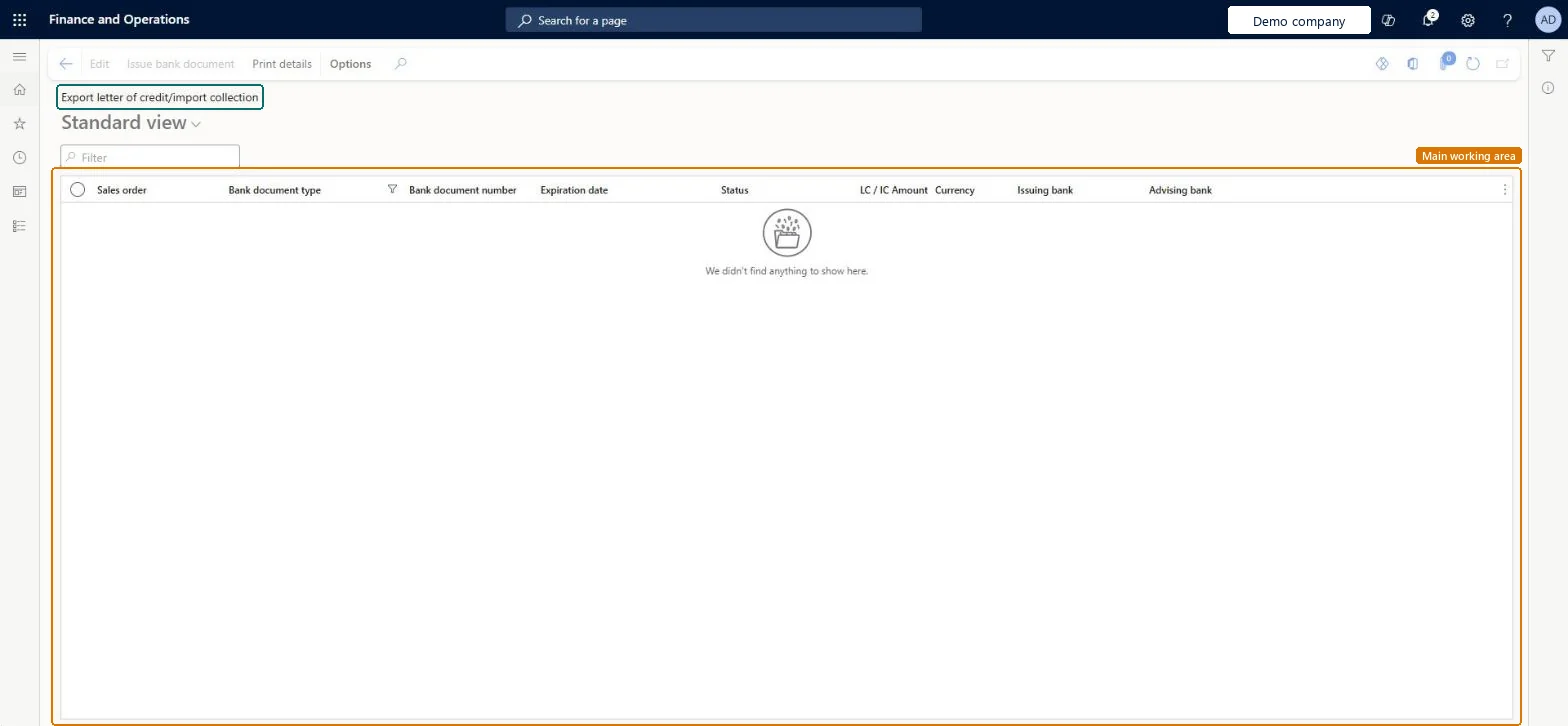
Go to Cash and bank management > Letters of credit > Export letter of credit and import collection and check that the shipment status is Invoiced.
Post the customer payment, settling the invoice, and check that the balance is 0.00.
The customer's bank that issues the letter of credit.Microsoft Learn
IssuingBank
Shipment status
Where each shipment is in the process, such as Invoiced or Payment received.Microsoft Learn
Document submitted
Shows that the shipping documents were submitted.Microsoft Learn
Bank document number
The letter of credit number from the issuing bank, entered on the sales order's letter of credit.Microsoft Learn
Advising bank
The bank that carries out the transaction for the applicant.Microsoft Learn
Balance amount
What is still to be paid under the letter of credit; 0.00 after the customer payment is settled.Microsoft Learn
0.00
Common errors and fixes
Message
What to do
Letter of credit can't be selected as the bank document type on the order
Turn on Enable import letter of credit or Enable export letter of credit in the Bank document section of Cash and bank management parameters. Microsoft Learn
The shipment status stays Invoiced after the customer paid
Settle the payment against the invoice in the customer payment journal and check that the Bank document number and Shipment number are filled on the Payment tab. Microsoft Learn
Test checklist
Create a sales order with Bank document type Letter of credit, enter the bank document number, expiration date, issuing bank and advising bank, fetch the shipments and select Issue bank document.
Post the packing slip and the invoice for the shipment; check that Document submitted is Yes and the shipment status is Invoiced on this page.
Post the customer payment and mark the invoice with the bank document number and shipment number.
Check that the shipment status is Payment received and the balance amount is 0.00.
Enter the letter of credit on the sales order before the first shipment, and settle each payment against the invoice with the bank document and shipment numbers filled.The shipment status and balance on this page are updated only from the shipment, invoice and settled payment that carry the letter of credit.
In this system 8 roles can open this page, among them Chief financial officer, Accounts receivable clerk, Accounts receivable manager and Accounting manager.
Follows the sales order: Corrections are made on the sales order, its invoice and payment.
If you change it later
The export letter of credit follows the sales order: shipments, invoices and the settled customer payment update its shipment status and balance. Import and export letters of credit are turned on per legal entity in the Bank document section of Cash and bank management parameters (Enable import letter of credit, Enable export letter of credit). Microsoft Learn
Technical architect
6Technical
Menu item
BankLCExportGridViewChecked in Dynamics 365
Form
BankLCExportChecked in Dynamics 365
Table
BankLCExportShown as “Letter of credit / import collection export table” in Record infoKey field: SalesTableChecked in Dynamics 365
Who can open it
PrivilegesExport letters of credit BankLCExportMaintainView letters of credit BankLCExportViewDutiesInquire into export letter of credit BankExportLetterOfCreditInquireMaintain export letter of credit BankExportLetterOfCreditMaintain8 security rolesChief financial officer CompanyChiefFinancialOfficerAccounts receivable clerk CustInvoiceAccountsReceivableClerkAccounts receivable manager CustInvoiceAccountsReceivableManagerAccounting manager LedgerAccountingManagerFinancial controller LedgerFinancialControllerAccounts receivable payments clerk PaymAccountsReceivablePaymentsClerkTreasurer PaymTreasurerSales manager TradeSalesManagerChecked in Dynamics 365
Roles to set it up and use it
To set it up or change itTreasurer PaymTreasurerAccounts receivable manager CustInvoiceAccountsReceivableManagerAccounts receivable clerk CustInvoiceAccountsReceivableClerkTo use itChief financial officer CompanyChiefFinancialOfficerAccounting manager LedgerAccountingManagerFinancial controller LedgerFinancialControllerAccounts receivable payments clerk PaymAccountsReceivablePaymentsClerkSales manager TradeSalesManagerGive people one of these roles. On this system, 8 roles can open this page.Checked in Dynamics 365
Actions on the page
Options: Personalize, Page options, ShareChecked in Dynamics 365
Load order: An export letter of credit has no data entity in Data management, so it can't be loaded from a file or a configuration template. Open export letters of credit are entered again on the open sales orders in the new environment (Manage > Letter of credit), after the parameters are set.Microsoft Learn