Cash and bank managementInquiries and reportsLetters of credit or guarantee
BankLGInquiry
Used by
Chief financial officer, Accounts receivable clerk, Accounts receivable manager and 3 more roles
Business process
Manage supplier letters of guarantee for payment in Dynamics 365 Finance
Menu item
BankLGInquiry
Main table
BankLGGuarantee
Setup steps
1 on this page
Show what matters for
SETUP GUIDEHow to set it up8 sections. Choose a role to highlight what matters to you.
Everyone
1What it is and why
What it is
An inquiry page that shows letters of guarantee so you can track their status, balances and expiration.
What you do here
Use this page to review letters of guarantee and their transactions without changing them.
Example
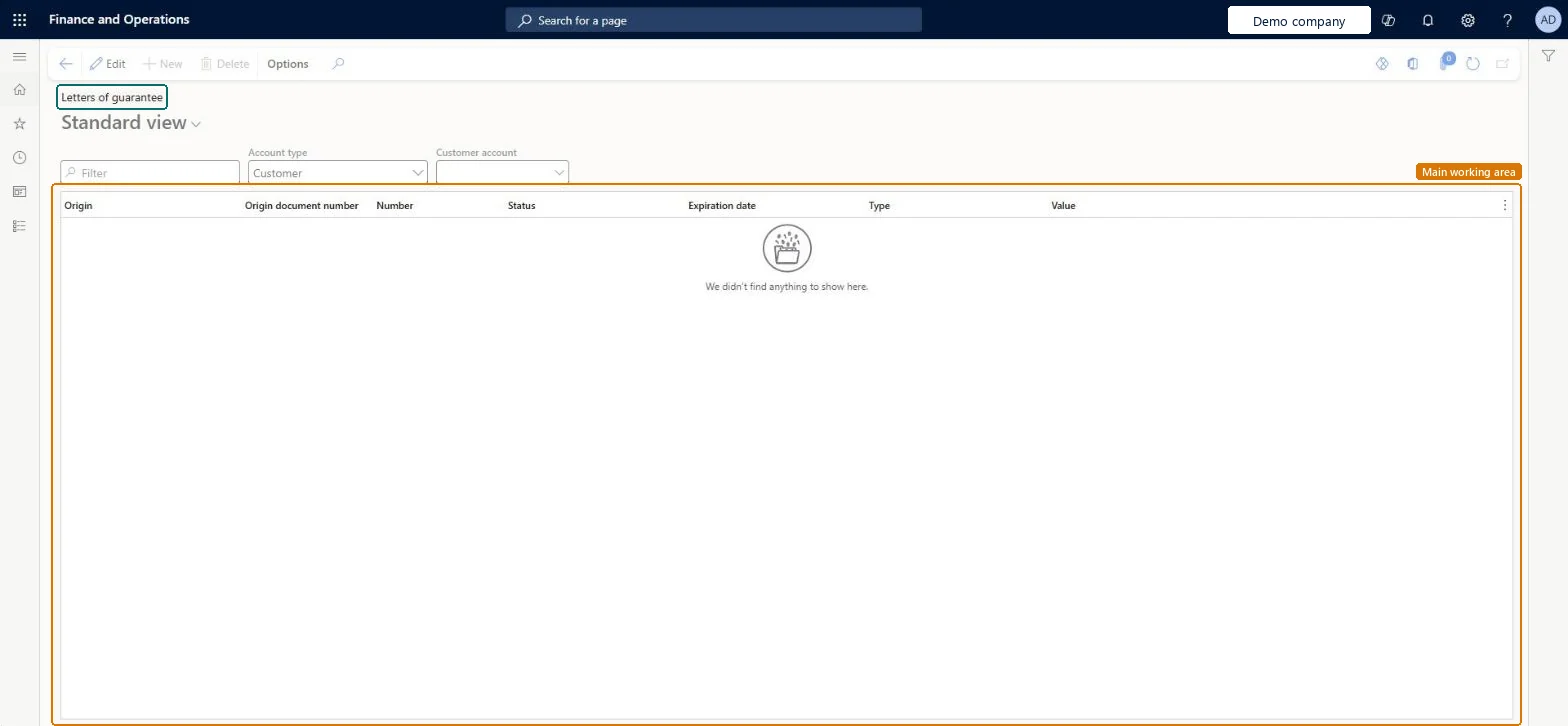
For example, with Account type Customer and the customer's account selected, the inquiry shows the customer's 250,000.00 performance bond with its status, type and expiration date, so the treasurer can answer the customer without opening the Letters of guarantee page.
The page in Dynamics 365. page title tab to open what to set or check
About the examples: Examples and screenshots in this guide use BEAT, a demo company in a Dynamics 365 test environment. Use your own company's codes and values instead of copying them.
Setup steps on this page
Review letters of guarantee by customer or vendor
Use this inquiry to answer which letters of guarantee a customer or vendor has, in which status and until when.
Steps from Microsoft
Go to Cash and bank management > Inquiries and reports > Letters of credit or guarantee > Letters of guarantee.
Set the Account type, for example Customer, and pick the account.
Read the Origin, Origin document number, Number, Status, Expiration date, Type and Value of each letter of guarantee.
Open a letter of guarantee to see its actions and the journal batch each action posted.
Set the account type and account first, then sort on Expiration date.The inquiry works per account; sorting on expiration shows first what must be extended or liquidated.
In this system 6 roles can open this page, among them Chief financial officer, Accounts receivable clerk, Accounts receivable manager and Accounting manager.
Read-only view of the letters of guarantee recorded on the Letters of guarantee page. Microsoft Learn
Technical architect
6Technical
Menu item
BankLGInquiryChecked in Dynamics 365
Form
BankLGInquiryChecked in Dynamics 365
Table
BankLGGuaranteeShown as “Letter of guarantee” in Record infoChecked in Dynamics 365
Who can open it
PrivilegesView letters of guarantee for accounts BankLGInquiryViewDutiesInquire into bank letter of guarantee BankLetterOfGuaranteeInquire6 security rolesChief financial officer CompanyChiefFinancialOfficerAccounts receivable clerk CustInvoiceAccountsReceivableClerkAccounts receivable manager CustInvoiceAccountsReceivableManagerAccounting manager LedgerAccountingManagerFinancial controller LedgerFinancialControllerTreasurer PaymTreasurerChecked in Dynamics 365
Roles to set it up and use it
To use itTreasurer PaymTreasurerChief financial officer CompanyChiefFinancialOfficerAccounting manager LedgerAccountingManagerFinancial controller LedgerFinancialControllerAccounts receivable manager CustInvoiceAccountsReceivableManagerGive people one of these roles. On this system, 6 roles can open this page.Checked in Dynamics 365
Actions on the page
Options: Personalize, Page options, ShareChecked in Dynamics 365
Developer
7Developer
Open it by URL
https://<your-environment>/?mi=BankLGInquiry
Data migration
Load order: The letters of guarantee inquiry has no data entity in Data management, so it can't be loaded from a file or a configuration template. It reads the letters of guarantee recorded in this environment.Microsoft Learn
Checked in a working Dynamics 365 system, version 10.0.49: the menu item, form, table and security, the page.
To cite this step: CB-INQ-320, Review letters of guarantee by customer or vendor. Beyond ERP Atlas Hub, 2026-11-11. https://www.beyonderp.cloud/atlas/step/CB-INQ-320