Accounts payable manager, Chief executive officer, Chief financial officer and 7 more roles
Business process
Cancel supplier payments
Menu item
BankChequeTable
Main table
BankChequeTable
Setup steps
1 on this page
Show what matters for
SETUP GUIDEHow to set it up8 sections. Choose a role to highlight what matters to you.
Everyone
1What it is and why
What it is
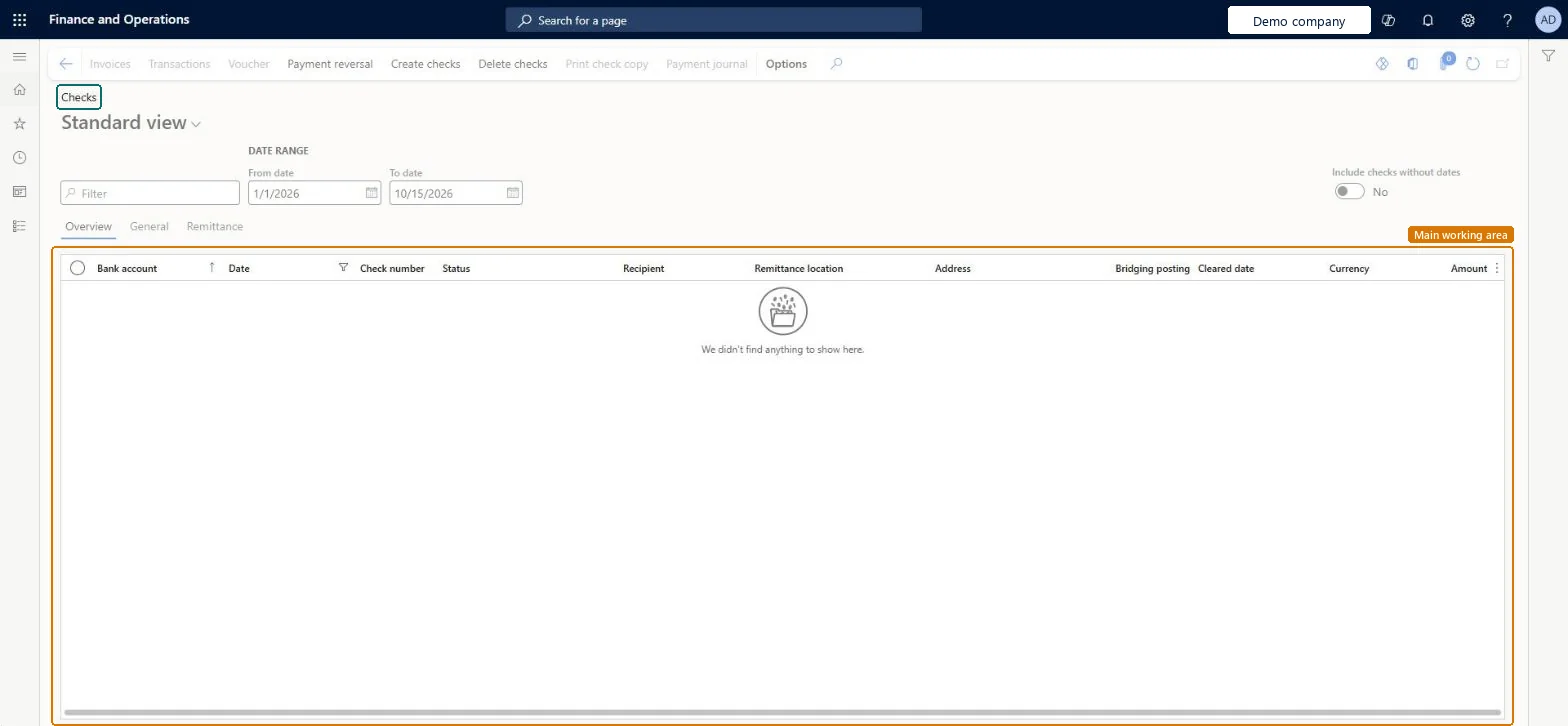
The Checks list opened from Inquiries and reports; it is the same page as Payment reversals > Checks, used here to look up checks and their status.
What you do here
Use this entry to answer questions about a check, such as whether it is paid, cancelled or still unused, before you act on it from the same page.
Example
For example, a vendor calls about check 1052 for 640.00. You filter on the check number and see status Paid with the payment date, so you can tell the vendor it was issued and ask whether it was lost before you reverse it.
The page in Dynamics 365. page title tab to open what to set or check
About the examples: Examples and screenshots in this guide use BEAT, a demo company in a Dynamics 365 test environment. Use your own company's codes and values instead of copying them.
Setup steps on this page
Look up checks and their status
Answer questions about checks and count unused checks before a payment run.
Steps from Microsoft
Go to Cash and bank management > Inquiries and reports > Checks.
Filter on the bank account and the check number, or on Status, for example Created to count unused checks.
Turn on Include checks without dates when you want to see checks that aren't used yet.
Read the status: Paid checks can be reversed, Created checks can be deleted, unposted checks can be voided.
If action is needed, use Payment reversal on this same page; the reversal follows the review setting in the parameters.
Shows where the check is in its life: for example, Created for checks not yet used, or Paid for posted checks that can be reversed.Microsoft Learn
Created
ChequeStatus
Include checks without dates
Shows checks that have no date yet, such as unused checks with status Created.Microsoft Learn
Common errors and fixes
Message
What to do
No more checks for account
The count of Created checks for a Fixed check number bank account is lower than the payments to print. Create more checks from the bank account (Set up > Check numbers). Microsoft Learn
Test checklist
Open this entry and filter on a test bank account.
Turn on Include checks without dates and filter Status = Created.
Compare the count of Created checks with the checks the next payment run needs.
Filter on bank account and Status first; turn on Include checks without dates when counting Created checks.Unused checks have no date, so they are hidden unless the option is on, and the status decides what you may do with a check.
This entry opens the same Checks page as Payment reversals > Checks, so the actions here change data in the same way: reversals, deletions and voids follow the rules of the Checks page. Microsoft Learn
Technical architect
6Technical
Menu item
BankChequeTableChecked in Dynamics 365
Form
BankChequeTableChecked in Dynamics 365
Table
BankChequeTableShown as “Check table” in Record infoKey field: AccountID, ChequeNumChecked in Dynamics 365
Who can open it
PrivilegesMaintain bank account checks BankChequeTableMaintainView bank account checks BankChequeTableViewDutiesEnable bank management process BankBankManagementProcessEnableInquire into bank management reference data BankBankMgmtReferenceDataInquireInquire into customer positive payments PaymCustPositivePayInquireInquire into vendor positive payments PaymVendPositivePayInquire10 security rolesChief executive officer CompanyChiefExecutiveOfficerChief financial officer CompanyChiefFinancialOfficerAccounts receivable manager CustInvoiceAccountsReceivableManagerAccountant LedgerAccountantAccounting manager LedgerAccountingManagerAccounting supervisor LedgerAccountingSupervisorFinancial controller LedgerFinancialControllerAccounts payable positive payment clerk PaymPositivePaymentClerkTreasurer PaymTreasurerAccounts payable manager VendInvoiceAccountsPayableManagerChecked in Dynamics 365
Roles to set it up and use it
To set it up or change itTreasurer PaymTreasurerAccountant LedgerAccountantTo use itChief financial officer CompanyChiefFinancialOfficerAccounting manager LedgerAccountingManagerFinancial controller LedgerFinancialControllerAccounting supervisor LedgerAccountingSupervisorAccounts receivable manager CustInvoiceAccountsReceivableManagerGive people one of these roles. On this system, 10 roles can open this page.Checked in Dynamics 365
Actions on the page
Options: Personalize, Page options, ShareChecked in Dynamics 365
Developer
7Developer
Open it by URL
https://<your-environment>/?mi=BankChequeTable
Data migration
Load order: The checks list has no data entity in Data management, so it can't be loaded from a file or a configuration template. Checks are created from the bank account and by payment journals; there is nothing to load on this inquiry entry.Checked in Dynamics 365