Workflow page · Cash and bank management
Check reversals
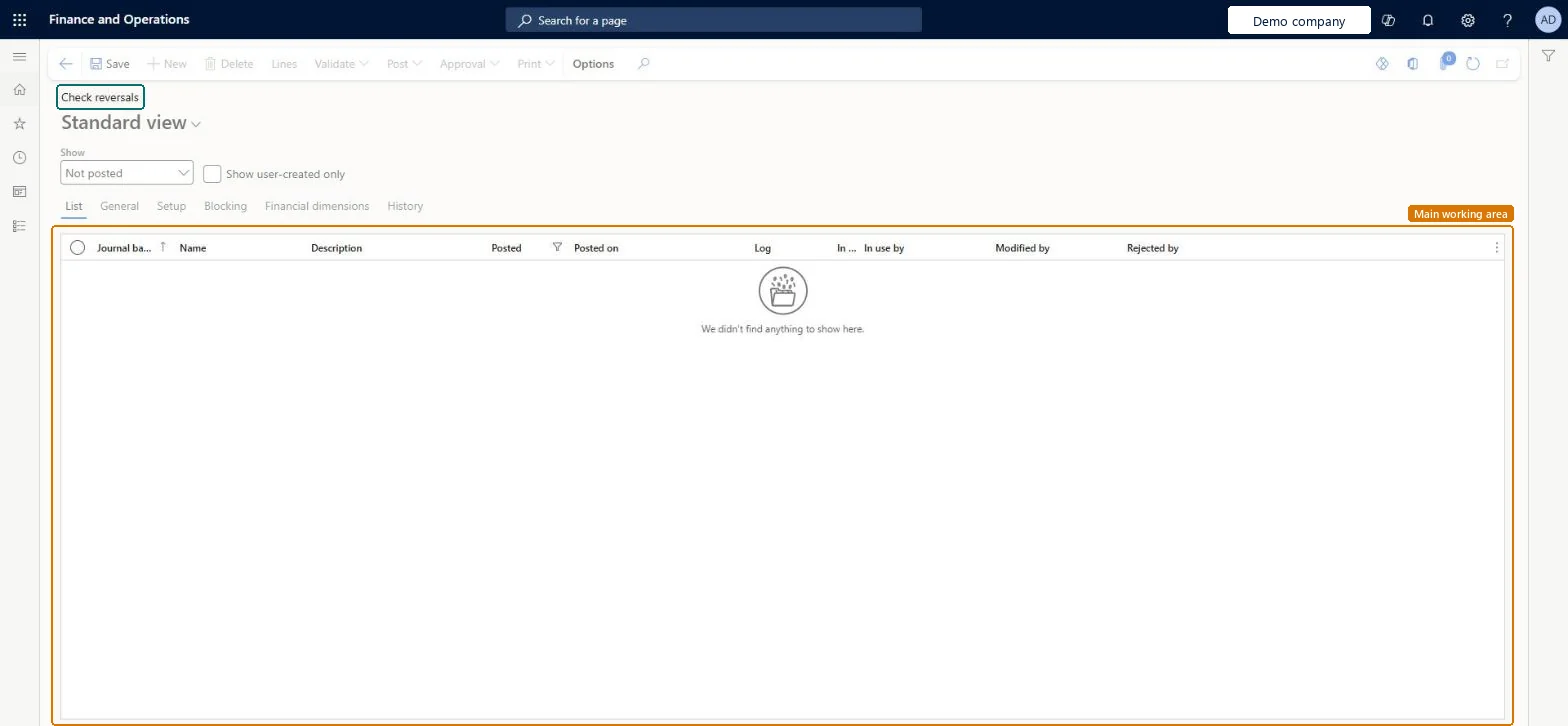
A journal page where check reversals wait for review before they are posted.
- Used by
- Chief financial officer, Accountant, Accounting manager and 5 more roles
- Business process
- —
- Menu item
LedgerJournalTable_BankChequeReversal- Main table
LedgerJournalTable- Data entity
ExpenseJournalHeaderEntity- Setup steps
- —
Show what matters for
Everyone
1What it is and why
| What it is | A journal page where check reversals wait for review before they are posted. |
|---|---|
| What you do here | Used to approve and post check reversals, or reject them by deleting the journal. |
| Example | — |
Functional consultant · Solution architect
2Where it fits
| Business process | — |
|---|---|
| Menu path | Cash and bank management › Payment reversal approvals › Check reversals |
| Set up first | Cash and bank management parameters Microsoft Learn ↗Checks Microsoft Learn ↗ |
| Used next by | — |
| Related pages | — |
End user · Functional consultant
3How to do it
Microsoft's steps
- Go to Cash and bank management > Payment reversal approvals > Check reversals.
- Select the reversal journal to review, and then select Lines.
- Review the reversed check.
- To approve, select Post or Post and transfer.
- To reject, delete the check reversal journal.
Source: Microsoft Learn ↗
Field guide
| Field | What it means | Worked example | Table column |
|---|---|---|---|
| — | |||
Functional consultant
4Setup decisions
| Setup step | Recommended value and why | Decision · common mistake · test |
|---|---|---|
| — No setup is made on this page. | ||
Solution architect
5Design impact
| Shared or per company | Per company: each legal entity has its own records. Microsoft data model ↗ |
|---|---|
| Can it be undone | — |
| Feature or country | — |
| If you change it later | Deleting the journal removes the reversal, but the original check stays on the Checks page and is no longer Pending cancellation. Microsoft Learn ↗ |
Technical architect
6Technical
| Menu item | LedgerJournalTable_BankChequeReversal Checked in Dynamics 365 |
|---|---|
| Form | LedgerJournalTable Checked in Dynamics 365 |
| Table | LedgerJournalTableShown as “Ledger journal table” in Record infoKey field: JournalNumChecked in Dynamics 365 |
| Data entities | ExpenseJournalHeaderEntityProject expense journal header Microsoft data model ↗VendInvoiceJournalHeaderEntityVendor invoice journal header Microsoft data model ↗VendInvoiceRegisterHeaderEntityVendor invoice register header Microsoft data model ↗VendorPaymentJournalHeaderEntityVendor payment journal header Microsoft data model ↗CustInvoiceJournalHeaderEntityCustomer invoice journal header Microsoft data model ↗CustomerPaymentJournalHeaderEntityCustomer payment journal header Microsoft data model ↗BankJournalHeaderEntityBank journal header Microsoft data model ↗AssetJournalEntityFixed asset journal Microsoft data model ↗AssetJournalHeaderEntityFixed asset journal table Microsoft data model ↗AssetJournalV2EntityFixed asset journal V2 entity Microsoft data model ↗LedgerJournalEntityGeneral journal Microsoft data model ↗LedgerJournalHeaderEntityLedger journal table Microsoft data model ↗LedgerReportingCurrencyAdjustmentJournalHeaderEntityReporting currency adjustment journal header Microsoft data model ↗SlipJournalEntitySlip journal Microsoft data model ↗RAssetJournalHeaderEntityFixed asset journal header (Russia) Microsoft data model ↗ |
| Who can open it | PrivilegesMaintain check reversal journals LedgerJournalTable_BankChequeReMaintainView check reversal journals LedgerJournalTable_BankChequeReveViewDutiesMaintain bank transactions BankBankTransactionsMaintainInquire into bank transaction status BankBankTransactionStatusInquireVendBankTransactionStatusInquire VendBankTransactionStatusInquire8 security rolesChief financial officerCompanyChiefFinancialOfficerAccountant LedgerAccountantAccounting manager LedgerAccountingManagerAccounting supervisor LedgerAccountingSupervisorFinancial controller LedgerFinancialControllerAccounts payable centralized payments clerk PaymAccountsPayableCentralPaymClerkAccounts payable payments clerk PaymAccountsPayablePaymentsClerkTreasurer PaymTreasurer |
| Actions on the page | Options: Personalize, Page options, Edit, ShareChecked in Dynamics 365 |
Developer
7Developer
| Open it directly | https://<your-environment>/?mi=LedgerJournalTable_BankChequeReversal |
|---|---|
| Integrate with | ExpenseJournalHeaderEntity data entity Microsoft data model ↗ |
| Table definition | LedgerJournalTable columns and relations Microsoft data model ↗ |
Everyone
8Sources and checks
- learn.microsoft.com/dynamics365/finance/general-ledger/ledger-journal-types
- learn.microsoft.com/dynamics365/finance/accounts-payable/reverse-vendor-payment
- learn.microsoft.com/common-data-model/schema/core/operationscommon/tables/finance/accountingfoundation/worksheetheader/ledgerjournaltable
- Checked in a working Dynamics 365 system, version 10.0.49: the menu item, form, table and security, the page.