Chief financial officer, Accountant, Accounting manager and 3 more roles
Business process
Reconcile bank accounts
Menu item
BankBridgingInquiryV2
Main table
BankBridgingTransactionTmp
Setup steps
1 on this page
Show what matters for
SETUP GUIDEHow to set it up8 sections. Choose a role to highlight what matters to you.
Everyone
1What it is and why
What it is
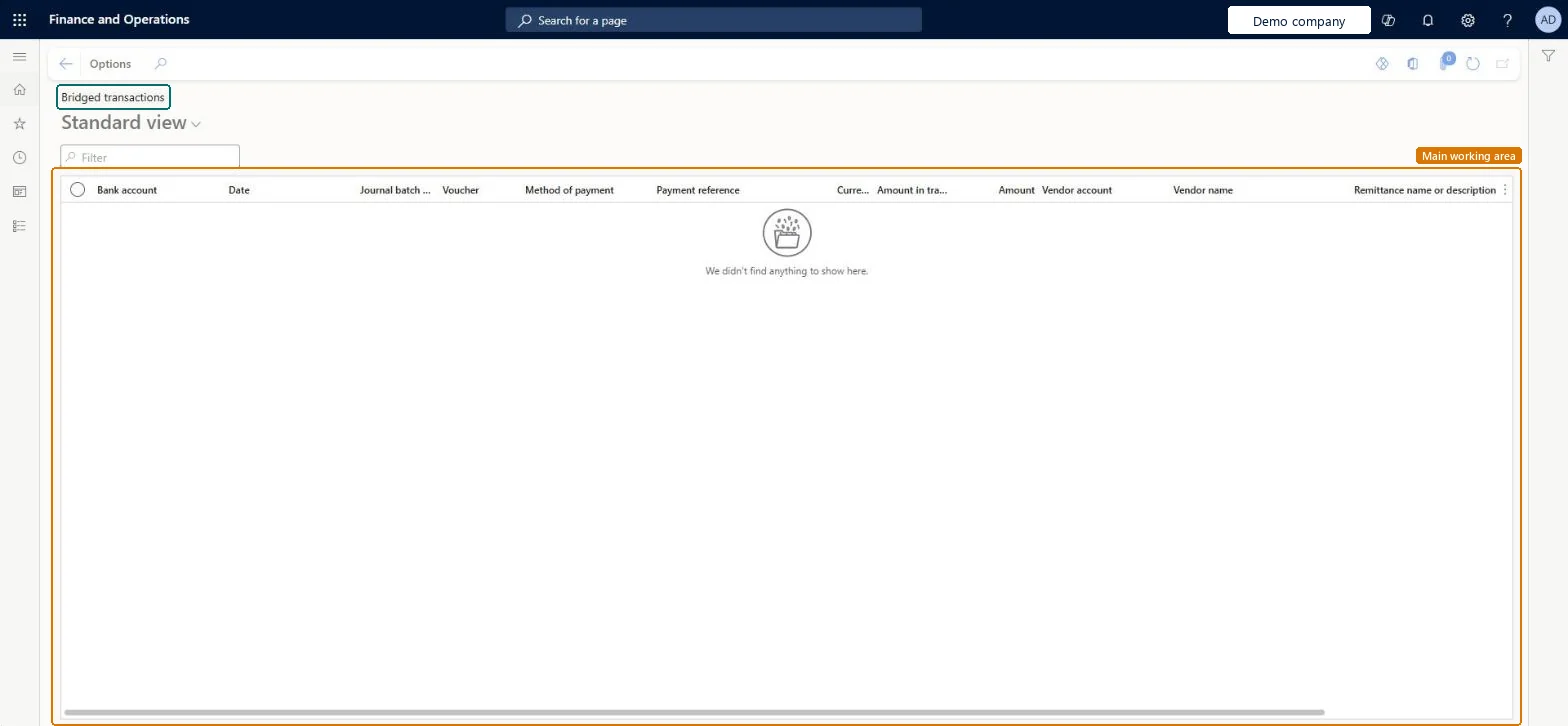
An inquiry page that lists bridged transactions: payments posted through a bridging account that haven't cleared the bank yet.
What you do here
Use this page to see which bridged payments are still pending before they are cleared to the bank account.
Example
For example, a customer pays 12,500.00 by a method of payment set up for bridging: the payment posts to the bridging account and shows here until the bank statement line is reconciled, when the clearing journal moves it to the bank main account.
The page in Dynamics 365. page title tab to open what to set or check
About the examples: Examples and screenshots in this guide use BEAT, a demo company in a Dynamics 365 test environment. Use your own company's codes and values instead of copying them.
Setup steps on this page
Follow up bridged payments
Check which bridged payments haven't cleared the bank yet.
Steps from Microsoft
Go to Cash and bank management > Inquiries and reports > Bridged transactions.
Filter on the bank account to see the bridged payments not yet cleared.
Check the voucher, method of payment, payment reference and amount of each line against the bank statement.
After the reconciliation is marked as reconciled, check that the cleared payments are gone; any left over failed to clear and are cleared with Clear bridged transactions.
The bank account the bridged payment is waiting to clear to.Microsoft Learn
OPERATING
Voucher
The voucher of the payment posted to the bridging account.Checked in Dynamics 365
Method of payment
The method of payment that is set up for bridging.Microsoft Learn
Payment reference
The reference used to match the payment to the bank statement.Checked in Dynamics 365
Amount
The bridged amount, which is part of the Bridged transactions amount on the workspace card.Microsoft Learn
12,500.00
Common errors and fixes
Message
What to do
A reconciled bridged payment is still listed
The clearing journal failed to post, or Clear bridged transactions during reconciliation is off for the bank account. Fix the posting error and run Clear bridged transactions for the reconciliation, or clear it in the general ledger. Microsoft Learn
Test checklist
Post a customer payment of 12,500.00 with a bridging method of payment.
Check the payment shows here and in the card's Bridged transactions amount.
Reconcile the statement line and mark the worksheet as reconciled.
Check the payment is gone and the bank main account shows 12,500.00.
Filter on one bank account and review the list after each reconciliation; anything older than the last statement needs action.Bridged payments should clear when their statement line is reconciled; a payment that stays after that points to a failed clearing journal.
Per company: the inquiry shows the bridged payments of the current legal entity's bank accounts. Microsoft Learn
Can it be undone
Reversible: The inquiry changes no data.
If you change it later
The list empties as bridged payments are cleared: automatically when the worksheet is marked as reconciled with Clear bridged transactions during reconciliation on, or by hand in the general ledger when it's off. Microsoft Learn
Technical architect
6Technical
Menu item
BankBridgingInquiryV2Checked in Dynamics 365
Form
BankBridgingInquiryV2Checked in Dynamics 365
Table
BankBridgingTransactionTmpChecked in Dynamics 365
Who can open it
PrivilegesView bridged transactions BankBridgingInquiryViewDutiesInquire into bank transaction status BankBankTransactionStatusInquireView manage bank accounts workspace BankTreasurerWorkspaceView6 security rolesChief financial officer CompanyChiefFinancialOfficerAccountant LedgerAccountantAccounting manager LedgerAccountingManagerAccounting supervisor LedgerAccountingSupervisorFinancial controller LedgerFinancialControllerTreasurer PaymTreasurerChecked in Dynamics 365
Roles to set it up and use it
To use itTreasurer PaymTreasurerChief financial officer CompanyChiefFinancialOfficerAccounting manager LedgerAccountingManagerFinancial controller LedgerFinancialControllerAccountant LedgerAccountantGive people one of these roles. On this system, 6 roles can open this page.Checked in Dynamics 365
Actions on the page
Options: Personalize, Page options, ShareChecked in Dynamics 365
Load order: The Bridged transactions inquiry has no data entity in Data management, so it can't be loaded from a file or a configuration template. It lists bridged payments from posted payment journals; clear open bridged payments before go-live, or post them again in the new system.Microsoft Learn