SETUP GUIDEHow to set it up8 sections. Choose a role to highlight what matters to you.
Everyone
1What it is and why
What it is
A setup page where you register each external system that sends data to Cost accounting through the Dynamics AX data connector, with the date range of the data it transfers.
What you do here
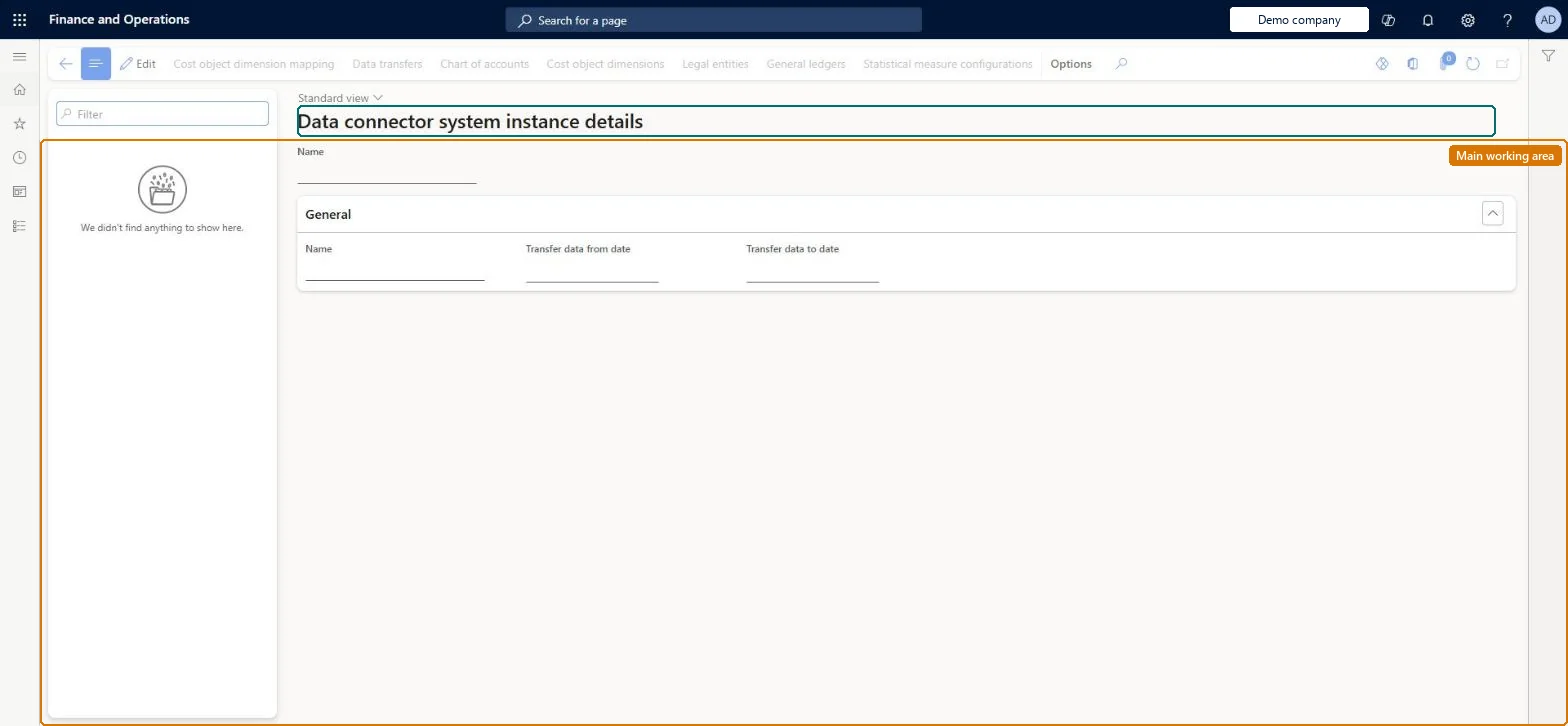
Use this page only when cost data comes from a Dynamics AX installation rather than from this Dynamics 365 Finance system. For each system instance you set the transfer dates and, from the Action Pane, its chart of accounts, cost object dimensions and mapping, legal entities, general ledgers, statistical measure configurations and data transfers.
Example
For example, a subsidiary that still runs Dynamics AX is registered as a system instance with Transfer data from date 1 January 2026, so its general ledger entries can be compared with the group's cost centers in the same cost accounting ledger.
The page in Dynamics 365. page title tab to open what to set or check
About the examples: Examples and screenshots in this guide use BEAT, a demo company in a Dynamics 365 test environment. Use your own company's codes and values instead of copying them.
Setup steps on this page
Set up Data connector system instances
Register an external Dynamics AX system that sends data through the Dynamics AX data connector.
Steps from Microsoft
Go to Cost accounting > Setup > Data connector system instances.
Select New and enter the Name of the external system instance.
Enter Transfer data from date and, if the transfer should stop, Transfer data to date.
Use Chart of accounts, Cost object dimensions, Legal entities and General ledgers on the Action Pane to choose what the instance sends.
Use Cost object dimension mapping to map the instance's dimensions to the cost object dimensions of the cost accounting ledger.
Use Data transfers to check each transfer the instance has made.
The name of the external system instance. It identifies the instance on the data connector pages and on Data connector data transfers.Checked in Dynamics 365
AX2012-EU
Transfer data from date
The first accounting date of the data the instance transfers.Checked in Dynamics 365
1/1/2026
Transfer data to date
The last accounting date of the data the instance transfers. Leave it empty to keep transferring.Checked in Dynamics 365
Common errors and fixes
Message
What to do
The page is empty after the Get started wizard
This is expected: the wizard sets up the built-in Dynamics 365 Finance data connector, which doesn't use a system instance. Checked in Dynamics 365
Test checklist
Create a system instance with a from date.
Set up its chart of accounts, legal entities and cost object dimension mapping.
Run a transfer from the external system.
Open Data connector data transfers and check that the expected and transferred record counts match.
Leave this page empty unless data comes from a Dynamics AX installation. For each such installation, create one instance with a from date at the start of the fiscal year you want to analyse.The Imported transactions and Dynamics 365 Finance data connectors are preconfigured; only the Dynamics AX data connector needs configuration, and the system instance is where it starts.
Cost accounting has four roles: Cost accounting manager (Activity licence), Cost accountant and Cost accountant clerk (Operations licence), and Cost object controller (Team members licence). Cost accountants and cost accounting managers set up system instances. No Feature management feature needs to be turned on for this page.
Shared: Cost accounting setup isn't kept per legal entity. It is the same from every company, and one cost accounting ledger can collect data from several legal entities. Checked in Dynamics 365
Can it be undone
Reversible: Dates and mappings can be changed before the next transfer.
If you change it later
A system instance is used only by the Dynamics AX data connector. Changing its dates or mappings changes what later transfers bring in; data already transferred stays until it is processed again. Microsoft Learn
Technical architect
6Technical
Menu item
CAMDataConnectorSystemInstanceChecked in Dynamics 365
Form
CAMDataConnectorSystemInstanceChecked in Dynamics 365
Table
CAMDataDataConnectorSystemInstanceShown as “DATA CONNECTOR SYSTEM INSTANCES” in Record infoKey field: NameChecked in Dynamics 365
Who can open it
3 security roles. Select a role to see its duties and privileges.
RoleCost accountantCAMCostAccountant
DutyMaintain dimensionsCAMDimensionsMaintain
PrivilegeInquire into information about data connector system instancesCAMDataConnectorSystemInstanceView
RoleCost accountant clerkCAMCostAccountantClerk
DutyInquire into dimensionsCAMDimensionsInquire
PrivilegeInquire into information about data connector system instancesCAMDataConnectorSystemInstanceView
DutyMaintain data connector system instancesCAMDataConnectorSystemInstanceMaintain
PrivilegeMaintain data connector system instancesCAMDataConnectorSystemInstanceMaintain
DutyInquire into dimensionsCAMDimensionsInquire
PrivilegeInquire into information about data connector system instancesCAMDataConnectorSystemInstanceView
Checked in Dynamics 365
Roles to set it up and use it
To set it up or change itMaintain data connector system instances CAMDataConnectorSystemInstanceMaintainMaintain dimensions CAMDimensionsMaintainTo use itInquire into dimensions CAMDimensionsInquireGive people a role that holds these duties. On this system, 3 roles give access to this page.Checked in Dynamics 365
Actions on the page
(Action Pane without tabs): Cost object dimension mapping, Data transfers, Chart of accounts, Cost object dimensions, Legal entities, General ledgers, Statistical measure configurationsChecked in Dynamics 365
Load order: A data connector system instance has no data entity in Data management, so it can't be loaded from a file or a configuration template. Register the instance by hand in each environment.Microsoft Learn
Checked in a working Dynamics 365 system, version 10.0.49: the menu item, form, table and security, the page.
To cite this step: CA-SETUP-040, Set up Data connector system instances. Beyond ERP Atlas Hub, 2026-11-11. https://www.beyonderp.cloud/atlas/step/CA-SETUP-040