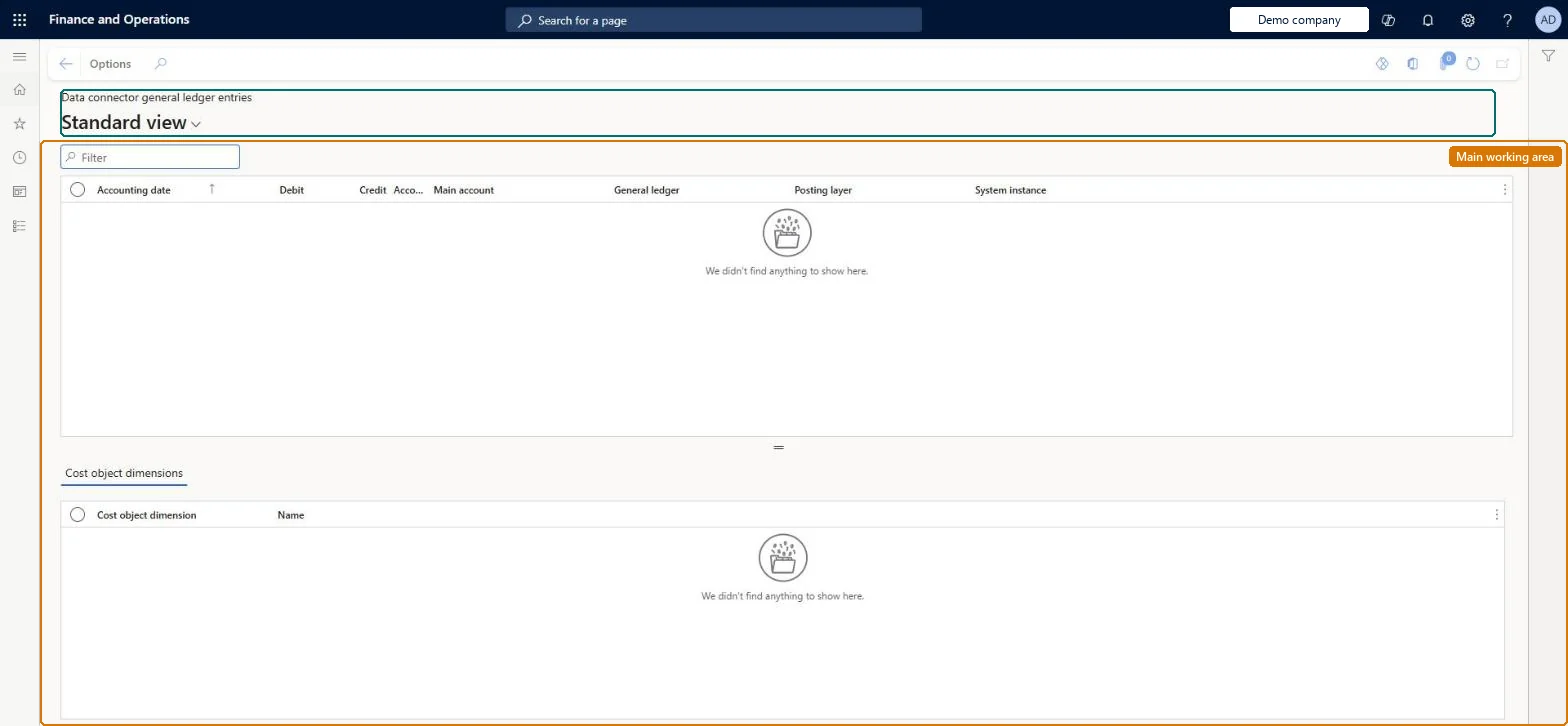
An inquiry page that shows the general ledger entries an external system instance has sent through the Dynamics AX data connector, with their main account, general ledger, posting layer and cost object dimensions.
Process general ledger data for cost accounting in Dynamics 365 Finance
Menu item
CAMDataConnectorGeneralLedgerEntry
Main table
CAMDataDataConnectorGeneralLedgerEntry
Setup steps
1 on this page
Show what matters for
PAGE GUIDEWhat the page does and how to use it8 sections. Choose a role to highlight what matters to you.
Everyone
1What it is and why
What it is
An inquiry page that shows the general ledger entries an external system instance has sent through the Dynamics AX data connector, with their main account, general ledger, posting layer and cost object dimensions.
What you do here
Use this page to check the transferred ledger entries of a Dynamics AX system before they are processed into cost entries in a cost accounting ledger.
Example
For example, before processing October you filter on the subsidiary's system instance and check that the debit and credit totals per main account match its trial balance.
The page in Dynamics 365. page title tab to open what to set or check
About the examples: Examples and screenshots in this guide use BEAT, a demo company in a Dynamics 365 test environment. Use your own company's codes and values instead of copying them.
Setup steps on this page
Transferred ledger entries match the source
Check general ledger entries that an external system instance sent through the Dynamics AX data connector.
Steps from Microsoft
Go to Cost accounting > Imported data > Data connector > Data connector general ledger entries.
Filter on the System instance and the Accounting date range of the period.
Check the Debit and Credit totals per Main account against the external system.
Select an entry to see its cost object dimensions in the lower grid.
Process the source data for the period on the cost accounting ledger.
The external system instance that sent the entry.Microsoft Learn
Cost object dimensions (lower grid)
The cost object dimension values of the selected entry.Checked in Dynamics 365
Common errors and fixes
Message
What to do
The page is empty
Only the Dynamics AX data connector fills this page. Data from this Dynamics 365 Finance system goes straight into the cost accounting ledger when you process the source data, and is checked in Journals. Checked in Dynamics 365
Corrected source figures don't show in Cost accounting
Cost accounting keeps its own copy of the source data. Import the data again and process the source data for the period. Microsoft Learn
Test checklist
Run a transfer from the system instance.
Check the transfer on Data connector data transfers.
Filter this page on the system instance and the period.
Process the source data and compare with the resulting entries.
Filter on the System instance and the period, and compare the totals with the source system before you process the period.These rows become cost or statistical entries only when processed, so this is the last place to catch missing or doubled data from the external system.
Cost accounting has four roles: Cost accounting manager (Activity licence), Cost accountant and Cost accountant clerk (Operations licence), and Cost object controller (Team members licence). Cost accountants and cost accountant clerks read transferred data. No Feature management feature needs to be turned on for this page.
Shared: Cost accounting setup isn't kept per legal entity. It is the same from every company, and one cost accounting ledger can collect data from several legal entities. Checked in Dynamics 365
Can it be undone
Reversible: The page changes no data; transfer and process again to replace the figures. Microsoft Learn
If you change it later
These rows are a copy of what the external system sent. They reach cost or statistical entries only when the source data is processed, and changes in the external system need a new transfer. Microsoft Learn
Technical architect
6Technical
Menu item
CAMDataConnectorGeneralLedgerEntryChecked in Dynamics 365
Form
CAMDataConnectorGeneralLedgerEntryChecked in Dynamics 365
Table
CAMDataDataConnectorGeneralLedgerEntryShown as “DATA CONNECTOR GENERAL LEDGER ENTRIES” in Record infoKey field: DataConnectorSystemInstance_NameChecked in Dynamics 365
Who can open it
2 security roles. Select a role to see its duties and privileges.
RoleCost accountantCAMCostAccountant
DutyView data connector source entriesCAMDataConnectorSourceEntriesInquire
PrivilegeView data connector general ledger entriesCAMDataConnectorGeneralLedgerEntryView
DutyView data connector source entriesCAMDataConnectorSourceEntriesInquire
PrivilegeView data connector general ledger entriesCAMDataConnectorGeneralLedgerEntryView
Checked in Dynamics 365
Roles to set it up and use it
To use itView data connector source entries CAMDataConnectorSourceEntriesInquireGive people a role that holds these duties. On this system, 2 roles give access to this page.Checked in Dynamics 365
Load order: Transferred general ledger entries has no data entity in Data management, so it can't be loaded from a file or a configuration template. The rows come from the connector; run the transfer again in the new environment.Microsoft Learn