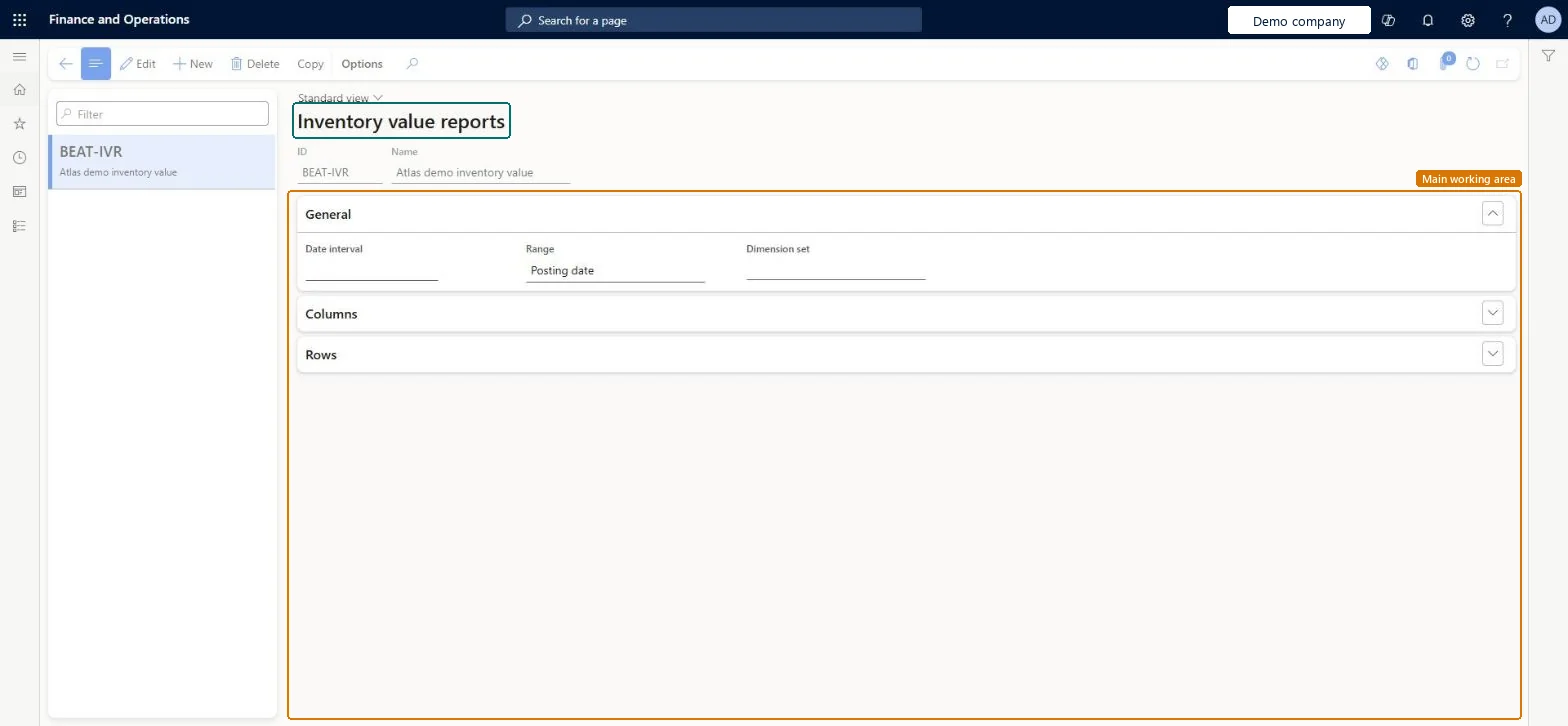
Setup step on the Inventory value reports page · Cost management
Set up Inventory value reports
Use this page to create and maintain the report configurations that you select each time you generate an Inventory value or Inventory value report storage report.
SETUP GUIDEHow to set it up8 sections. Choose a role to highlight what matters to you.
Everyone
1What it is and why
What it is
A setup page where you define inventory value report configurations that control the columns, rows and data that inventory value reports include.
What you do here
Use this page to create and maintain the report configurations that you select each time you generate an Inventory value or Inventory value report storage report.
The page in Dynamics 365. page title tab to open what to set or check
About the examples: Examples and screenshots in this guide use BEAT, a demo company in a Dynamics 365 test environment. Use your own company's codes and values instead of copying them.
Setup steps on this page
Set up Inventory value reports
Use this page to create and maintain the report configurations that you select each time you generate an Inventory value or Inventory value report storage report.
Steps from Microsoft
Go to Cost management > Inventory accounting policies setup > Inventory value reports.
Select New on the Action Pane to create a report, or select an existing report in the list pane and select Edit.
In the ID field, enter a short unique identifier, and in the Name field, enter a descriptive name.
For a new report configuration, select Save on the Action Pane to make the remaining fields available.
On the General FastTab, set the Date interval, Range and Dimension set fields.
On the Columns FastTab, select the columns and inventory dimensions that the report includes.
On the Rows FastTab, select the resource types to show and the Detail Level.
For ledger reconciliation configurations: Range = Posting date, Inventory column on, Include not posted to ledger off, and a Dimension set of Main account (no more than two dimensions).The general ledger can't be reconciled to inventory with Transaction time sorting; the report must use Posting date. Unposted amounts must be excluded from a reconciliation.
Selecting warehouse or batch in the View column and expecting values: only dimensions with Financial inventory enabled in the storage or tracking dimension group show values; the others print blank.
Feature management and licence
Feature to turn on
Large Volume Historical Inventory Value Report Generation (Optional)
Reversible: All settings except ID can be edited later. The ID can't be changed after the configuration is saved; create a new configuration instead.
If you change it later
The ID of a report configuration cannot be changed after a new configuration is saved. Microsoft Learn
Technical architect
6Technical
Menu item
InventValueReportSetupChecked in Dynamics 365
Form
InventValueReportSetupChecked in Dynamics 365
Table
InventValueReportShown as “INVENTORY VALUE REPORTS” in Record infoKey field: ReportIdChecked in Dynamics 365
Data entities
InventInventoryValueReportLayoutEntityInventory value report layouts Microsoft data model
Who can open it
PrivilegesManage inventory value reports InventValueReportMaintainDutiesMaintain inventory valuation InventClosingInventoryValuationMaintainReview inventory valuation process performance InventValueInvValuationProcessPerfRevie2 security rolesInventory accountant InventCostAccountantAccounting manager LedgerAccountingManagerChecked in Dynamics 365
Roles to set it up and use it
To set it up or change itAccounting manager LedgerAccountingManagerInventory accountant InventCostAccountantGive people one of these roles. On this system, 2 roles can open this page.Checked in Dynamics 365
Actions on the page
(Action Pane without tabs): CopyChecked in Dynamics 365