About the examples: Examples and screenshots in this guide use BEAT, a demo company in a Dynamics 365 test environment. Use your own company's codes and values instead of copying them.
Step by step, with screenshots
Set up Vendor price tolerance groups1 screen
Set up the tolerance groups for vendor prices that invoice matching uses.
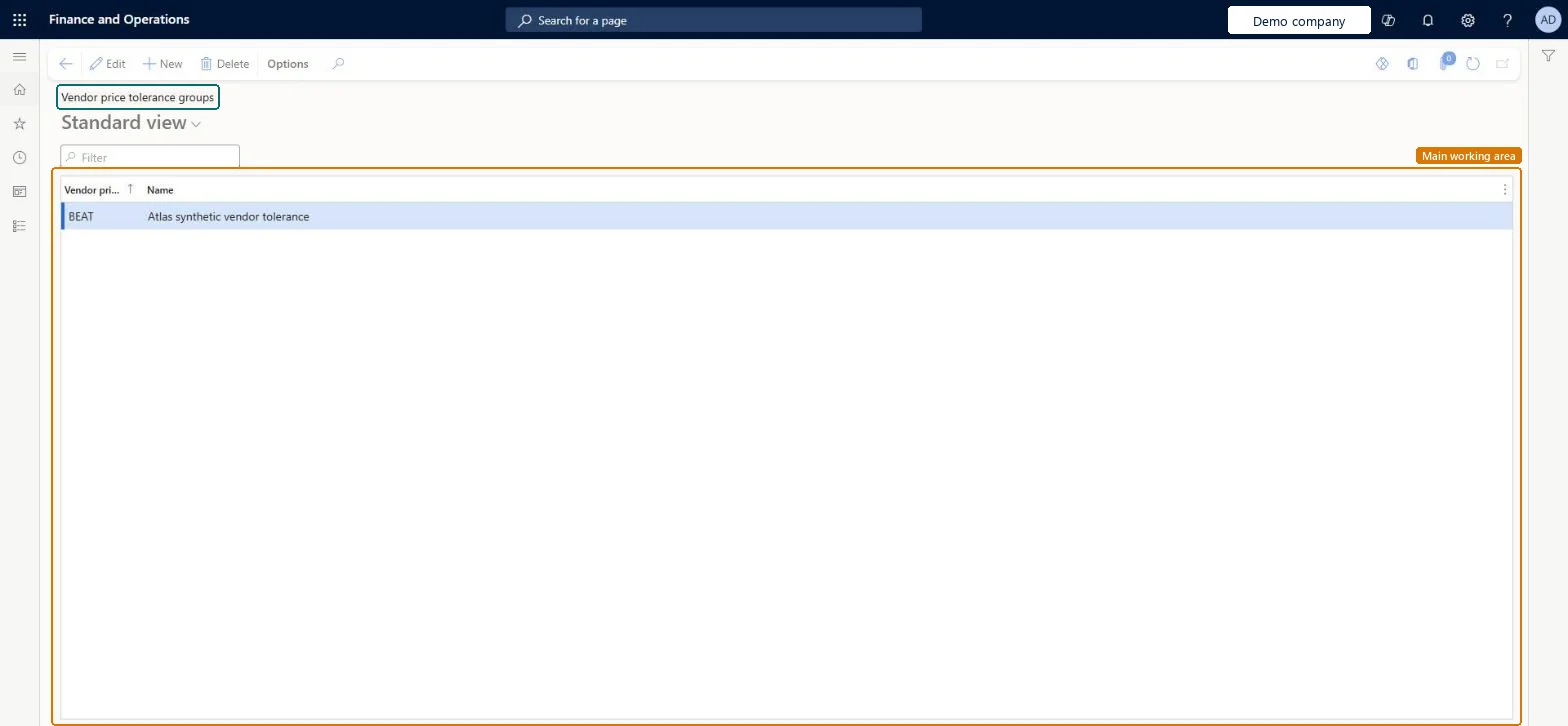
Screen 1
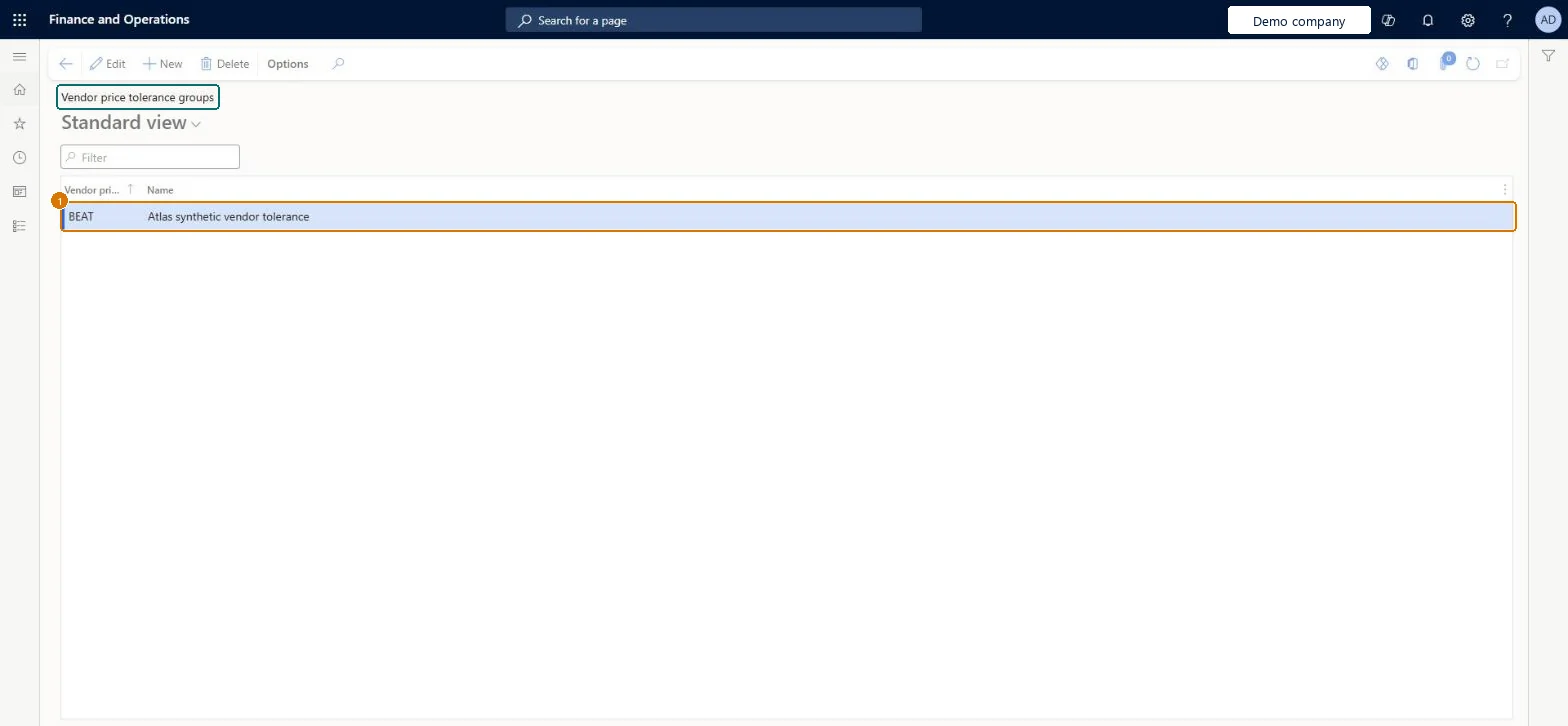
Create the vendor price tolerance group
Go to Accounts payable > Vendors > Vendor price tolerance groups
Select New
Enter the group code BEAT and a name
Name
Vendor tolerance
Show the full screen page title tab to open what to set or check
How to use it
Go to Accounts payable > Vendors > Vendor price tolerance groups.
Select New to add a row.
Enter the vendor price tolerance group code and a Name.
Select Edit to change an existing group, or Delete to remove the selected one.
Select Save if the page is in edit mode.
Source: Checked in Dynamics 365
Fields on the page
Field
What it means
Example
Table column
Name
The name of the vendor price tolerance group.Checked in Dynamics 365
Vendor tolerance
Name
Test checklist
Create a vendor price tolerance group and assign it to a test vendor.
On Price tolerances, add a row with Account code Group for that group and a 5 percent tolerance.
Invoice a purchase order line for that vendor at 4 percent above the order price and check that no price match discrepancy is shown.
Invoice another line at 10 percent above and check that the price match icon appears on the Vendor invoice page.
One group per set of vendors that share the same allowed price variance, each with its own Group row on Price tolerancesPrice tolerances can be set for vendor groups, and invoice matching looks for a group row before it falls back to the All row, so a group lets you manage one percentage for many vendors.
Creating the group and assigning vendors without adding a matching row on Price tolerances. Matching then falls through to the All items and All vendors row, which starts at 0 percent, so every price increase is flagged.
Reversible: The tolerance is looked up each time an invoice is matched, so moving a vendor to another group or changing the group's percentage affects the next matching run.
Technical architect
6Technical
Menu item
VendPriceToleranceGroupChecked in Dynamics 365
Form
VendPriceToleranceGroupChecked in Dynamics 365
Table
VendPriceToleranceGroupShown as “Vendor price tolerance groups” in Record infoKey field: VendPriceToleranceGroupIdChecked in Dynamics 365
PrivilegesMaintain price tolerance groups VendPriceToleranceGroupMaintainView price tolerance groups VendPriceToleranceGroupViewDutiesEnable invoice and payment process VendInvoiceInvoicePaymentProcessEnableInquire into invoice and payment process reference data VendInvoiceInvoicePaymntProcessRefDataIEnable vendor process VendVendorProcessEnable5 security rolesAccounting manager LedgerAccountingManagerAccounting supervisor LedgerAccountingSupervisorPurchasing manager TradePurchasingManagerAccounts payable manager VendInvoiceAccountsPayableManagerVendor account manager VendVendorAccountManagerChecked in Dynamics 365
Roles to set it up and use it
To set it up or change itAccounts payable manager VendInvoiceAccountsPayableManagerAccounting supervisor LedgerAccountingSupervisorPurchasing manager TradePurchasingManagerVendor account manager VendVendorAccountManagerTo use itAccounting manager LedgerAccountingManagerGive people one of these roles. On this system, 5 roles can open this page.Checked in Dynamics 365
VendorPriceToleranceGroupEntity (Vendor price tolerance groups): loaded for each company, in Microsoft's default template 120 - Accounts payable.Load order: Microsoft's default template 120 - Accounts payable loads Vendor price tolerance groups at execution unit 1, level 30, sequence 10. Lower levels load first, and entities at the same level load in sequence order.Load first: the default templates at lower levels (System setup to General ledger)Microsoft Learn
Checked in a working Dynamics 365 system, version 10.0.49: the menu item, form, table and security, the page, the demo records and the values in the screenshots.
To cite this step: AP-VENDORS-020, Set up Vendor price tolerance groups. Beyond ERP Atlas Hub, 2026-11-11. https://www.beyonderp.cloud/atlas/step/AP-VENDORS-020