Accounts payable clerk, Accounts payable manager, Chief financial officer and 6 more roles
Business process
Defining payment policies in Dynamics 365 Finance
Menu item
PaymSched
Main table
PaymSched
Data entity
PaymentScheduleEntity
Setup steps
1 on this page
Show what matters for
SETUP GUIDEHow to set it up8 sections. Choose a role to highlight what matters to you.
Everyone
1What it is and why
What it is
A setup page for payment schedules, which split an invoice into installments with a number, amount and due date for each installment.
What you do here
Use this page to pay invoices in installments, using allocation methods such as Total, Fixed amount, Fixed quantity or Specified.
Example
An invoice of 10,000 USD is paid at 2,000 USD each month until the balance is paid, and it isn't considered past due while scheduled payments are made on time.
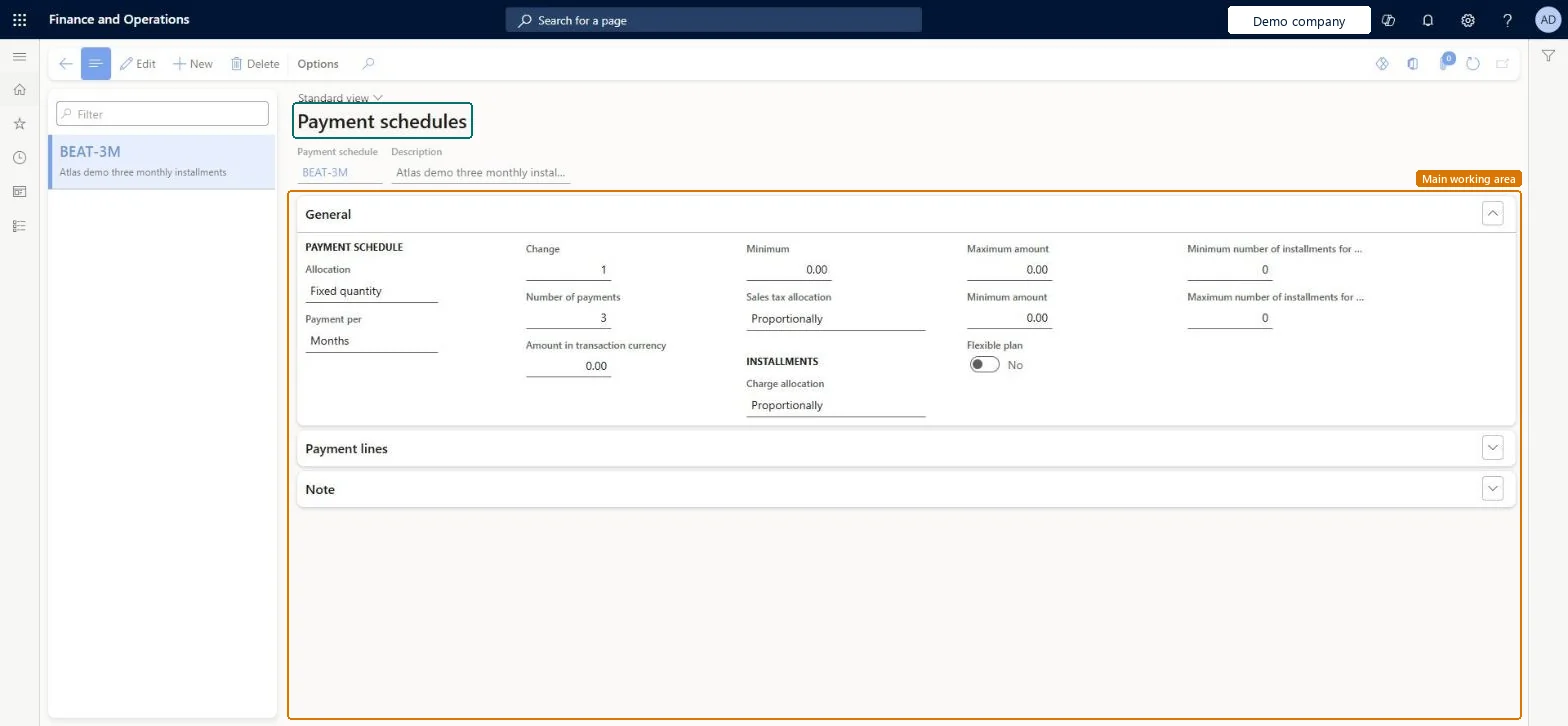
The page in Dynamics 365. page title tab to open what to set or check
About the examples: Examples and screenshots in this guide use BEAT, a demo company in a Dynamics 365 test environment. Use your own company's codes and values instead of copying them.
Step by step, with screenshots
Set up Payment schedules1 screen
Set up the payment schedules that are used to manage installment payments to vendors.
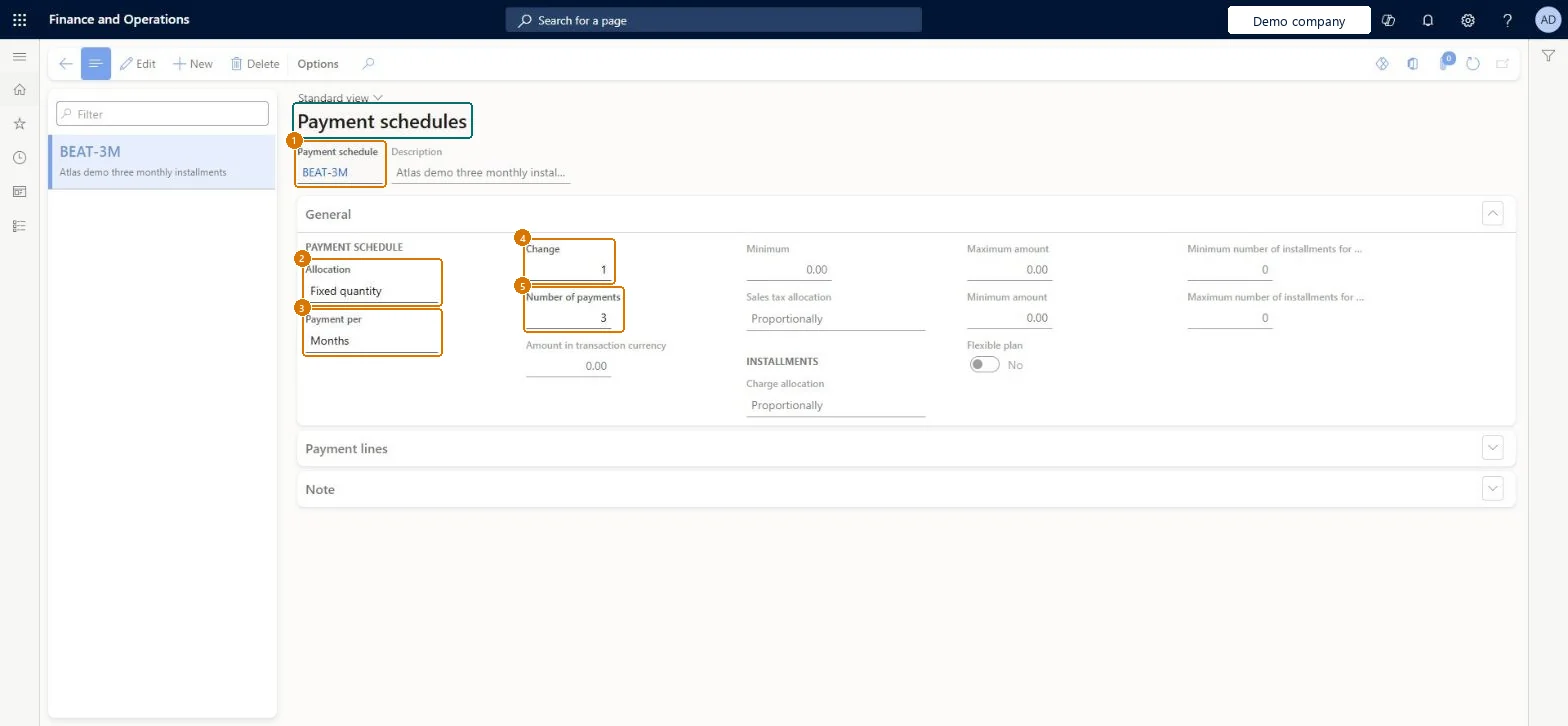
Screen 1
Create the payment schedule
Go to Accounts payable > Payment setup > Payment schedules
Select New
Enter the code and the description
Set the allocation, the period and the number of payments
Save
1Payment schedule
BEAT-3M
2Allocation
Fixed quantity
3Payment per
Months
4Change
1
5Number of payments
3
Description
Three monthly installments
Show the full screen page title tab to open what to set or check
Steps from Microsoft
Go to Accounts payable > Payment setup > Payment schedules.
Choose an Allocation: Total, Fixed amount, Fixed quantity or Specified.
On the General FastTab, in Payment per, choose Days, Months or Years for the interval between installments.
For Fixed amount or Fixed quantity, enter the interval in Change, then the Number of payments or the fixed amount, and a Minimum installment amount.
For Specified, add lines on the Payment lines FastTab with the interval in Quantity and the installment value as a percentage or an amount.
Use Sales tax allocation to spread sales tax across the installments.
Which allocation should the schedule use?Forgetting that, when a payment schedule is linked to terms of payment, the terms calculate the first installment's due date and the schedule only the later ones; also, the Minimum amount overrides calculated installments.
PrivilegesMaintain vendor payment schedules PaymSchedMaintainView vendor payment schedules PaymSchedViewDutiesInquire into vendor payment status PaymVendorPaymentStatusInquireEnable invoice and payment process VendInvoiceInvoicePaymentProcessEnableInquire into invoice and payment process reference data VendInvoiceInvoicePaymntProcessRefDataI9 security rolesChief financial officer CompanyChiefFinancialOfficerAccountant LedgerAccountantAccounting manager LedgerAccountingManagerAccounting supervisor LedgerAccountingSupervisorFinancial controller LedgerFinancialControllerAccounts payable centralized payments clerk PaymAccountsPayableCentralPaymClerkAccounts payable payments clerk PaymAccountsPayablePaymentsClerkAccounts payable clerk VendInvoiceAccountsPayableClerkAccounts payable manager VendInvoiceAccountsPayableManagerChecked in Dynamics 365
Roles to set it up and use it
To set it up or change itAccounts payable manager VendInvoiceAccountsPayableManagerAccounting supervisor LedgerAccountingSupervisorTo use itAccounting manager LedgerAccountingManagerAccounts payable clerk VendInvoiceAccountsPayableClerkChief financial officer CompanyChiefFinancialOfficerFinancial controller LedgerFinancialControllerAccountant LedgerAccountantGive people one of these roles. On this system, 9 roles can open this page.Checked in Dynamics 365
PaymentScheduleEntity (Payment schedule): loaded for each company, in Microsoft's default template 120 - Accounts payable.Load order: Microsoft's default template 120 - Accounts payable loads Payment schedule at execution unit 1, level 30, sequence 10. Lower levels load first, and entities at the same level load in sequence order.Load first: the default templates at lower levels (System setup to General ledger)Microsoft Learn
Checked in a working Dynamics 365 system, version 10.0.49: the menu item, form, table and security, the page, the demo records and the values in the screenshots.
To cite this step: AP-PAYSETUP-080, Set up Payment schedules. Beyond ERP Atlas Hub, 2026-11-11. https://www.beyonderp.cloud/atlas/step/AP-PAYSETUP-080