Setup page · Accounts payable
Payment days
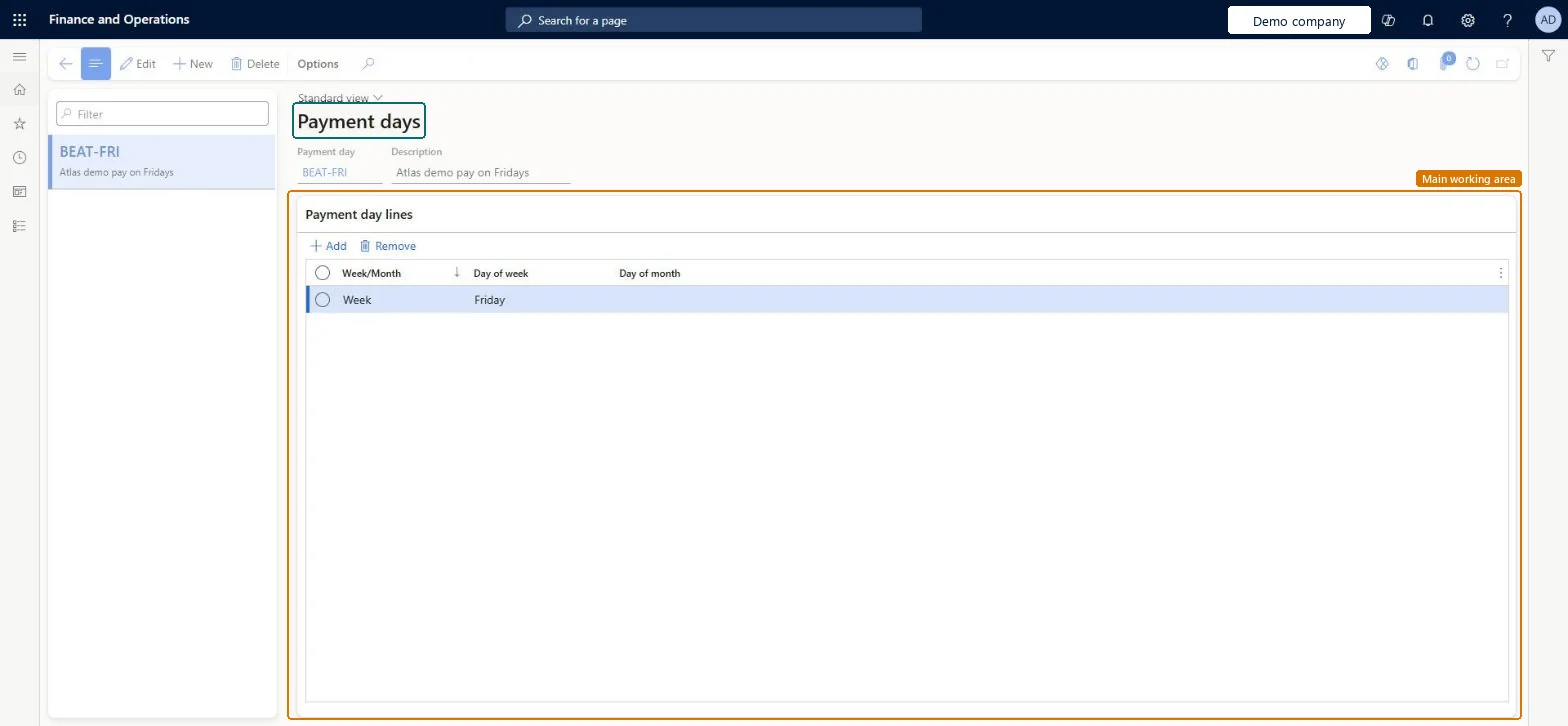
A setup page for payment days, specified as a day in the week or a day in the month.
- Used by
- Accounts payable manager, Auditor, Accounting manager and 1 more role
- Business process
- Defining payment policies in Dynamics 365 Finance
- Menu item
PaymDay- Main table
PaymDay- Data entity
PaymentDayCdsEntity- Setup steps
- 1 on this page
Show what matters for
Everyone
1What it is and why
| What it is | A setup page for payment days, specified as a day in the week or a day in the month. |
|---|---|
| What you do here | Used to define the payment day used when calculating a due date; the due date is rounded up to the nearest specified date. |
| Example | For example, to make payments on Tuesdays and Fridays, you create a payment day with two weekly lines, one for Tuesday and one for Friday. |
Functional consultant · Solution architect
2Where it fits
| Business process | Develop procurement and sourcing strategy › Define accounts payable policies › Defining payment policies in Dynamics 365 Finance |
|---|---|
| Menu path | Accounts payable › Payment setup › Payment days |
| Set up first | — |
| Used next by | Terms of payment Microsoft Learn ↗ |
| Related pages | Terms of payment Microsoft Learn ↗Cash discounts Microsoft Learn ↗Payment schedules Microsoft Learn ↗Payment fee Microsoft Learn ↗Methods of payment Microsoft Learn ↗ |
End user · Functional consultant
3How to do it
Step by step, with screenshots
Set up Payment days1 screen
Define the payment days that are used to calculate due dates, for a specific day of the week or month.
Screen 1
Create the payment day
Go to Accounts payable > Payment setup > Payment days
- Select New
- Enter the code and the description
- Add a line: Week, Friday
- Save
1Payment day BEAT-FRI 2Day of week Friday Description Atlas demo pay on Fridays Week/Month Week 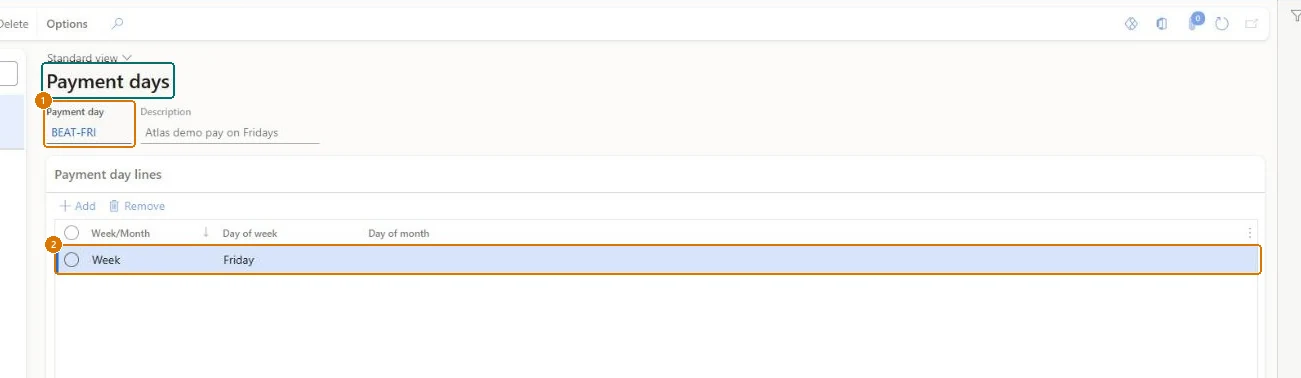
Show the full screen
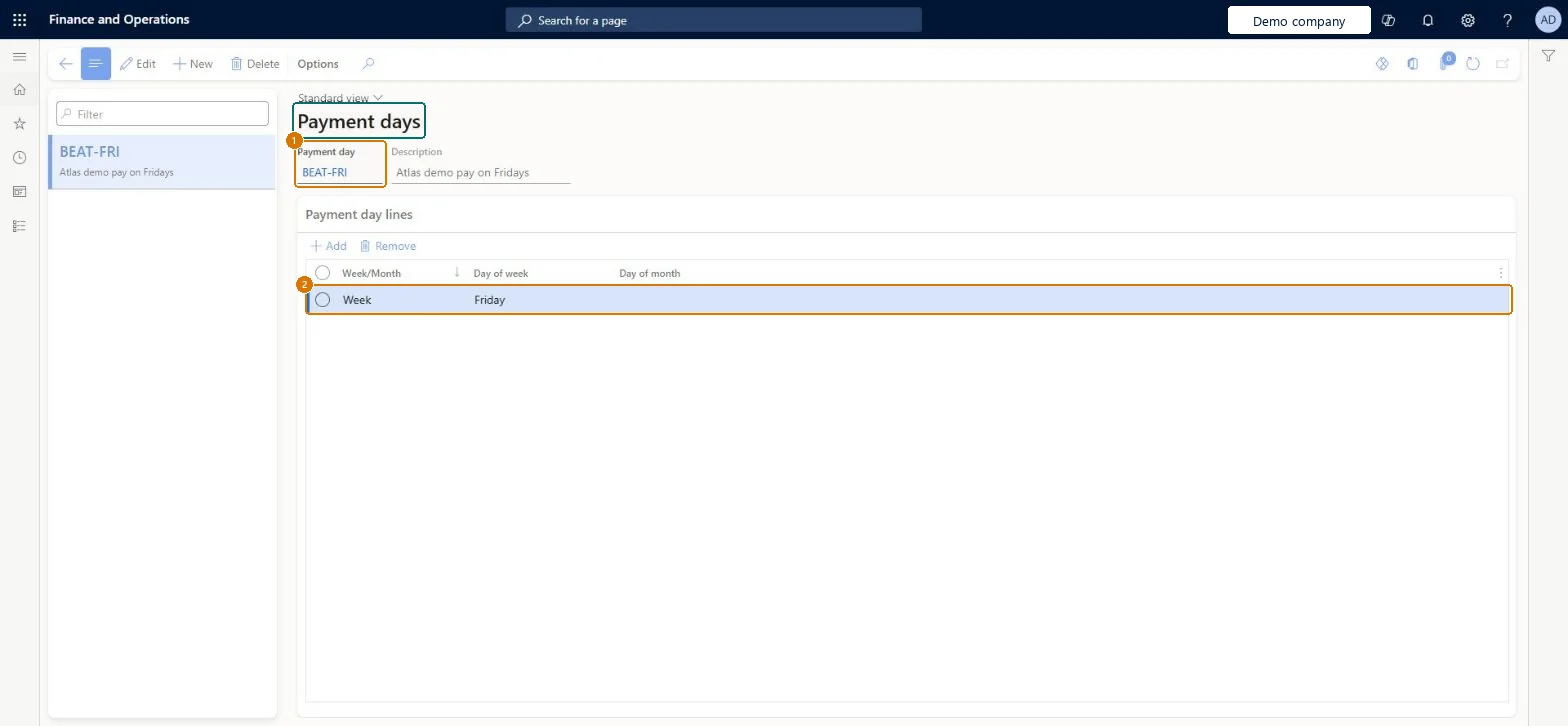
page title tab to open what to set or check
Microsoft's steps
- Go to Payment days (the same setup is shared by Accounts payable and Accounts receivable).
- Select New.
- Create a payment day when your terms of payment need a set day of the week or a set date of the month.
- Fill in the Payment day, Description and Week/Month fields; for a date in the month, enter it as a number such as 10.
- Save the record.
Source: Microsoft Learn ↗
Field guide
| Field | What it means | Worked example | Table column |
|---|---|---|---|
| Week/Month | Whether the payment day is a day of the week or a day of the month.Microsoft Learn ↗ | Week | — |
| Payment day | — | BEAT-FRI | — |
| Description | — | Atlas demo pay on Fridays | Description |
| Day of week | — | Friday | — |
Functional consultant
4Setup decisions
| Setup step | Recommended value and why | Decision · common mistake · test |
|---|---|---|
| Set up Payment days | — | — |
Solution architect
5Design impact
| Shared or per company | Per company: each legal entity has its own records. Microsoft data model ↗ |
|---|---|
| Can it be undone | — |
| Feature or country | — |
| If you change it later | A due date that falls between payment days is always moved forward to the next payment day. Microsoft Learn ↗ |
Technical architect
6Technical
| Menu item | PaymDay Checked in Dynamics 365 |
|---|---|
| Form | PaymDay Checked in Dynamics 365 |
| Table | PaymDayShown as “Payment days” in Record infoChecked in Dynamics 365 |
| Data entities | PaymentDayCdsEntityPayment days CDS Microsoft data model ↗ |
| Who can open it | PrivilegesMaintain vendor payment days PaymDayMaintainView vendor payment days PaymDayViewDutiesInquire into invoice and payment policies VendInvoiceInvoicePaymentPoliciesInquirEnable invoice and payment process VendInvoiceInvoicePaymentProcessEnable4 security rolesAuditorAuditPolicyManagerAccounting manager LedgerAccountingManagerAccounting supervisor LedgerAccountingSupervisorAccounts payable manager VendInvoiceAccountsPayableManager |
| Actions on the page | — |
Developer
7Developer
| Open it directly | https://<your-environment>/?mi=PaymDay |
|---|---|
| Integrate with | PaymentDayCdsEntity data entity Microsoft data model ↗ |
| Table definition | PaymDay columns and relations Microsoft data model ↗ |
Everyone
8Sources and checks
- learn.microsoft.com/training/modules/configure-accounts-payable-dyn365-finance/3-terms-payment-days
- learn.microsoft.com/dynamics365/finance/accounts-payable/accounts-payable-overview#optional-setup-pages-for-accounts-payable
- learn.microsoft.com/dynamics365/finance/general-ledger/tasks/establish-customer-payment-terms
- learn.microsoft.com/common-data-model/schema/core/operationscommon/tables/finance/bank/group/paymday
- learn.microsoft.com/training/modules/configure-accounts-payable-dyn365-finance/3-terms-payment-days
- learn.microsoft.com/dynamics365/finance/accounts-payable/accounts-payable-overview
- Checked in a working Dynamics 365 system, version 10.0.49: the menu item, form, table and security, the page, the demo records and the values in the screenshots.