About the examples: Examples and screenshots in this guide use BEAT, a demo company in a Dynamics 365 test environment. Use your own company's codes and values instead of copying them.
Step by step, with screenshots
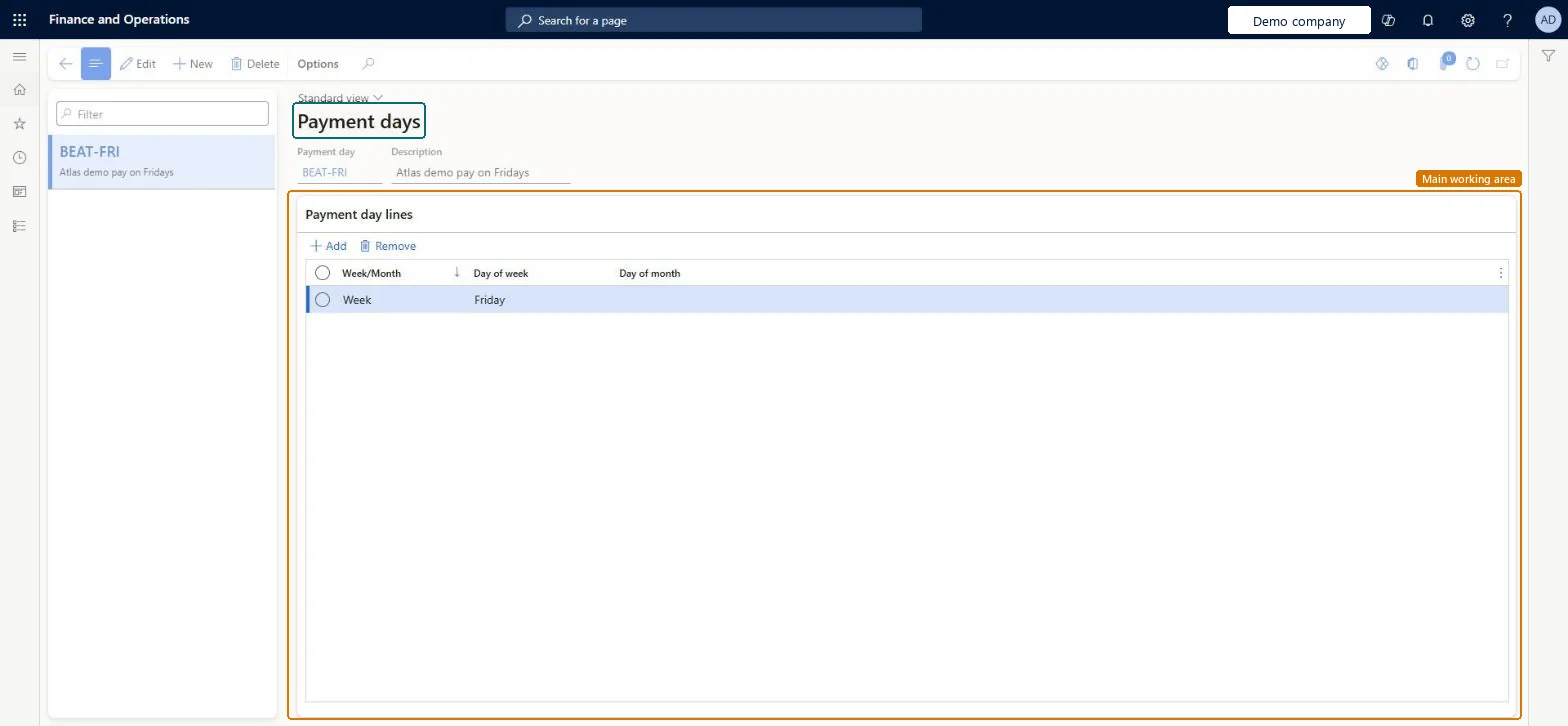
Set up Payment days1 screen
Define the payment days that are used to calculate due dates, for a specific day of the week or month.
Screen 1
Create the payment day
Go to Accounts payable > Payment setup > Payment days
Select New
Enter the code and the description
Add a line: Week, Friday
Save
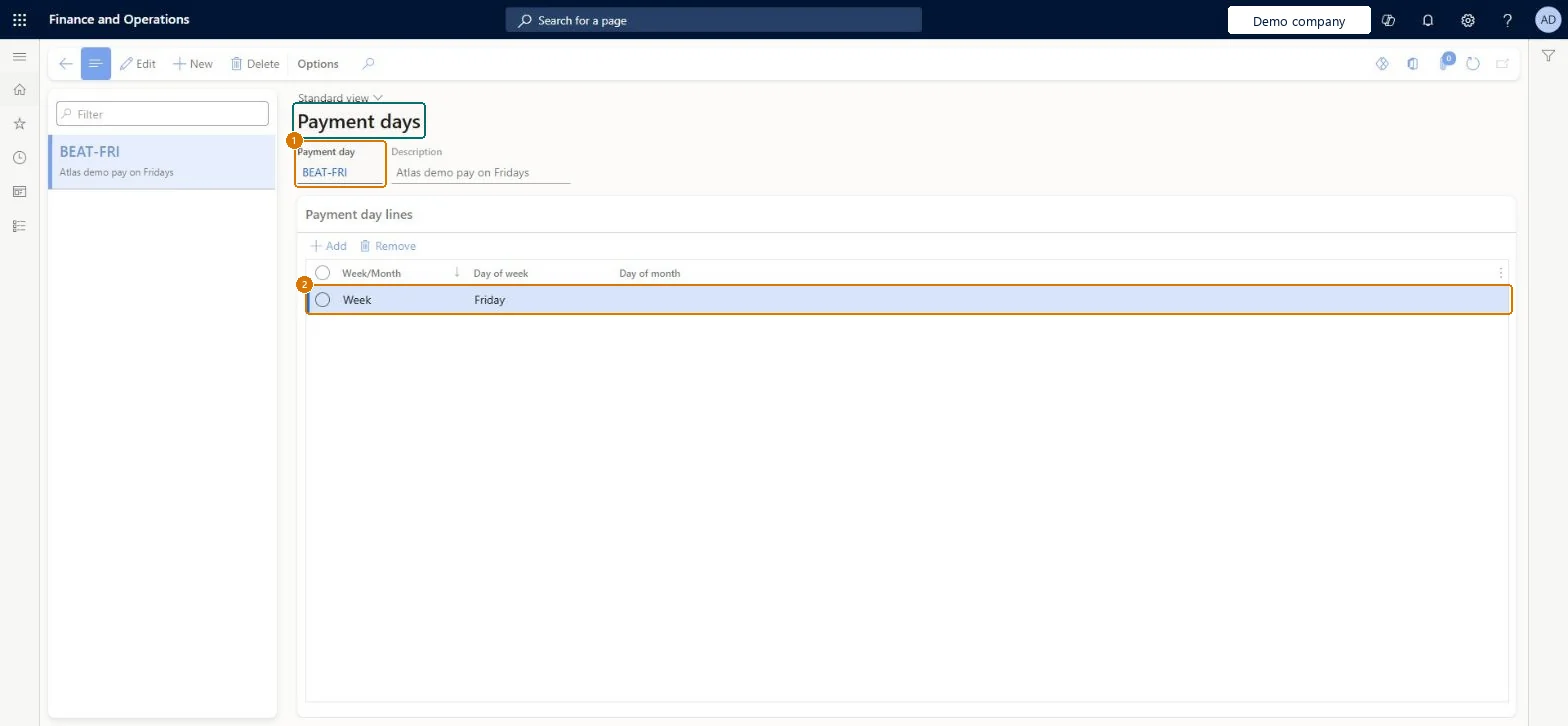
1Payment day
BEAT-FRI
2Day of week
Friday
Description
Pay on Fridays
Week/Month
Week
Show the full screen page title tab to open what to set or check
Steps from Microsoft
Go to Payment days (the same setup is shared by Accounts payable and Accounts receivable).
Select New.
Create a payment day when your terms of payment need a set day of the week or a set date of the month.
Fill in the Payment day, Description and Week/Month fields; for a date in the month, enter it as a number such as 10.
Not allowing for the rounding: the due date is always moved forward to the next payment day, so a payment day can push due dates later than the terms of payment alone.
PrivilegesMaintain vendor payment days PaymDayMaintainView vendor payment days PaymDayViewDutiesInquire into invoice and payment policies VendInvoiceInvoicePaymentPoliciesInquirEnable invoice and payment process VendInvoiceInvoicePaymentProcessEnable4 security rolesAuditor AuditPolicyManagerAccounting manager LedgerAccountingManagerAccounting supervisor LedgerAccountingSupervisorAccounts payable manager VendInvoiceAccountsPayableManagerChecked in Dynamics 365
Roles to set it up and use it
To set it up or change itAccounts payable manager VendInvoiceAccountsPayableManagerAccounting supervisor LedgerAccountingSupervisorTo use itAccounting manager LedgerAccountingManagerAuditor AuditPolicyManagerGive people one of these roles. On this system, 4 roles can open this page.Checked in Dynamics 365
Checked in a working Dynamics 365 system, version 10.0.49: the menu item, form, table and security, the page, the demo records and the values in the screenshots.
To cite this step: AP-PAYSETUP-050, Set up Payment days. Beyond ERP Atlas Hub, 2026-11-11. https://www.beyonderp.cloud/atlas/step/AP-PAYSETUP-050