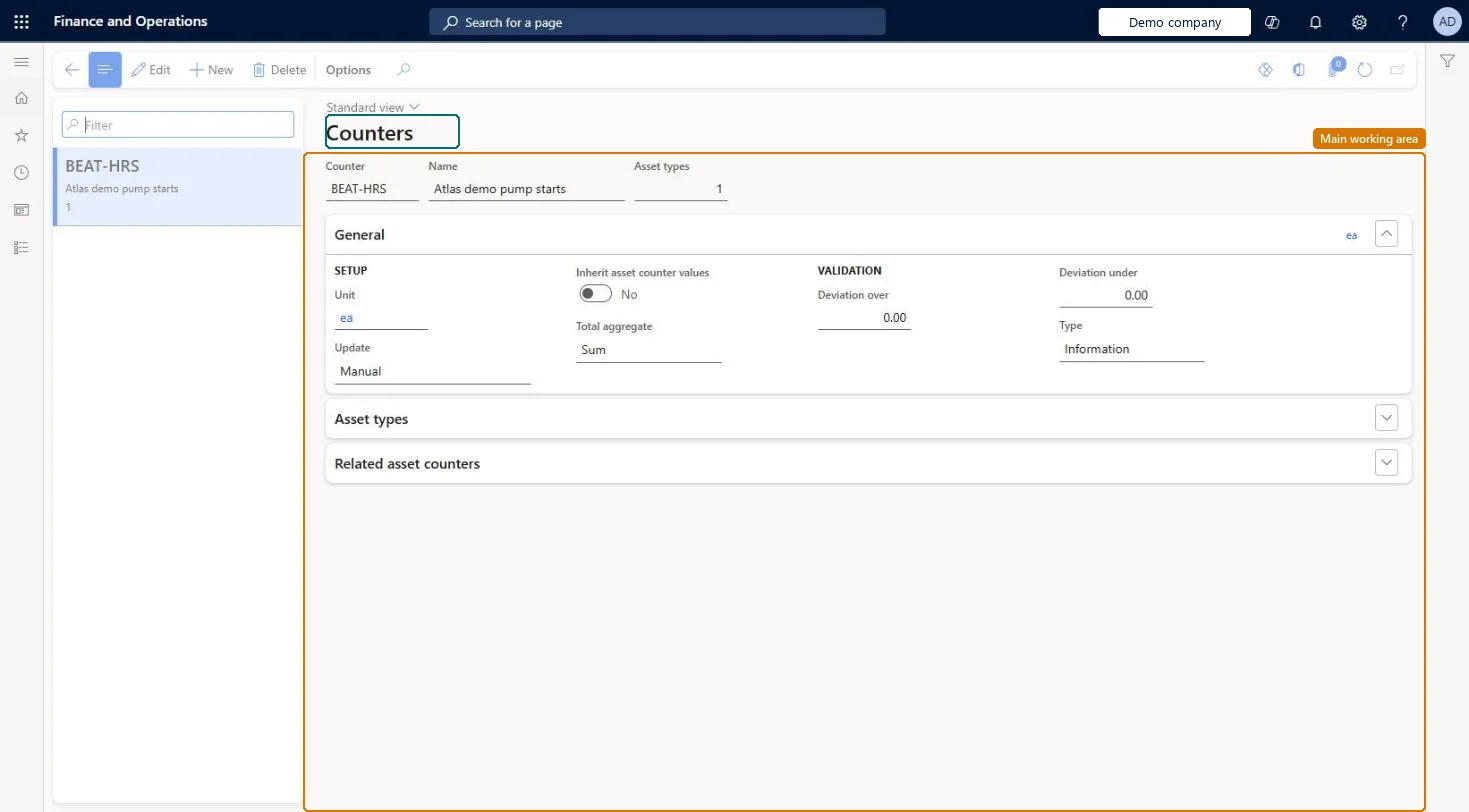
Setup step on the Counters page · Asset management
Set up Counters
Use this page to set each counter's unit, how it is updated, how totals are summed, the allowed deviation for manual readings, and which asset types can use it.
SETUP GUIDEHow to set it up8 sections. Choose a role to highlight what matters to you.
Everyone
1What it is and why
What it is
A setup page where you create counter types, such as production hours or quantity produced, for registering counter readings on assets.
What you do here
Use this page to set each counter's unit, how it is updated, how totals are summed, the allowed deviation for manual readings, and which asset types can use it.
Example
For example, you create a Production hours counter updated from production hours and relate it to the asset type Truck Engine.
The page in Dynamics 365. page title tab to open what to set or check
About the examples: Examples and screenshots in this guide use BEAT, a demo company in a Dynamics 365 test environment. Use your own company's codes and values instead of copying them.
Setup steps on this page
Set up Counters
Use this page to set each counter's unit, how it is updated, how totals are summed, the allowed deviation for manual readings, and which asset types can use it.
Steps from Microsoft
Go to Asset management > Setup > Asset types > Counters.
Select New.
Enter an ID in the Counter field and a name in the Name field.
On the General FastTab, select the Unit and the Update method.
Set Inherit counter values, Total aggregate, and the deviation fields as needed.
On the Asset types FastTab, add the asset types that can use the counter.
Total aggregate = Sum for running counters such as hours or quantity; Average only for threshold counters such as temperature or vibrationLearn describes Sum as the standard choice that keeps adding registered values to the total, and Average for counters that monitor a threshold.
How should each counter be updated?Using Production quantity and expecting only good quantity: all registered items, good and error quantity, are counted.
Solution architect
5Design impact
Can it be undone
Reversible: Asset types can be added to or removed from the counter; adding an asset type here also adds the counter to that asset type's Counters FastTab. Manual registrations stay possible on every counter. Microsoft Learn
If you change it later
Adding asset types to a counter here also adds the counter to those asset types. Microsoft Learn
Technical architect
6Technical
Menu item
EntAssetCounterTypeChecked in Dynamics 365
Form
EntAssetCounterTypeChecked in Dynamics 365
Table
EntAssetCounterTypeShown as “COUNTERS” in Record infoKey field: CounterTypeIdChecked in Dynamics 365
Data entities
EntAssetMaintenanceAssetCounterEntityAsset management asset counters Checked in Dynamics 365
To set it up or change itMaintenance manager EntAssetMaintenanceManagerTo use itMaintenance clerk EntAssetMaintenanceClerkGive people one of these roles. On this system, 2 roles can open this page.Checked in Dynamics 365