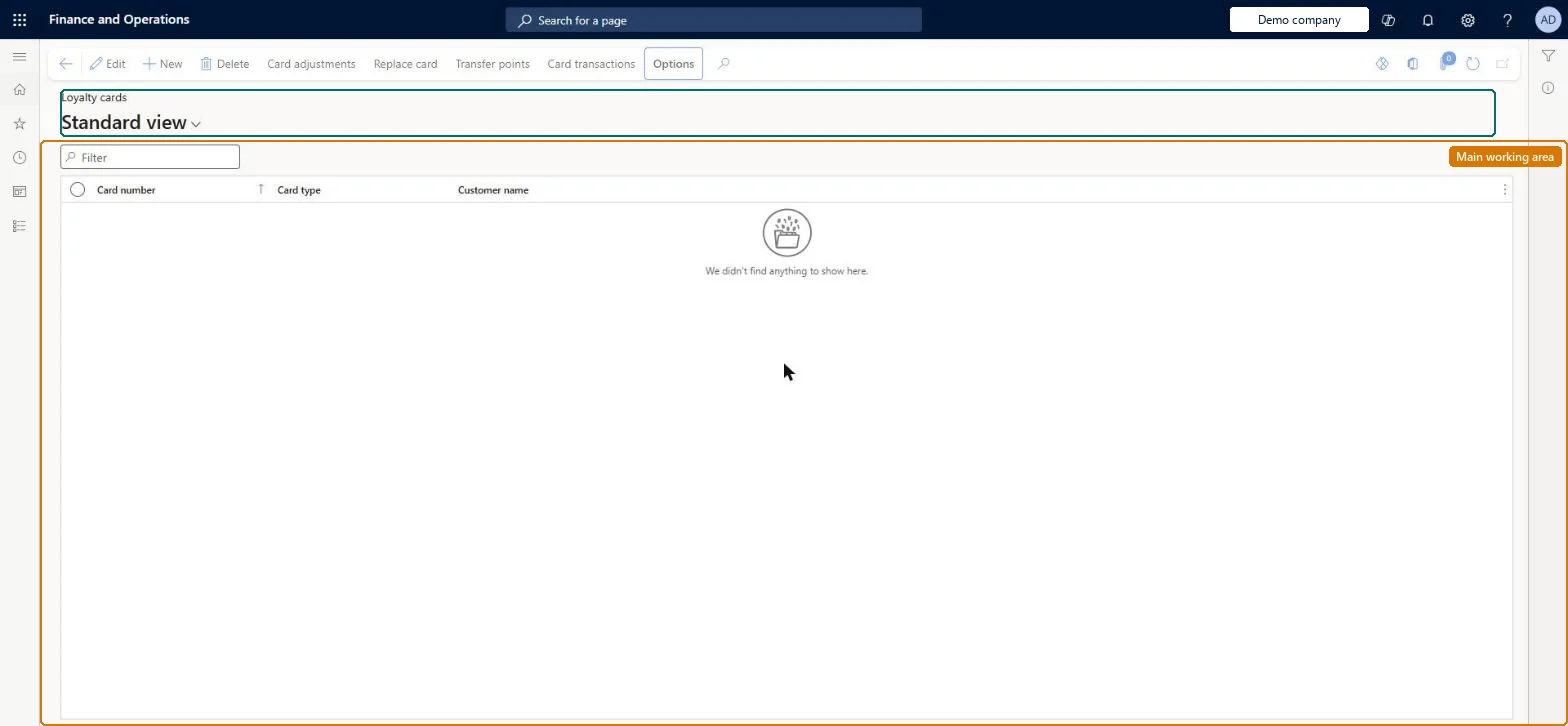
A page where loyalty cards are issued and maintained; each card entitles its holder to the loyalty programs assigned to it and can be anonymous or linked to a customer.
Retail merchandising manager, Retail operations manager, Retail service and 1 more role
Business process
Define loyalty programs in Dynamics 365 Commerce
Menu item
RetailLoyaltyCards
Main table
RetailLoyaltyCard
Data entity
RetailLoyaltyCardEntity
Show what matters for
PAGE GUIDEWhat the page does and how to use it7 sections. Choose a role to highlight what matters to you.
Everyone
1What it is and why
What it is
A page where loyalty cards are issued and maintained; each card entitles its holder to the loyalty programs assigned to it and can be anonymous or linked to a customer.
What you do here
Use this page to issue loyalty cards, assign them to customers and programs, adjust points, view card transactions, replace compromised cards and transfer balances.
Example
For example, when a customer's card is compromised, the call center issues a replacement card from this page and transfers the existing points to it.
The page in Dynamics 365. page title tab to open what to set or check
About the examples: Examples and screenshots in this guide use BEAT, a demo company in a Dynamics 365 test environment. Use your own company's codes and values instead of copying them.
Steps from Microsoft
Go to Retail and Commerce > Customers > Loyalty > Loyalty cards.
Select New.
In the Card type field, select As card tender, As contact tender, No tender or Blocked.
Optionally enter the Customer name of the card holder.
In the Loyalty program grid, select Add line to attach a loyalty program.
Select Save.
Use Card adjustments to adjust points and Card transactions to view earn, redeem and adjust transactions.
Hard to reverse: To change a card's program or tier you remove the line and add it again. Once a tier is granted, later tier calculations count only points earned after the grant date. Point adjustments and balance transfers post adjustment entries on the cards. Microsoft Learn
If you change it later
To change a card's program or tier you must remove the line and add it again; once a tier is granted, later tier calculations count only points earned after the grant date. Microsoft Learn
Technical architect
5Technical
Menu item
RetailLoyaltyCardsChecked in Dynamics 365
Form
RetailLoyaltyCardsChecked in Dynamics 365
Table
RetailLoyaltyCardShown as “LOYALTY CARD” in Record infoKey field: CardNumberChecked in Dynamics 365
PrivilegesView retail loyalty card reports RetailLoyaltyCardReportsViewMaintain retail loyalty cards RetailLoyaltyCardsMaintainDutiesInquire into retail sales reports RetailIntoSalesReportsInquireMaintain retail labels RetailLabelsMaintainInquire into sales reports for retail trial. RetailTrialIntoSalesReportsInquire4 security rolesRetail merchandising manager RetailMerchandisingManagerRetail operations manager RetailOperationsManagerRetail service RetailServiceRetail store manager RetailStoreManagerChecked in Dynamics 365
Roles to set it up and use it
To set it up or change itRetail service RetailServiceRetail operations manager RetailOperationsManagerTo use itRetail store manager RetailStoreManagerRetail merchandising manager RetailMerchandisingManagerGive people one of these roles. On this system, 4 roles can open this page.Checked in Dynamics 365
Actions on the page
(Action Pane without tabs): Card adjustments, Replace card, Transfer points, Card transactionsChecked in Dynamics 365