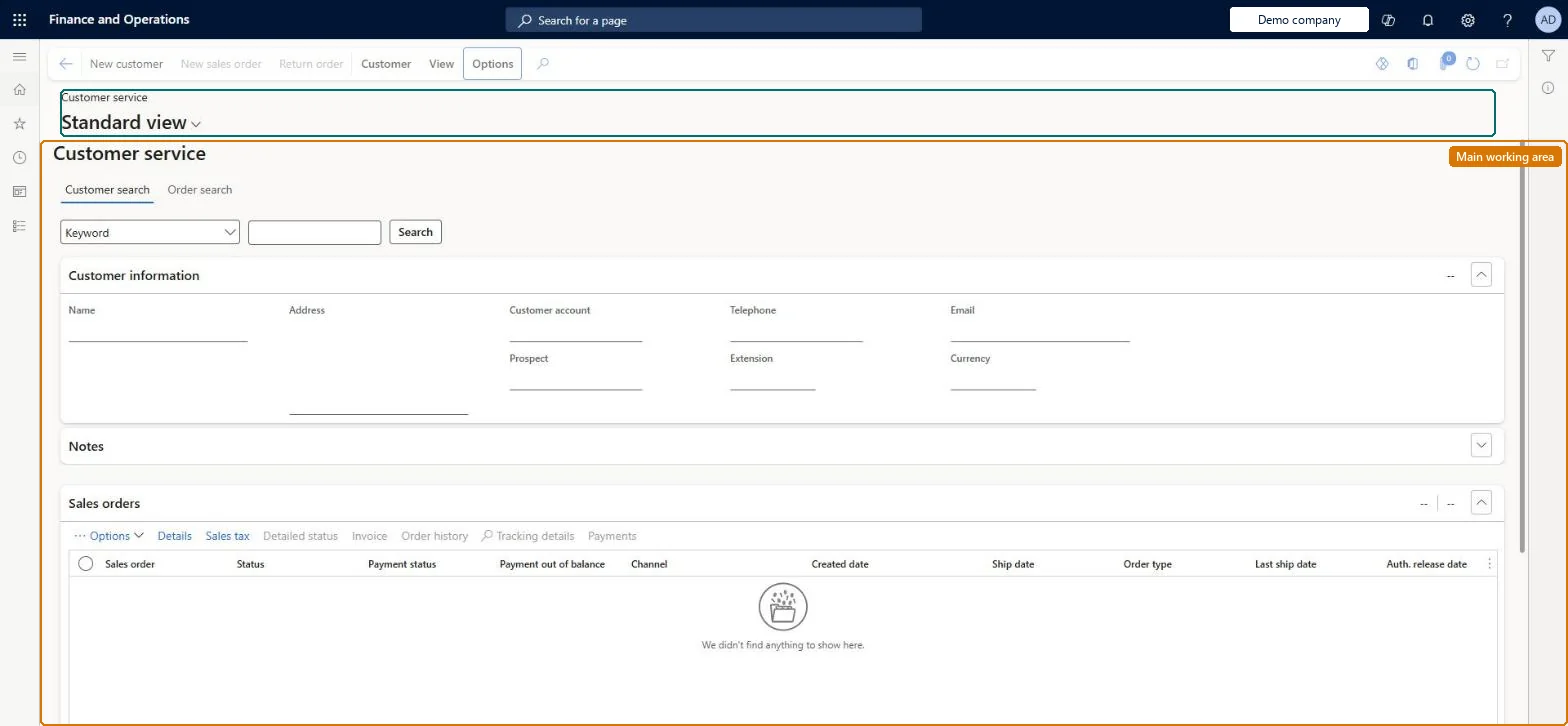
A call center workbench page where a user searches for a customer and then sees that customer's orders and details, with actions to create new orders or customers.
Customer service manager, Customer service representative, Sales clerk and 1 more role
Business process
Create call center channels in Dynamics 365 Commerce
Menu item
MCRCustomerService
Main table
CustTable
Data entity
CustCustomerBaseEntity
Show what matters for
PAGE GUIDEWhat the page does and how to use it7 sections. Choose a role to highlight what matters to you.
Everyone
1What it is and why
What it is
A call center workbench page where a user searches for a customer and then sees that customer's orders and details, with actions to create new orders or customers.
What you do here
Use this page to find a customer account and review or act on its sales orders from one screen: create a new sales order, see holds, send catalogs or open the customer's loyalty cards.
Example
For example, a call center agent types a customer's name in the search field, selects the matching record and creates a new sales order for that customer.
The page in Dynamics 365. page title tab to open what to set or check
About the examples: Examples and screenshots in this guide use BEAT, a demo company in a Dynamics 365 test environment. Use your own company's codes and values instead of copying them.
Steps from Microsoft
Go to Retail and Commerce > Customers > Customer service.
In the SearchText field, enter the customer's name and press Tab.
In the search results, mark the customer's row and select Select.
Select New sales order.
Enter the item numbers on the order lines.
Select Complete, enter the payment, and select Submit.
Reversible: The page stores no setup. Orders started here follow normal sales order rules; a Send catalog request is stored and shows on the Catalog requests report. Microsoft Learn
Technical architect
5Technical
Menu item
MCRCustomerServiceChecked in Dynamics 365
Form
MCRCustomerServiceChecked in Dynamics 365
Table
CustTableShown as “CUSTOMERS” in Record infoKey field: Party_NameChecked in Dynamics 365
PrivilegesMaintain customer service MCRCustomerServiceMaintainDutiesMaintain customer service MCRCustomerServiceMaintainMaintain sales order MCRSalesMaintain5 security rolesMCRTestUserRoleCustomer service manager TradeCustomerServiceManagerCustomer service representative TradeCustomerServiceRepresentativeSales clerk TradeSalesClerkSales representative TradeSalesRepresentativeChecked in Dynamics 365
Roles to set it up and use it
To set it up or change itSales clerk TradeSalesClerkSales representative TradeSalesRepresentativeCustomer service representative TradeCustomerServiceRepresentativeCustomer service manager TradeCustomerServiceManagerGive people one of these roles. On this system, 4 roles can open this page.Checked in Dynamics 365
Actions on the page
CustomerView: View(Action Pane without tabs): New customer, New sales order, Return orderChecked in Dynamics 365