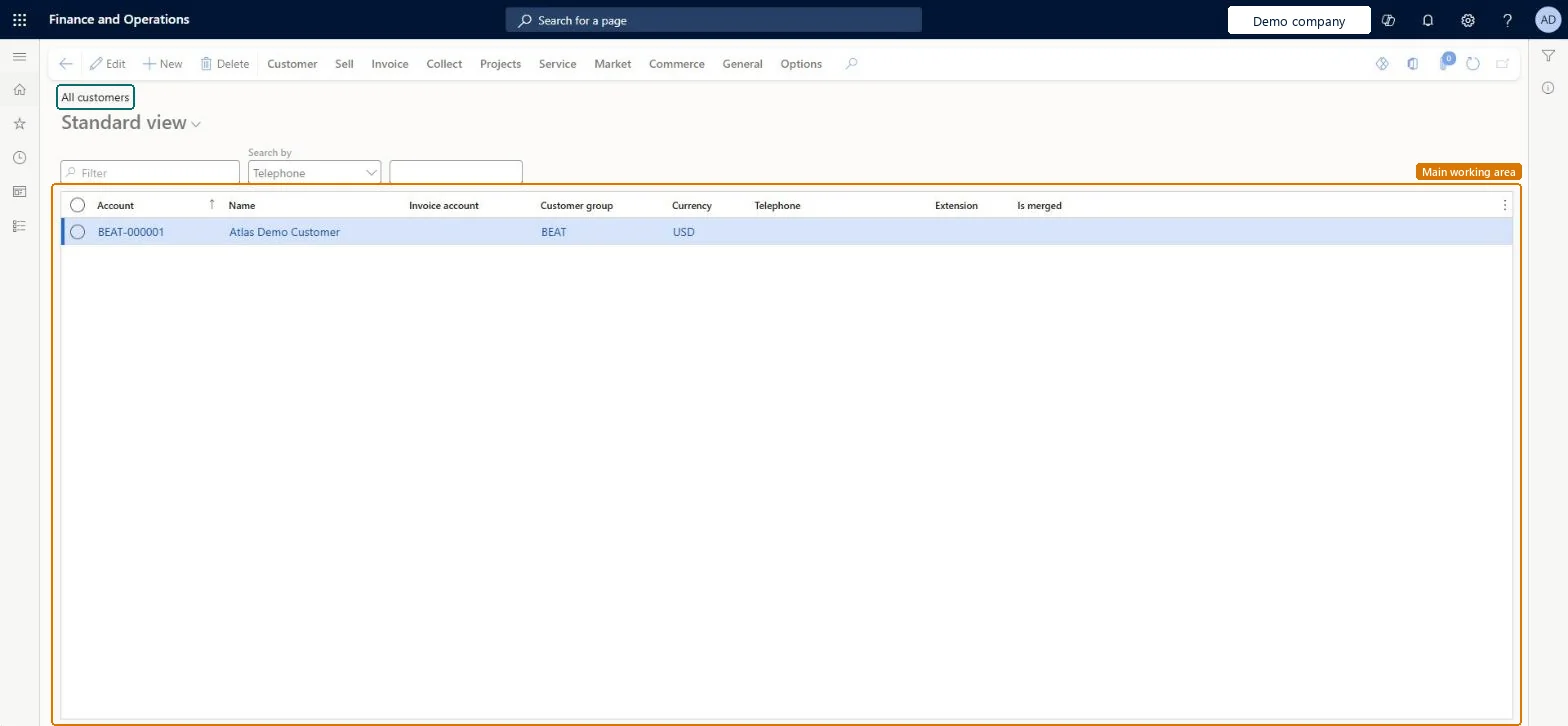
About the examples: Examples and screenshots in this guide use BEAT, a demo company in a Dynamics 365 test environment. Use your own company's codes and values instead of copying them.
Steps from Microsoft
Go to Retail and Commerce > Customers > All customers.
Select New.
In the Customer account field, enter an ID for the customer.
In the Type field, select Organization or Person.
In the Name field, enter the customer's name.
In the Customer group field, select a customer group, and then select Save.
On the Credit and collections FastTab, enter a Credit limit.
On the Invoice and delivery FastTab, select the Mode of delivery and Sales tax group.
On the Payment defaults FastTab, select the Terms of payment and Method of payment.
Reversible: Customer fields can be changed any time. When customer approvals are enabled, changes to fields enabled for approval become proposed changes and are applied only after the Proposed customer change workflow is approved. Microsoft Learn
If you change it later
When customer approvals are turned on, changes to fields enabled for approval are held as proposed changes and only applied after the workflow is approved. Microsoft Learn
Technical architect
5Technical
Menu item
CustTableListPageChecked in Dynamics 365
Form
CustTableChecked in Dynamics 365
Roles to set it up and use it
To set it up or change itSales manager TradeSalesManagerRental manager RentalManagerCustomer service manager TradeCustomerServiceManagerAccounts receivable manager CustInvoiceAccountsReceivableManagerAccounting manager LedgerAccountingManagerTo use itRetail service RetailServiceRetail operations manager RetailOperationsManagerRetail store manager RetailStoreManagerSales clerk TradeSalesClerkSales representative TradeSalesRepresentativeGive people one of these roles. On this system, 38 roles can open this page.Checked in Dynamics 365
Actions on the page
Customer: Accounts, Transactions, Balance, Forecast, Set up, Attachments, Catalogs, Customer service, Registration, PropertiesSell: New, Related information, Trade agreements, Set up, Approved customerInvoice: New, Set up, Journals, Related informationCollect: New, Collection letters, Interest note adjustment, Interest, Customer balances, Settle, DeductionsProjects: New, Project control, Related informationService: New, Related informationMarket: Campaigns, Telemarketing, MailingsCommerce: Related information, Media, Attributes, LoyaltyGeneral: New, Activities, Accounts, Set up, StatisticsOptions: Personalize, Page options, ShareChecked in Dynamics 365