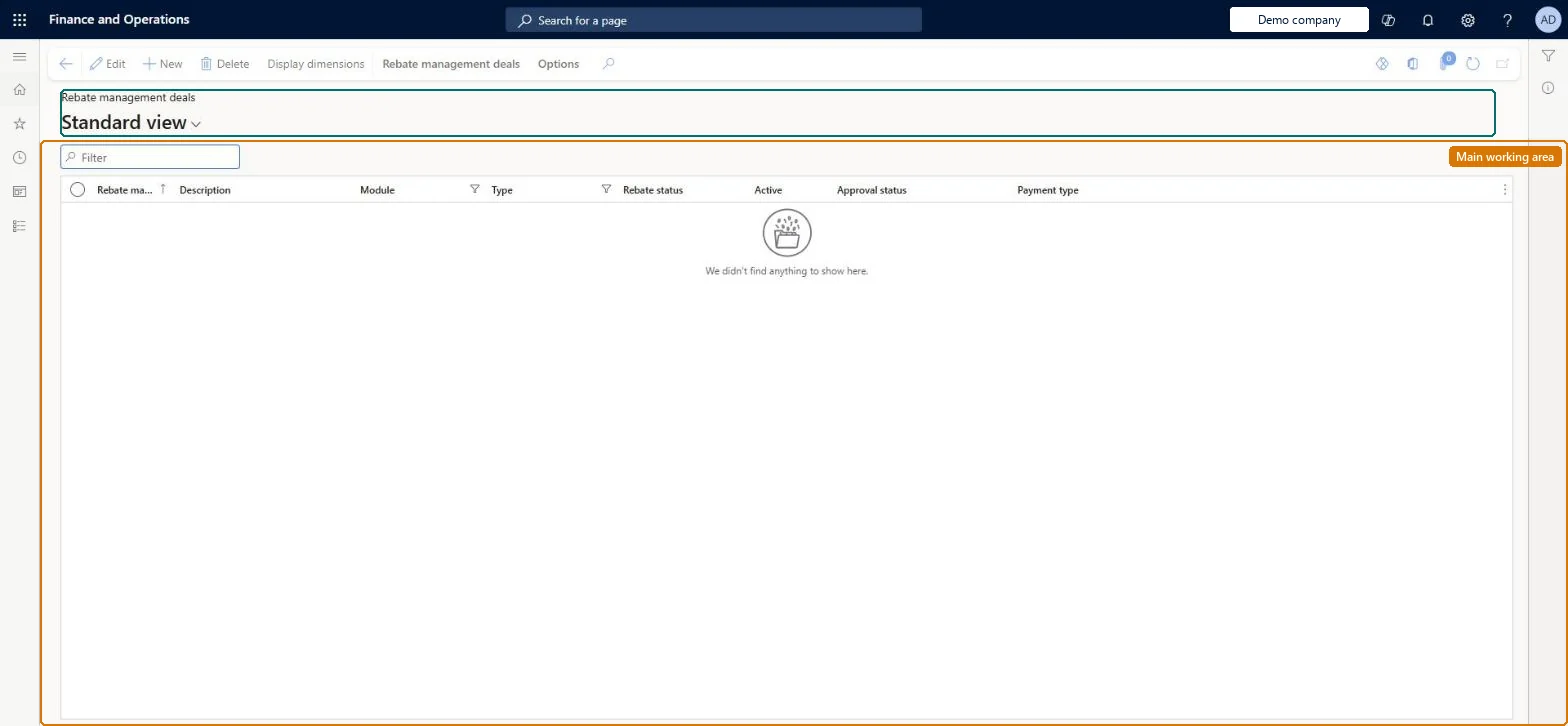
A list page that shows only customer royalty deals (Module = Customer, Type = Royalty); it offers the same settings as the All rebate management deals page but is pre-filtered to royalty deals, which add guarantee settings.
Accounts payable manager, Accounts receivable manager, Purchasing manager and 1 more role
Business process
Calculate and pay royalty commissions in Dynamics 365 Supply Chain Management
Menu item
TAMRebateDealListPageCustRoyalty
Main table
TAMRebateDeal
Data entity
TAMRebateAndDeductionsAgreementDealEntity
Show what matters for
PAGE GUIDEWhat the page does and how to use it7 sections. Choose a role to highlight what matters to you.
Everyone
1What it is and why
What it is
A list page that shows only customer royalty deals (Module = Customer, Type = Royalty); it offers the same settings as the All rebate management deals page but is pre-filtered to royalty deals, which add guarantee settings.
What you do here
Use this page to create and maintain deals that calculate royalties payable for the right to use an asset, including guaranteed minimum payments and the posting profile used for guarantees.
Example
For example, a royalty deal can guarantee $10,000 per quarter; if sales in quarter 1 trigger $12,000 of royalties and Cumulative guarantee is Yes, the extra $2,000 carries over so that only $8,000 is guaranteed in quarter 2.
The page in Dynamics 365. page title tab to open what to set or check
About the examples: Examples and screenshots in this guide use BEAT, a demo company in a Dynamics 365 test environment. Use your own company's codes and values instead of copying them.
Steps from Microsoft
Go to Rebate management > Rebate management deals > Customer royalty deals.
On the Action Pane, select New.
In the Create new deal dialog box, enter the Rebate management deal ID and Description; Module (Customer) and Type (Royalty) are set automatically.
Set Reconcile by, Posting profile, Posting profile for guarantee, Rebate currency and Cumulative guarantee, then select OK.
Open the deal and, on the Rebate management FastTab, select Add line; set the customer, item and company scope.
On the Rebate management details FastTab, set the General tab, then on the Dates tab set Guarantee per, Guarantee paid and Guarantee minimum, and add calculation Lines; select Save.
On the Action Pane, select Workflow > Submit to activate the deal.
Hard to reverse: After activation most settings are locked; Cumulative guarantee and Posting profile for guarantee are among the few header settings that can still change. Microsoft Learn
If you change it later
Once the deal is active most settings are locked, but Cumulative guarantee and Posting profile for guarantee are among the few header settings that can still be changed; changing them alters how future guarantee payments are calculated and posted. Microsoft Learn
Technical architect
5Technical
Menu item
TAMRebateDealListPageCustRoyaltyChecked in Dynamics 365
Form
TAMRebateDealChecked in Dynamics 365
Table
TAMRebateDealShown as “REBATE MANAGEMENT DEALS” in Record infoKey field: DealChecked in Dynamics 365
Data entities
TAMRebateAndDeductionsAgreementDealEntityRebate management agreement deal Checked in Dynamics 365GUPRebateAmortizationScheduleDetailEntityRebate amortization schedule detail Checked in Dynamics 365TAMRebateAndDeductionsAgreementDateSetupEntityRebate management agreement date setup Checked in Dynamics 365GUPTAMRebateAndDeductionsAgreementDateSetupCriterionEntityRebate management agreement date setup criterion - Pricing management Checked in Dynamics 365TAMRebateAndDeductionsAgreementHeaderEntityRebate management agreement header Checked in Dynamics 365GUPTAMRebateAndDeductionsAgreementHeaderV2EntityRebate management agreement header V2 - Pricing management Checked in Dynamics 365
Who can open it
PrivilegesMaintain rebate management deals TAMRebateDetailsMaintainView rebate management deals TAMRebateDetailsViewDutiesMaintains customer rebate agreements PdsRebateAgreementMaintainInquire into customer rebate agreements TAMRebateCustomerAgreementsInquireInquire into customer rebates TAMRebateCustomerInquireInquire into vendor rebate agreements TAMVendRebateAgreementInquireMaintain vendor rebate agreements TAMVendRebateAgreementMaintainInquire into vendor rebates TAMVendRebateInquire4 security rolesAccounts receivable manager CustInvoiceAccountsReceivableManagerPurchasing manager TradePurchasingManagerSales manager TradeSalesManagerAccounts payable manager VendInvoiceAccountsPayableManagerChecked in Dynamics 365
Roles to set it up and use it
To set it up or change itSales manager TradeSalesManagerPurchasing manager TradePurchasingManagerTo use itAccounts payable manager VendInvoiceAccountsPayableManagerAccounts receivable manager CustInvoiceAccountsReceivableManagerGive people one of these roles. On this system, 4 roles can open this page.Checked in Dynamics 365
Actions on the page
Rebate management deals: Maintain, Generate, Transactions(Action Pane without tabs): New, Delete, Display dimensionsChecked in Dynamics 365