Accounts payable manager, Accounts receivable clerk, Accounts receivable manager and 2 more roles
Business process
Define vendor rebate approval process in Dynamics 365 Supply Chain Management
Menu item
TAMRebateWorkflowConfiguration
Main table
WorkflowTable
Show what matters for
PAGE GUIDEWhat the page does and how to use it7 sections. Choose a role to highlight what matters to you.
Everyone
1What it is and why
What it is
A setup page where you view, create and update the workflows that approve and activate Rebate management deals.
What you do here
Use this page to create and maintain the deal workflow that every deal must pass through before it becomes active, because deals cannot be approved manually.
Example
For example, after the workflow is configured, open a new deal and select Workflow > Submit; once the workflow has approved it, the deal is active and ready to use.
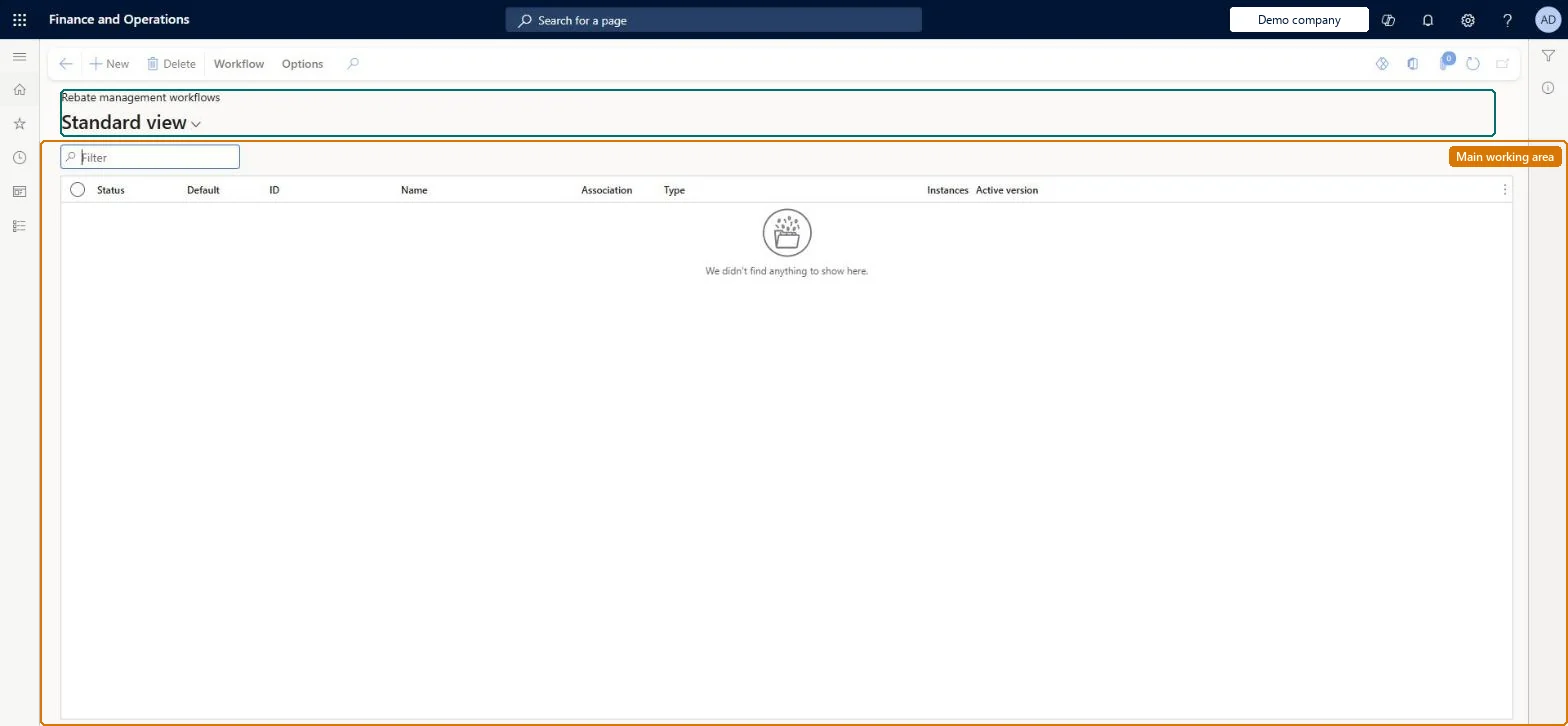
The page in Dynamics 365. page title tab to open what to set or check
About the examples: Examples and screenshots in this guide use BEAT, a demo company in a Dynamics 365 test environment. Use your own company's codes and values instead of copying them.
How to use it
Go to Rebate management > Setup > Rebate management workflows.
Use the Filter box to find a workflow.
Review the Status, Default, ID, Name, Association, Type, Instances and Active version columns.
Select New to create a workflow in the workflow editor, or select a workflow and choose Delete to remove it.
Use Workflow on the Action Pane to work with the selected workflow's versions and settings.
Source: Checked in Dynamics 365
Test checklist
Create a Rebate management deal workflow with an approval element and an activation element, and make it active.
Submit a new deal with Workflow > Submit.
Approve it and check the deal becomes active.
Try to change a locked field such as a deal line's calculation method and check it isn't allowed.
Reversible: Workflows can be viewed, created and updated, but only one Rebate management deal workflow can be active at a time. Deals already activated by it stay locked until deactivated. Microsoft Learn
If you change it later
Only one Rebate management deal workflow can be active at a time, and once a deal has been activated through the workflow most of its setup cannot be changed without first deactivating the deal. Microsoft Learn
Technical architect
5Technical
Menu item
TAMRebateWorkflowConfigurationChecked in Dynamics 365
Form
WorkflowTableListPageRnrChecked in Dynamics 365
Table
WorkflowTableShown as “WORKFLOW CONFIGURATIONS” in Record infoKey field: SequenceNumberChecked in Dynamics 365
To set it up or change itAccounts payable manager VendInvoiceAccountsPayableManagerAccounts receivable clerk CustInvoiceAccountsReceivableClerkSales manager TradeSalesManagerTo use itAccounts receivable manager CustInvoiceAccountsReceivableManagerPurchasing manager TradePurchasingManagerGive people one of these roles. On this system, 5 roles can open this page.Checked in Dynamics 365
Actions on the page
Workflow: Manage, HierarchyChecked in Dynamics 365