About the examples: Examples and screenshots in this guide use BEAT, a demo company in a Dynamics 365 test environment. Use your own company's codes and values instead of copying them.
Step by step, with screenshots
Set up Counting reason codes1 screen
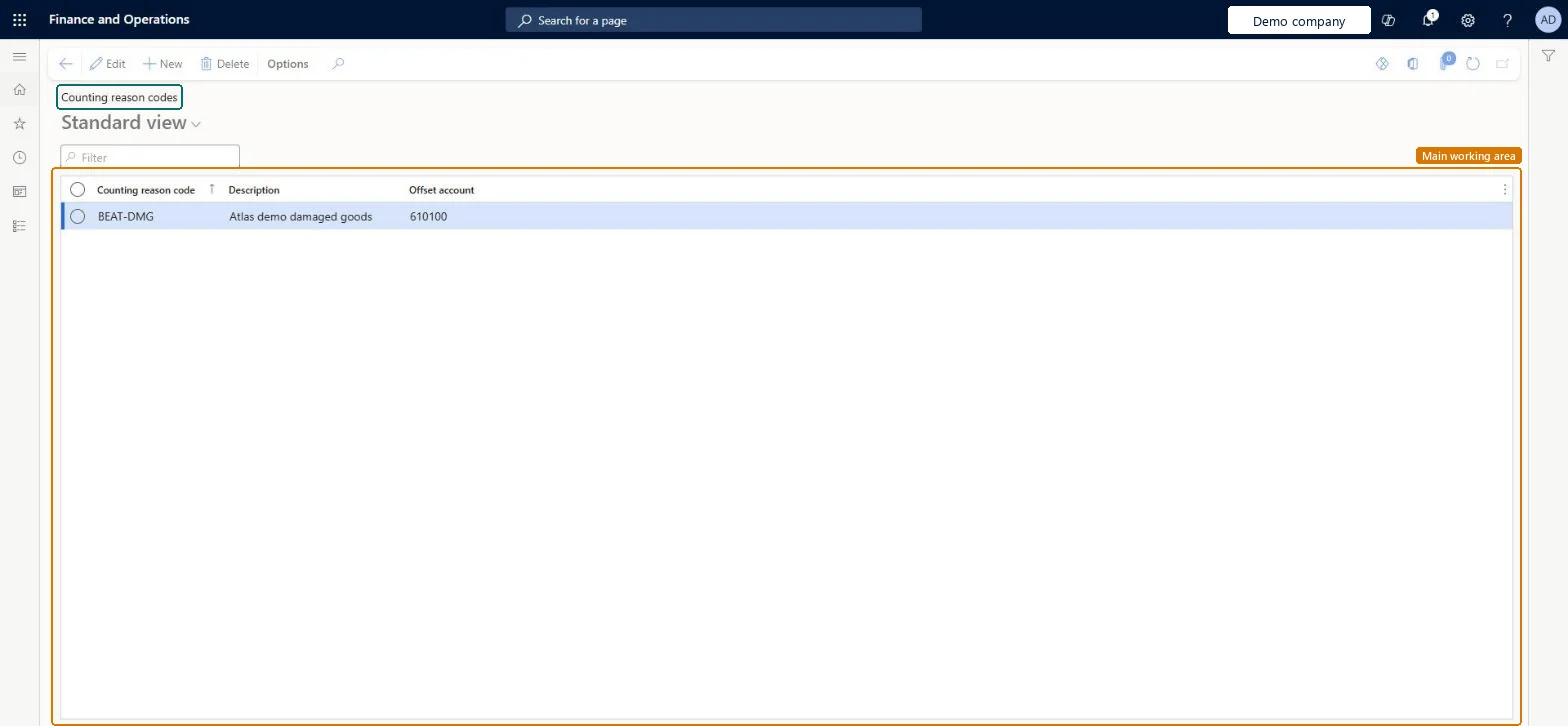
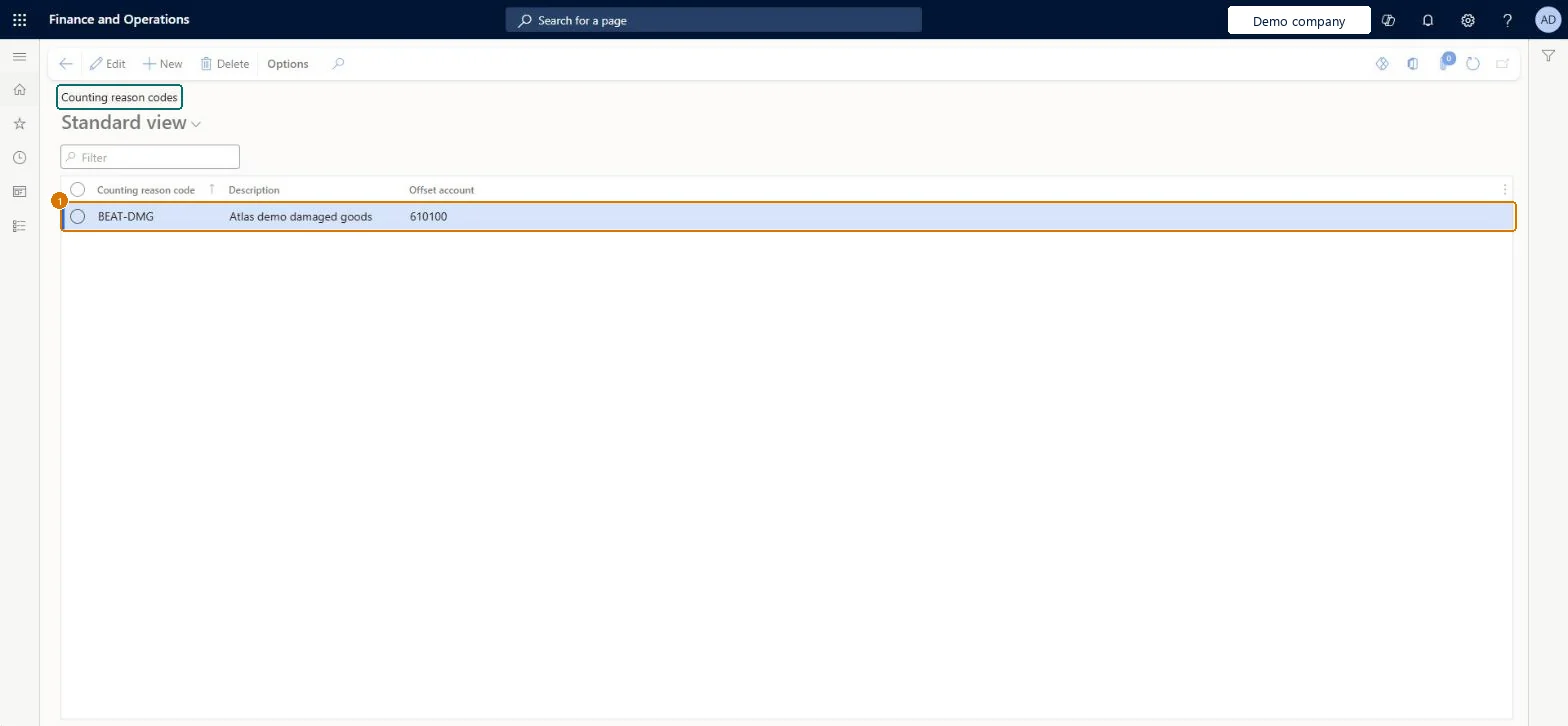
Use this page to analyze counting results and differences, and to post adjustments to the right offset account based on the reason.
Screen 1
Create a counting reason code
Go to Inventory management > Setup > Inventory > Counting reason codes
Select New
Enter the counting reason code and a description
Optionally choose the offset account that adjustments with this reason post to
Select Save
Add the code to a counting reason code group so workers can pick it during counting
1Counting reason code
BEAT-DMG
Description
Damaged goods
Offset account
610100
Show the full screen page title tab to open what to set or check
Steps from Microsoft
Go to Inventory management > Setup > Inventory > Counting reason codes.
Agree a reason code strategy first, and give a code an Offset account only where that reason must post to its own accountLearn recommends defining the strategy (how many codes, mandatory or not, whether codes drive offset posting) before setup. A code's offset account replaces the inventory posting profile account when counting journals post.
Adding an offset account to a code without telling finance: counting journals that use the code post to that account instead of the inventory posting profile account.Test: Counting reason code offset account
Reversible: Codes and offset accounts can be changed at any time and apply to counting journals posted afterwards. Microsoft Learn
If you change it later
When a code has an offset account, counting journals that use the code post to that account instead of the inventory posting profile account. Microsoft Learn
Technical architect
6Technical
Menu item
InventCountingReasonCodeChecked in Dynamics 365
Form
InventCountingReasonCodeChecked in Dynamics 365
Table
InventCountingReasonCodeShown as “Counting reason codes” in Record infoKey field: ReasonCode, Description, LedgerDimensionChecked in Dynamics 365
PrivilegesMaintain counting reason codes InventCountingReasonCodeMaintainView counting reason codes InventCountingReasonCodeViewMaintain offset account for counting reason code InventCountingReasonOffsetAccountMaintainDutiesInquire into warehouse operation policies WMSWarehouseOperationPoliciesInquireEnable warehouse operation process WMSWarehouseOperationProcessEnableInquire into warehouse operation progress WMSWarehouseOperationProgressInquire8 security rolesMaterials manager InventMaterialsManagerQuality control clerk InventQualityControlClerkQuality control manager InventQualityControlManagerReceiving clerk InventReceivingClerkShipping clerk InventShippingClerkWarehouse planner WHSWarehousePlannerWarehouse manager WMSWarehouseManagerWarehouse worker WMSWarehouseWorkerChecked in Dynamics 365
Roles to set it up and use it
To set it up or change itWarehouse manager WMSWarehouseManagerTo use itQuality control manager InventQualityControlManagerMaterials manager InventMaterialsManagerQuality control clerk InventQualityControlClerkShipping clerk InventShippingClerkWarehouse worker WMSWarehouseWorkerGive people one of these roles. On this system, 8 roles can open this page.Checked in Dynamics 365
Actions on the page
Options: Personalize, Page options, ShareChecked in Dynamics 365
Checked in a working Dynamics 365 system, version 10.0.49: the menu item, form, table and security, the page, the demo records and the values in the screenshots.