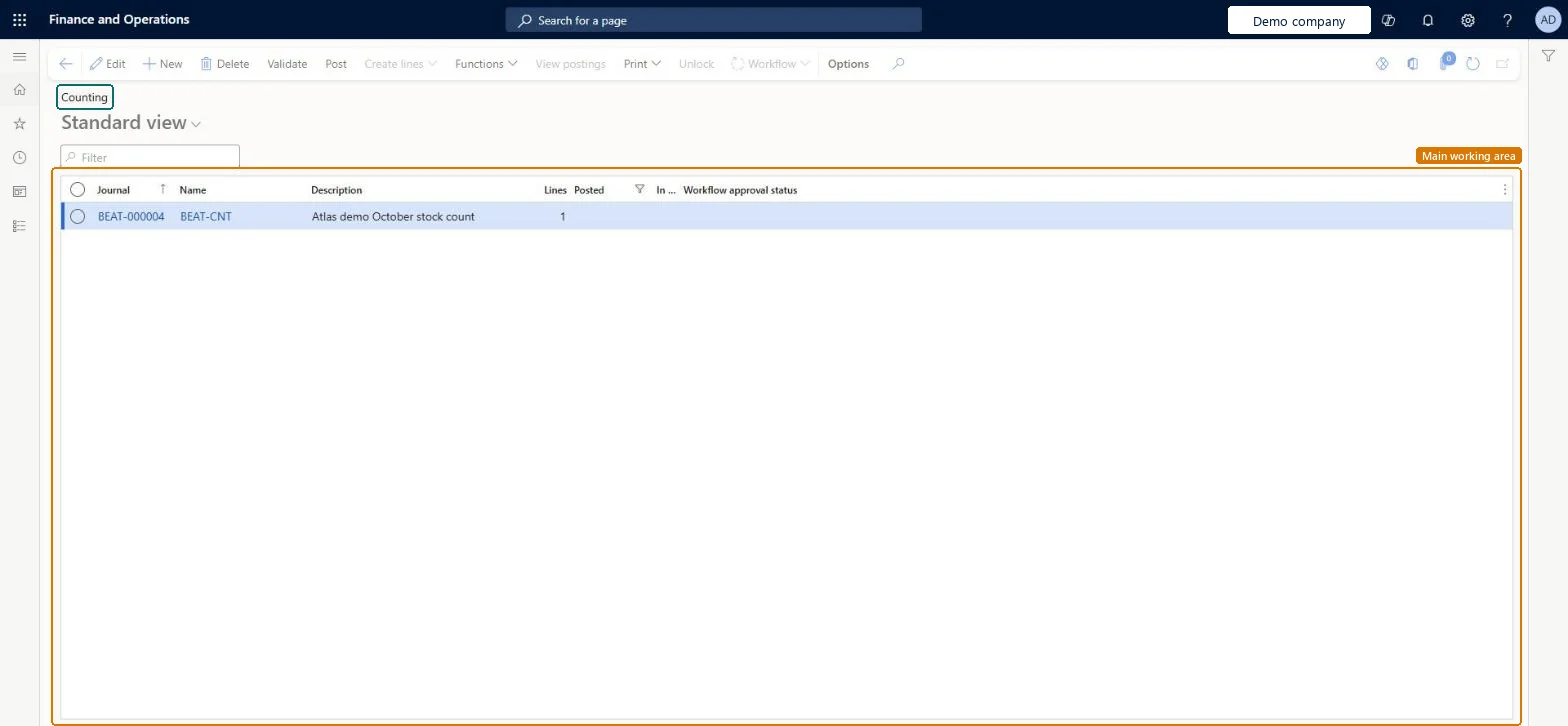
About the examples: Examples and screenshots in this guide use BEAT, a demo company in a Dynamics 365 test environment. Use your own company's codes and values instead of copying them.
Steps from Microsoft
Go to Inventory management > Journal entries > Item counting > Counting.
Select New, choose the counting journal name and the Worker, and select OK.
Select New and enter the Item number.
Enter the Site, Warehouse and Location.
In the Counted field, enter the quantity you counted.
If Lock items during count is turned on in the parameters, items can't be physically updated while they are being counted. Microsoft Learn
Technical architect
5Technical
Menu item
InventJournalTableCountChecked in Dynamics 365
Form
InventJournalCountChecked in Dynamics 365
Table
InventJournalTableShown as “Inventory journal table” in Record infoKey field: JournalId, JournalType, JournalNameId, DescriptionChecked in Dynamics 365
Data entities
InventInventoryCountingJournalHeaderEntityInventory counting journal headers Microsoft data model InventInventoryAdjustmentJournalHeaderEntityInventory adjustment headers Microsoft data model InventInventoryMovementJournalHeaderEntityInventory movement headers Microsoft data model ProjectItemJournalTableEntityProject item journal header Microsoft data model
Who can open it
PrivilegesMaintain counting journals InventJournalTableCountMaintainView counting journals InventJournalTableCountViewMaintain retail stock counts RetailStockCountsMaintainDutiesApprove physical inventory counting InventPhysicalInventoryCountingApproveMaintain physical inventory counting InventPhysicalInventoryCountingMaintainMaintain retail counting RetailCountingMaintainMaintain retail store inventory worksheets RetailStoreInventoryWorksheetsMaintainInquire into warehouse operation progress WMSWarehouseOperationProgressInquire12 security rolesMaterials manager InventMaterialsManagerQuality control clerk InventQualityControlClerkQuality control manager InventQualityControlManagerReceiving clerk InventReceivingClerkShipping clerk InventShippingClerkRetail operations manager RetailOperationsManagerRetail service RetailServiceRetail store manager RetailStoreManagerRetail warehouse clerk RetailWarehouseClerkRetail warehouse manager RetailWarehouseManagerWarehouse manager WMSWarehouseManagerWarehouse worker WMSWarehouseWorkerChecked in Dynamics 365
Roles to set it up and use it
To set it up or change itRetail service RetailServiceWarehouse worker WMSWarehouseWorkerRetail store manager RetailStoreManagerRetail operations manager RetailOperationsManagerRetail warehouse clerk RetailWarehouseClerkTo use itQuality control manager InventQualityControlManagerWarehouse manager WMSWarehouseManagerMaterials manager InventMaterialsManagerQuality control clerk InventQualityControlClerkShipping clerk InventShippingClerkGive people one of these roles. On this system, 12 roles can open this page.Checked in Dynamics 365
Actions on the page
Options: Personalize, Page options, ShareChecked in Dynamics 365