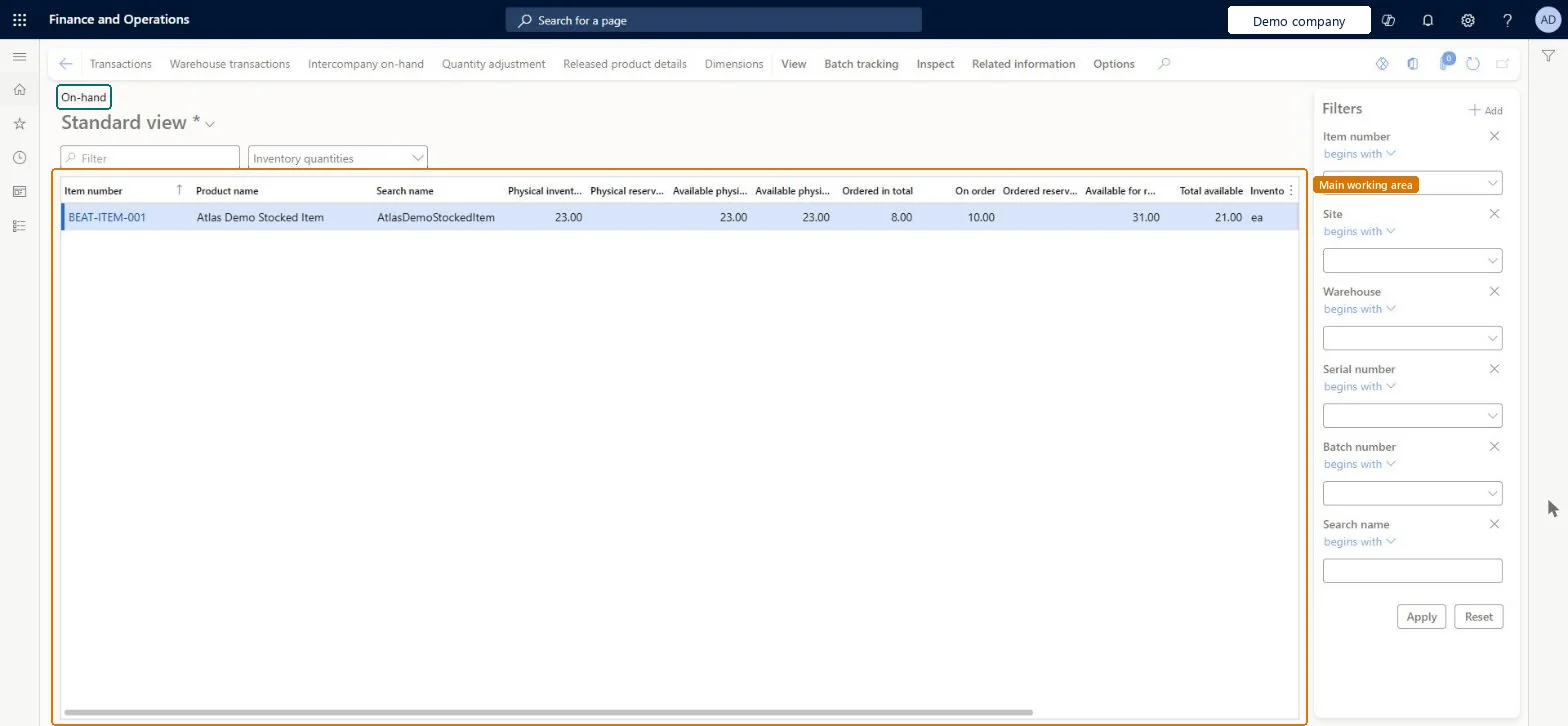
Inventory management › Inquiries and reports › On-hand list
End user · Functional consultant
3How to do it
About the examples: Examples and screenshots in this guide use BEAT, a demo company in a Dynamics 365 test environment. Use your own company's codes and values instead of copying them.
Steps from Microsoft
Go to Inventory management > Inquiries and reports > On-hand list.
In the Filters pane, enter the product and locations you want to see, and select Apply.
On the Action Pane, select Dimensions and choose the dimensions to show in the grid.
Optional: set Save setup to Yes so the page opens with the same dimensions next time.
Use the filter at the top of the grid or the column headers to narrow what is shown.
Filters in the Filters pane work on the detailed source data, not on the summarized list, so results can look unexpected; grid filters work on the list itself. Microsoft Learn
Technical architect
5Technical
Menu item
InventOnhandItemChecked in Dynamics 365
Form
InventOnhandItemChecked in Dynamics 365
Table
InventSumShown as “On-hand inventory” in Record infoKey field: ItemId, InventDimId, ClosedChecked in Dynamics 365
Data entities
InventWarehouseOnHandCDSEntityCDS inventory on-hand by warehouse Microsoft data model
Roles to set it up and use it
To use itQuality control manager InventQualityControlManagerWarehouse manager WMSWarehouseManagerMaterials manager InventMaterialsManagerQuality control clerk InventQualityControlClerkProduction supervisor ProdProductionSupervisorGive people one of these roles. On this system, 31 roles can open this page.Checked in Dynamics 365
Actions on the page
View: ViewBatch tracking: Batch trackingInspect: InspectRelated information: Related informationOptions: Personalize, Page options, ShareChecked in Dynamics 365