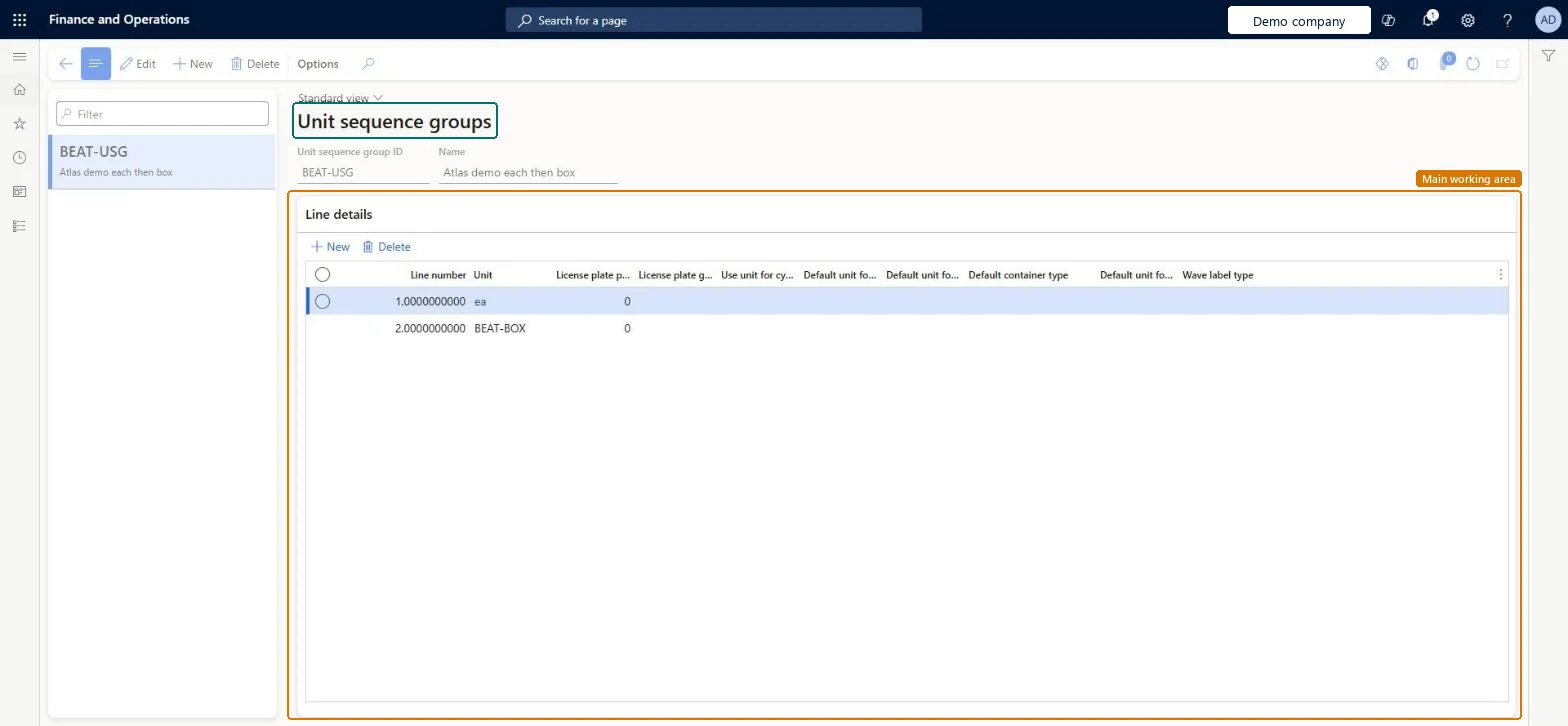
About the examples: Examples and screenshots in this guide use BEAT, a demo company in a Dynamics 365 test environment. Use your own company's codes and values instead of copying them.
Setup steps on this page
Set up Unit sequence groups
Use this page to set the units, such as piece, box and pallet, that warehouse processes use for a product and the policies that apply to each unit.
Steps from Microsoft
Go to Warehouse management > Setup > Warehouse > Unit sequence groups.
Select New on the Action Pane.
In the header, enter a Unit sequence group ID and a Name.
In the Line details grid, select New and add one line for each unit, from the smallest unit to the largest.
Set the fields on each line, such as License plate grouping and Use unit for cycle counting.
One group per inventory unit and packaging hierarchy (for example Pcs-Box-PL), smallest unit first, with unit conversions between all unitsThe first unit must match the product's inventory unit, and conversions are needed so the system can translate quantities between levels.
Mixing units from different unit of measure classes in one group, which can create work in an unexpected unit and round load and work quantities unexpectedly.
Hard to reverse: The Unit on a line can't be changed after the line is saved, and the group must match each assigned product's inventory unit.
If you change it later
Mixing units from different unit of measure classes in one group can produce work in an unexpected unit and cause unexpected rounding of load and work line quantities. Microsoft Learn
Technical architect
6Technical
Menu item
WHSUOMSeqGroupTableChecked in Dynamics 365
Form
WHSUOMSeqGroupTableChecked in Dynamics 365
Table
WHSUOMSeqGroupTableShown as “UNIT SEQUENCE GROUPS” in Record infoKey field: UOMSeqGroupIdChecked in Dynamics 365
Data entities
WHSUnitOfMeasureConversionSequenceGroupEntityUnit sequence groups Microsoft data model
Who can open it
PrivilegesMaintain UOM sequence groups WHSUOMSeqGroupTableMaintainView UOM sequence groups WHSUOMSeqGroupTableViewDutiesInquire into warehouse operation master WMSWarehouseOperationMasterInquireMaintain warehouse operation master WMSWarehouseOperationMasterMaintain6 security rolesField Service Integration User FieldServiceIntegrationUserProduction supervisor ProdProductionSupervisorProcess engineer RouteProcessEngineerProcess engineering manager RouteProcessEngineeringManagerWarehouse planner WHSWarehousePlannerWarehouse manager WMSWarehouseManagerChecked in Dynamics 365
Roles to set it up and use it
To set it up or change itWarehouse manager WMSWarehouseManagerProcess engineer RouteProcessEngineerTo use itWarehouse planner WHSWarehousePlannerProduction supervisor ProdProductionSupervisorProcess engineering manager RouteProcessEngineeringManagerField Service Integration User FieldServiceIntegrationUserGive people one of these roles. On this system, 6 roles can open this page.Checked in Dynamics 365