About the examples: Examples and screenshots in this guide use BEAT, a demo company in a Dynamics 365 test environment. Use your own company's codes and values instead of copying them.
Setup steps on this page
Set up Wave process methods
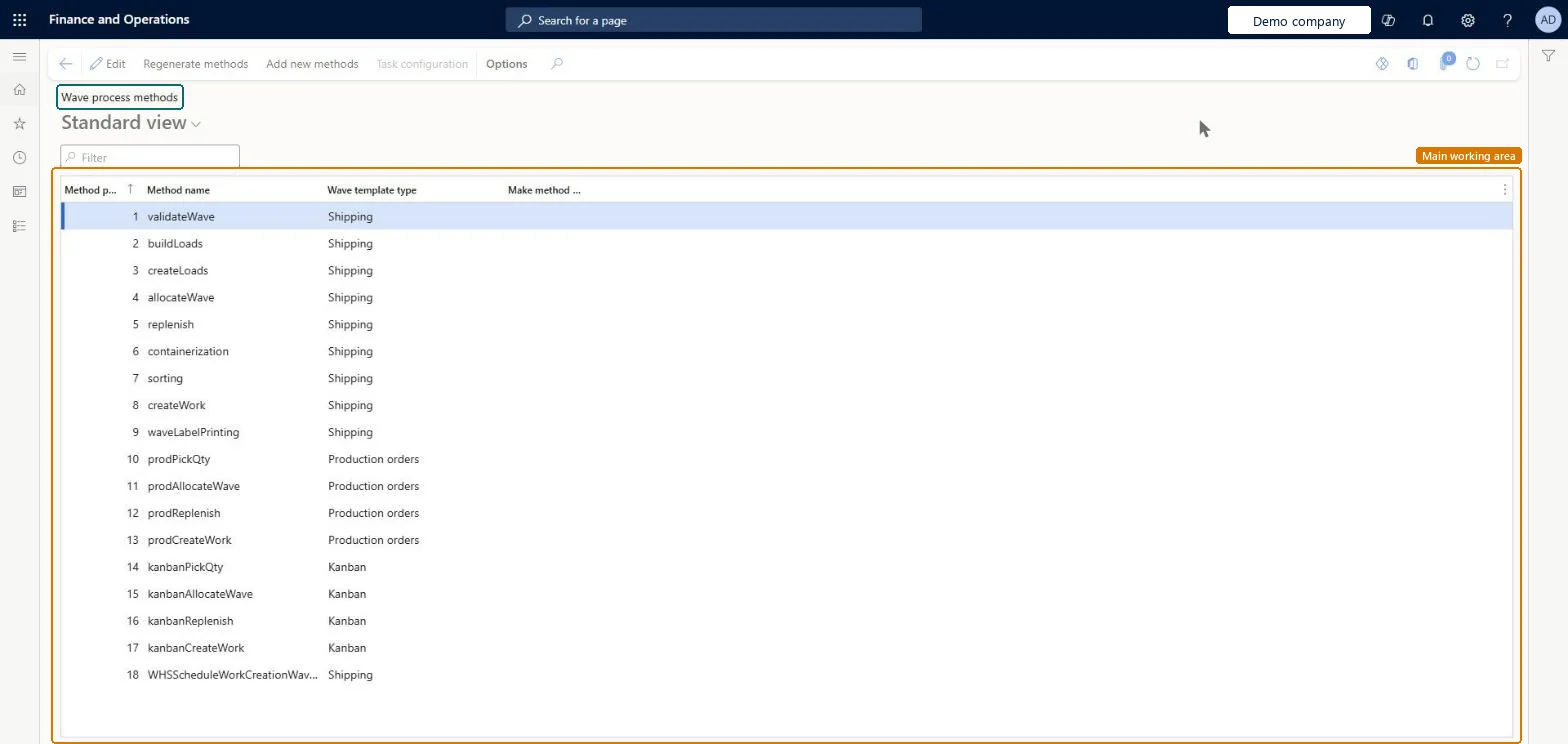
Use this page to check which wave methods are available and to regenerate them when a method such as wave label printing is missing.
Steps from Microsoft
Go to Warehouse management > Setup > Waves > Wave process methods.
Check that the method you need, such as waveLabelPrinting, is in the list.
If it is not in the list, select Regenerate methods on the Action Pane.
To use a method more than once in a wave template, select the Make method repeatable check box for it.
Select Regenerate methods when a method such as waveLabelPrinting or buildLoads is missing; select Make method repeatable only for a method you add more than once to a wave templateMethods like wave label printing and load building only appear after regeneration, and multilevel labels need the waveLabelPrinting method marked repeatable so it can be added twice with different step codes.
Trying to add Wave label printing twice (for carton and pallet labels) without Make method repeatable selected.
PrivilegesMaintain posting methods WHSPostMethodMaintainView posting methods WHSPostMethodViewDutiesInquire into warehouse planning master data WHSWarehousePlanningMasterInquireRecord warehouse planning masters WHSWarehousePlanningMasterMaintain2 security rolesWarehouse planner WHSWarehousePlannerWarehouse manager WMSWarehouseManagerChecked in Dynamics 365
Roles to set it up and use it
To set it up or change itWarehouse manager WMSWarehouseManagerWarehouse planner WHSWarehousePlannerGive people one of these roles. On this system, 2 roles can open this page.Checked in Dynamics 365
Actions on the page
(Action Pane without tabs): Regenerate methods, Add new methods, Task configurationChecked in Dynamics 365
WHSWarehouseWaveProcessingMethodEntity (Wave process methods): loaded for each company, in Microsoft's default template 400 - Warehouse management.Load order: Microsoft's default template 400 - Warehouse management loads Wave process methods at execution unit 1, level 30, sequence 10. Lower levels load first, and entities at the same level load in sequence order.Load first: the default templates at lower levels (System setup to General ledger)Microsoft Learn