About the examples: Examples and screenshots in this guide use BEAT, a demo company in a Dynamics 365 test environment. Use your own company's codes and values instead of copying them.
Setup steps on this page
Set up External service instances
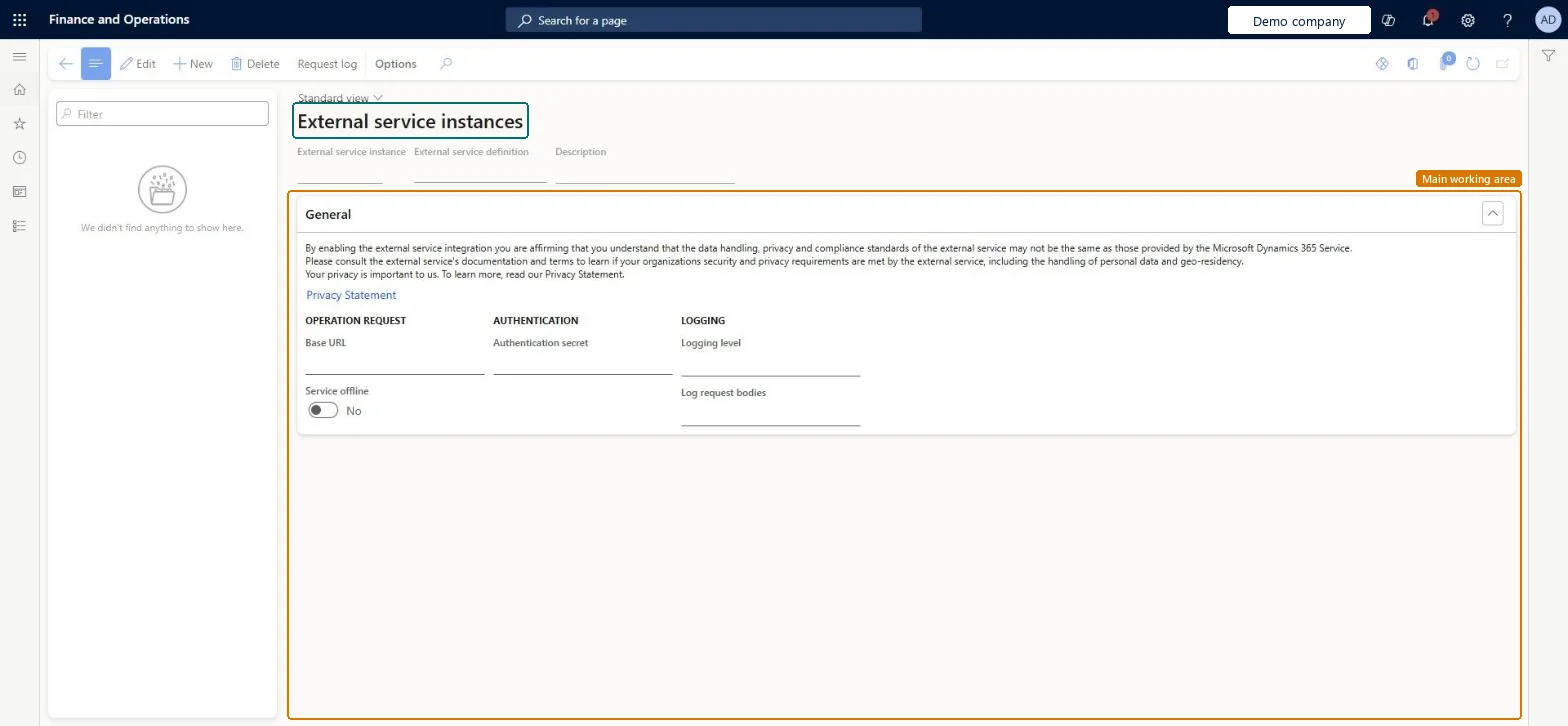
Use this page to connect an external service definition to the actual service that the system calls, and to set how its requests are logged.
Steps from Microsoft
Go to Warehouse management > Setup > External Services > External service instances.
On the Action Pane, select New to create an external service instance.
Enter an External service instance name, a Description and the External service definition to use.
On the General tab, enter the Base URL and the Authentication secret, and choose the Logging level and Log request bodies.
Set Service offline to Yes only while the service is unavailable, then select Save.
Logging level and Log request bodies: Successes and errorsLearn marks Successes and errors as the recommended value for both logging settings, which gives the request log the detail needed for troubleshooting.
Leaving the system calling a service that is down. Set Service offline to Yes during known outages so the system doesn't wait for responses, and back to No afterwards.
Solution architect
5Design impact
Can it be undone
Reversible: Base URL, secret, logging and Service offline can be changed at any time and apply to the next request.
Technical architect
6Technical
Menu item
WhsExternalServiceInstancesChecked in Dynamics 365
Form
WhsExternalServiceInstancesChecked in Dynamics 365
Table
WhsExternalServiceInstanceShown as “EXTERNAL SERVICE INSTANCES” in Record infoKey field: ExternalServiceInstanceIdChecked in Dynamics 365
Data entities
WHSWarehouseExternalServiceInstanceEntityExternal service instances Checked in Dynamics 365
Who can open it
PrivilegesMaintain warehouse external service instances WhsExternalServiceInstanceMaintainView warehouse external service instances WhsExternalServiceInstanceViewDutiesWhsExternalServiceEnableInquire into warehouse operation master WMSWarehouseOperationMasterInquire5 security rolesField Service Integration User FieldServiceIntegrationUserProduction supervisor ProdProductionSupervisorProcess engineering manager RouteProcessEngineeringManagerWarehouse planner WHSWarehousePlannerWarehouse manager WMSWarehouseManagerChecked in Dynamics 365
Roles to set it up and use it
To set it up or change itWarehouse manager WMSWarehouseManagerTo use itWarehouse planner WHSWarehousePlannerProduction supervisor ProdProductionSupervisorProcess engineering manager RouteProcessEngineeringManagerField Service Integration User FieldServiceIntegrationUserGive people one of these roles. On this system, 5 roles can open this page.Checked in Dynamics 365
Actions on the page
(Action Pane without tabs): Request logChecked in Dynamics 365
Checked in a working Dynamics 365 system, version 10.0.49: the menu item, form, table and security, the page.
To cite this step: WM-SETUP-370, Set up External service instances. Beyond ERP Atlas Hub, 2026-11-11. https://www.beyonderp.cloud/atlas/step/WM-SETUP-370