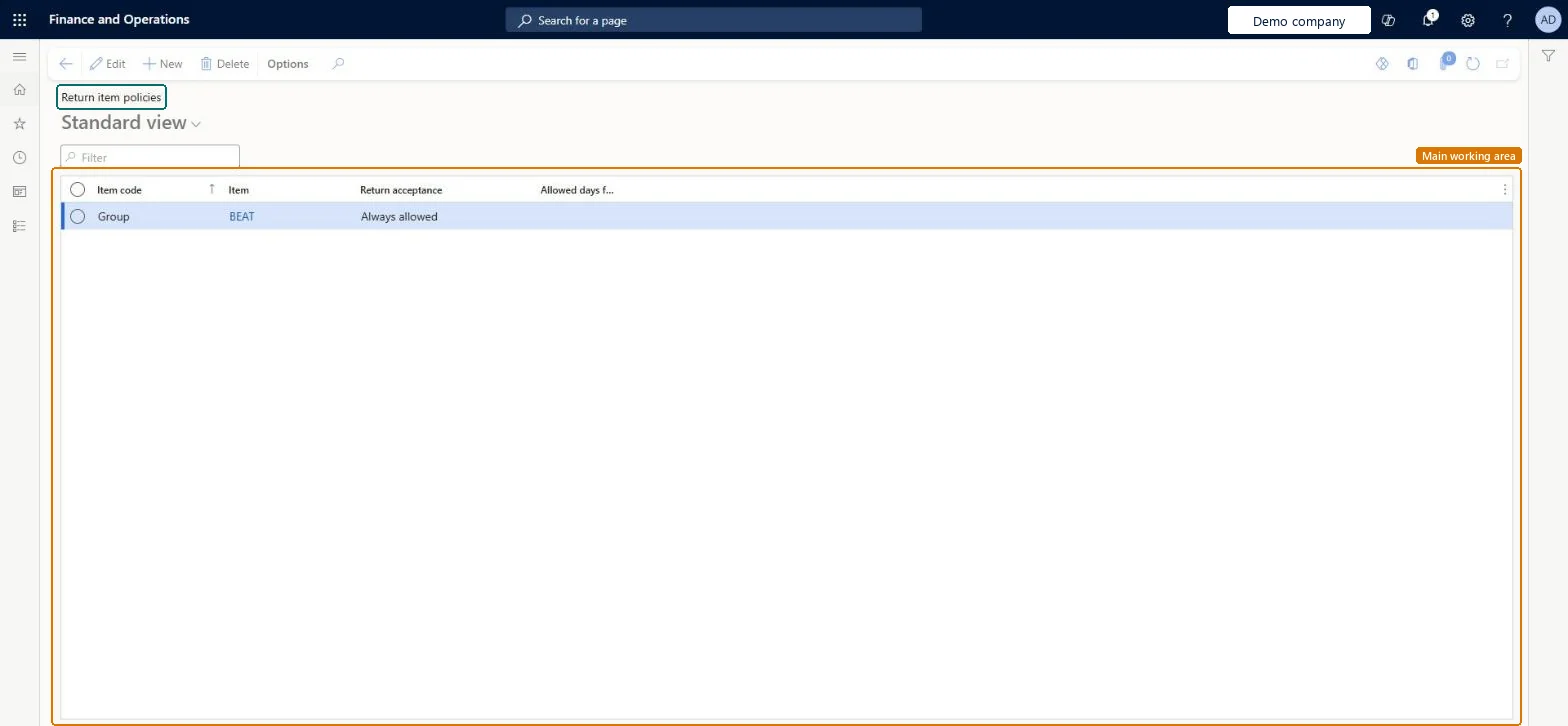
Setup step on the Return item policies page · Warehouse management
Set up Return item policies
Use this page to set, for a single product, a product group or all products, whether returns are always allowed, never allowed or allowed for a limited number of days after shipment.
Accounts receivable manager, Rental coordinator agent, Rental manager and 7 more roles
Business process
Manage warehouse operations
Menu item
WHSReturnItemPolicy
Main table
WHSReturnItemPolicy
Data entity
WHSReturnItemPolicyEntity
Setup steps
1 on this page
Show what matters for
SETUP GUIDEHow to set it up8 sections. Choose a role to highlight what matters to you.
Everyone
1What it is and why
What it is
A list page where you define return item policies, which control the conditions under which items can be returned.
What you do here
Use this page to set, for a single product, a product group or all products, whether returns are always allowed, never allowed or allowed for a limited number of days after shipment.
Example
For example, you can allow items to be returned only for a limited time after they were sold.
The page in Dynamics 365. page title tab to open what to set or check
About the examples: Examples and screenshots in this guide use BEAT, a demo company in a Dynamics 365 test environment. Use your own company's codes and values instead of copying them.
Setup steps on this page
Set up Return item policies
Use this page to set, for a single product, a product group or all products, whether returns are always allowed, never allowed or allowed for a limited number of days after shipment.
Steps from Microsoft
Go to Warehouse management > Setup > Return items > Return item policies.
On the Action Pane, select New to create a policy.
In the Item code field, select Table, Group or All to set the scope of the policy.
In the Item field, select the item number or item group, unless the Item code is All.
In the Return acceptance field, select Always allowed, Never allowed or Allowed days after shipment.
If you chose Allowed days after shipment, set Allowed days for return, then select Save.
One All policy as the company-wide rule, with Group or Table policies only for item groups or items that differPolicies can be set per item (Table), per item group (Group) or for all items, and when returns are processed the most specific policy applies to each item.
Choosing Allowed days after shipment without setting Allowed days for return.
Solution architect
5Design impact
Can it be undone
Reversible: Policies can be changed at any time and apply to returns processed afterwards.
Technical architect
6Technical
Menu item
WHSReturnItemPolicyChecked in Dynamics 365
Form
WHSReturnItemPolicyChecked in Dynamics 365
Table
WHSReturnItemPolicyShown as “RETURN ITEM POLICY” in Record infoKey field: ItemRelationChecked in Dynamics 365
Data entities
WHSReturnItemPolicyEntityReturn item policies Checked in Dynamics 365
Who can open it
PrivilegesMaintain return item policies WHSReturnItemPolicyMaintainView return item policies WHSReturnItemPolicyViewDutiesMaintain sales return order ReturnSalesReturnOrderMaintainInquire into sales return order progress ReturnSalesReturnOrderProgressInquireMaintain return item policies WHSReturnItemPolicyMaintain11 security rolesAccounts receivable manager CustInvoiceAccountsReceivableManagerMCRTestUserRoleRental coordinator agent RentalCoordinatorAgentRental manager RentalManagerRetail service RetailServiceRetail store manager RetailStoreManagerCustomer service manager TradeCustomerServiceManagerCustomer service representative TradeCustomerServiceRepresentativeSales clerk TradeSalesClerkSales manager TradeSalesManagerSales representative TradeSalesRepresentativeChecked in Dynamics 365
Roles to set it up and use it
To set it up or change itAccounts receivable manager CustInvoiceAccountsReceivableManagerTo use itCustomer service representative TradeCustomerServiceRepresentativeSales representative TradeSalesRepresentativeSales manager TradeSalesManagerCustomer service manager TradeCustomerServiceManagerSales clerk TradeSalesClerkGive people one of these roles. On this system, 10 roles can open this page.Checked in Dynamics 365