Field Service Integration User, Production supervisor, Process engineering manager and 2 more roles
Business process
Manage warehouse operations
Menu item
WhsExternalServiceDefinitions
Main table
WHSExternalServiceDefinition
Data entity
WHSWarehouseExternalServiceDefinitionEntity
Setup steps
1 on this page
Show what matters for
PAGE GUIDEWhat the page does and how to use it8 sections. Choose a role to highlight what matters to you.
Everyone
1What it is and why
What it is
A setup page where you define how the system calls an external service, using one or more operations that describe the HTTP requests it sends.
What you do here
Use this page to set up the operations that let Dynamics 365 Supply Chain Management communicate with a third-party service, for example to print labels.
Example
For example, you can print labels through third-party labeling products such as Seagull Scientific BarTender and the Loftware label service solution.
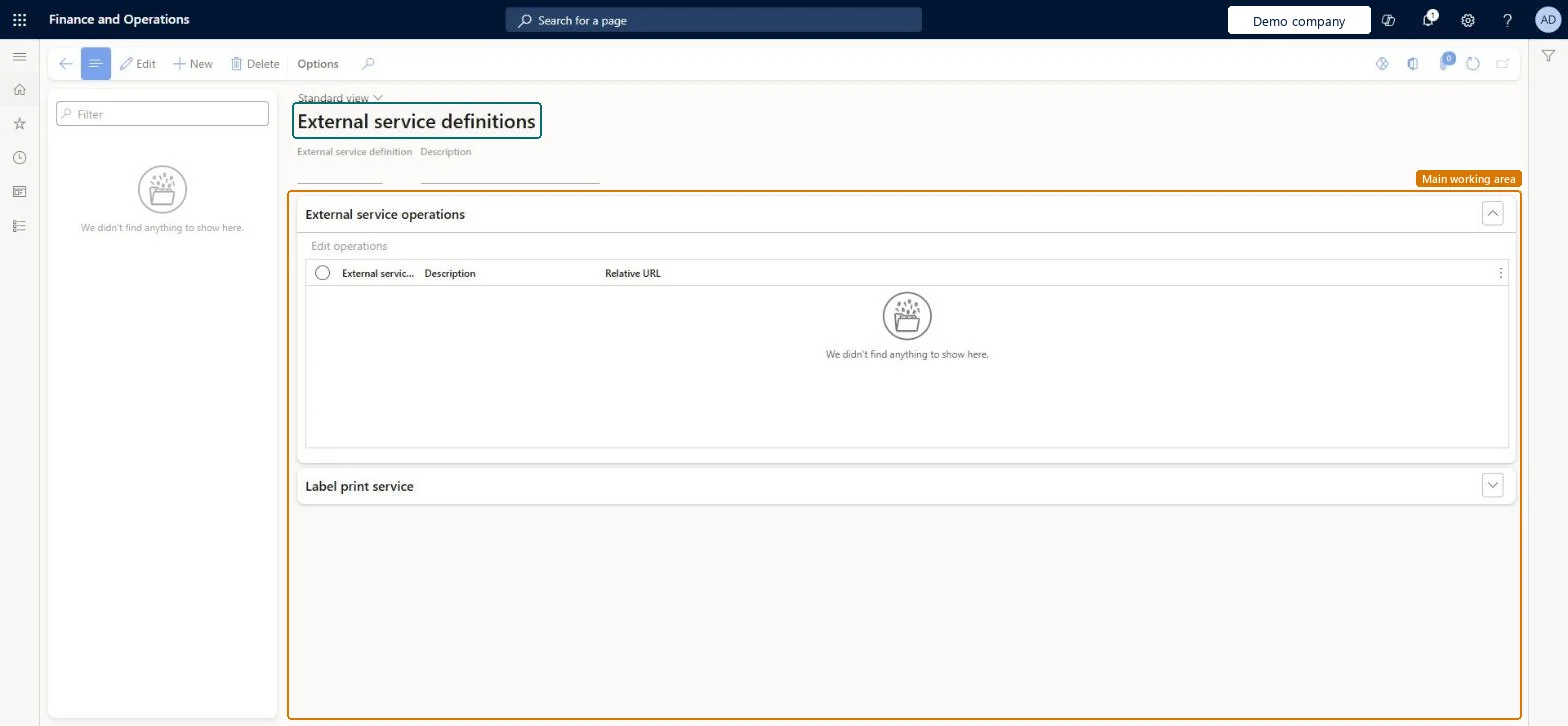
The page in Dynamics 365. page title tab to open what to set or check
About the examples: Examples and screenshots in this guide use BEAT, a demo company in a Dynamics 365 test environment. Use your own company's codes and values instead of copying them.
Setup steps on this page
Set up External service definitions
Use this page to set up the operations that let Dynamics 365 Supply Chain Management communicate with a third-party service, for example to print labels.
Steps from Microsoft
Go to Warehouse management > Setup > External Services > External service definitions.
On the Action Pane, select New to create an external service definition.
Enter an External service definition name and a Description, then select Save.
On the External service operations FastTab, select Edit operations and add at least one operation.
On the Label print service FastTab, select the Print operation or the Variables print operation, then select Save.
One definition per labeling service, with operations built from the provider's API, using $auth.secret, $label.printer and $label.body substitutions, and label layouts (not document routing layouts)The definition depends on the API that the provider supplies. Learn says to use the newer label layouts because document routing label layouts apply string escaping that can produce malformed JSON or XML.
Printing through the external service with classic document routing label layouts, which can produce malformed JSON or XML payloads.
Solution architect
5Design impact
Can it be undone
Reversible: Operations, the print operation selection and the variable template can be changed at any time; they affect labels printed afterwards. Microsoft Learn
Technical architect
6Technical
Menu item
WhsExternalServiceDefinitionsChecked in Dynamics 365
Form
WhsExternalServiceDefinitionsChecked in Dynamics 365
Table
WHSExternalServiceDefinitionShown as “EXTERNAL SERVICE DEFINITIONS” in Record infoKey field: ExternalServiceDefinitionIdChecked in Dynamics 365
Data entities
WHSWarehouseExternalServiceDefinitionEntityExternal service definitions Checked in Dynamics 365
Who can open it
PrivilegesMaintain warehouse external service definitions WhsExternalServiceDefinitionMaintainView warehouse external service definitions WhsExternalServiceDefinitionViewDutiesWhsExternalServiceEnableInquire into warehouse operation master WMSWarehouseOperationMasterInquire5 security rolesField Service Integration User FieldServiceIntegrationUserProduction supervisor ProdProductionSupervisorProcess engineering manager RouteProcessEngineeringManagerWarehouse planner WHSWarehousePlannerWarehouse manager WMSWarehouseManagerChecked in Dynamics 365
Roles to set it up and use it
To set it up or change itWarehouse manager WMSWarehouseManagerTo use itWarehouse planner WHSWarehousePlannerProduction supervisor ProdProductionSupervisorProcess engineering manager RouteProcessEngineeringManagerField Service Integration User FieldServiceIntegrationUserGive people one of these roles. On this system, 5 roles can open this page.Checked in Dynamics 365