About the examples: Examples and screenshots in this guide use BEAT, a demo company in a Dynamics 365 test environment. Use your own company's codes and values instead of copying them.
Setup steps on this page
Set up Mobile device brands
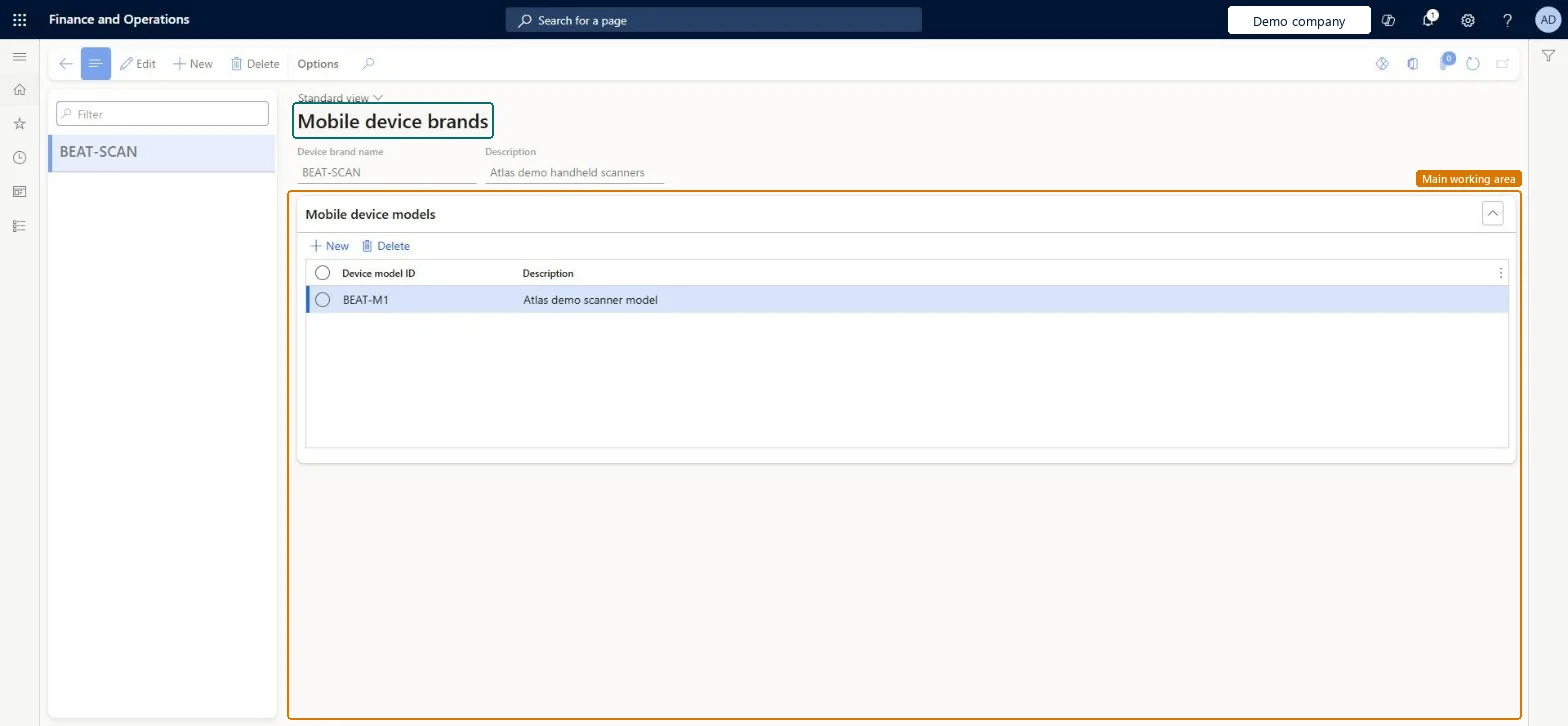
Use this page to review the brands and models of the devices that workers use, and to add descriptions that help tell similar models apart.
Steps from Microsoft
Go to Warehouse management > Setup > Mobile device > Mobile device brands.
In the list pane, select a brand to open its record, or select New to create a brand.
In the header, enter the Device brand name and a Description.
On the Mobile device models FastTab, select New to add a row, then enter the Device model ID and a Description.
Let the app create brands and models, then add descriptions that tell similar or cryptic model IDs apartThe app submits the local brand name and model ID the first time a worker edits settings on a device, so most records are generated automatically.
Keying in brands and models by hand with names that don't match what the device reports, so device-level settings profiles never match.
Solution architect
5Design impact
Can it be undone
Reversible: Brands, models and descriptions can be managed at any time on this page.
Technical architect
6Technical
Menu item
WHSMobileAppDeviceBrandChecked in Dynamics 365
Form
WHSMobileAppDeviceBrandChecked in Dynamics 365
Table
WHSMobileAppDeviceBrandTableShown as “MOBILE DEVICE BRANDS” in Record infoKey field: DeviceBrandIdChecked in Dynamics 365
Who can open it
PrivilegesMaintain work user display settings WHSWorkUserDisplaySettingsMaintainView work user displays settings WHSWorkUserDisplaySettingsViewDutiesInquire into warehouse planning master data WHSWarehousePlanningMasterInquireRecord warehouse planning masters WHSWarehousePlanningMasterMaintain2 security rolesWarehouse planner WHSWarehousePlannerWarehouse manager WMSWarehouseManagerChecked in Dynamics 365
Roles to set it up and use it
To set it up or change itWarehouse manager WMSWarehouseManagerWarehouse planner WHSWarehousePlannerGive people one of these roles. On this system, 2 roles can open this page.Checked in Dynamics 365