Field Service Integration User, Production supervisor, Process engineer and 3 more roles
Business process
Manage warehouse operations
Menu item
WHSLaborStandards
Main table
WHSLaborStandardsTable
Data entity
WHSLaborStandardEntity
Setup steps
1 on this page
Show what matters for
SETUP GUIDEHow to set it up8 sections. Choose a role to highlight what matters to you.
Everyone
1What it is and why
What it is
A setup page where you define the calculation methods that estimate how long each type of warehouse work should take.
What you do here
Use this page to define how the estimated time for work such as picking and putting is calculated, so that it can be compared with the actual time.
Example
For example, you can define the time that a sales order pick should take per weight for a specific unit definition when a specific picking process is used.
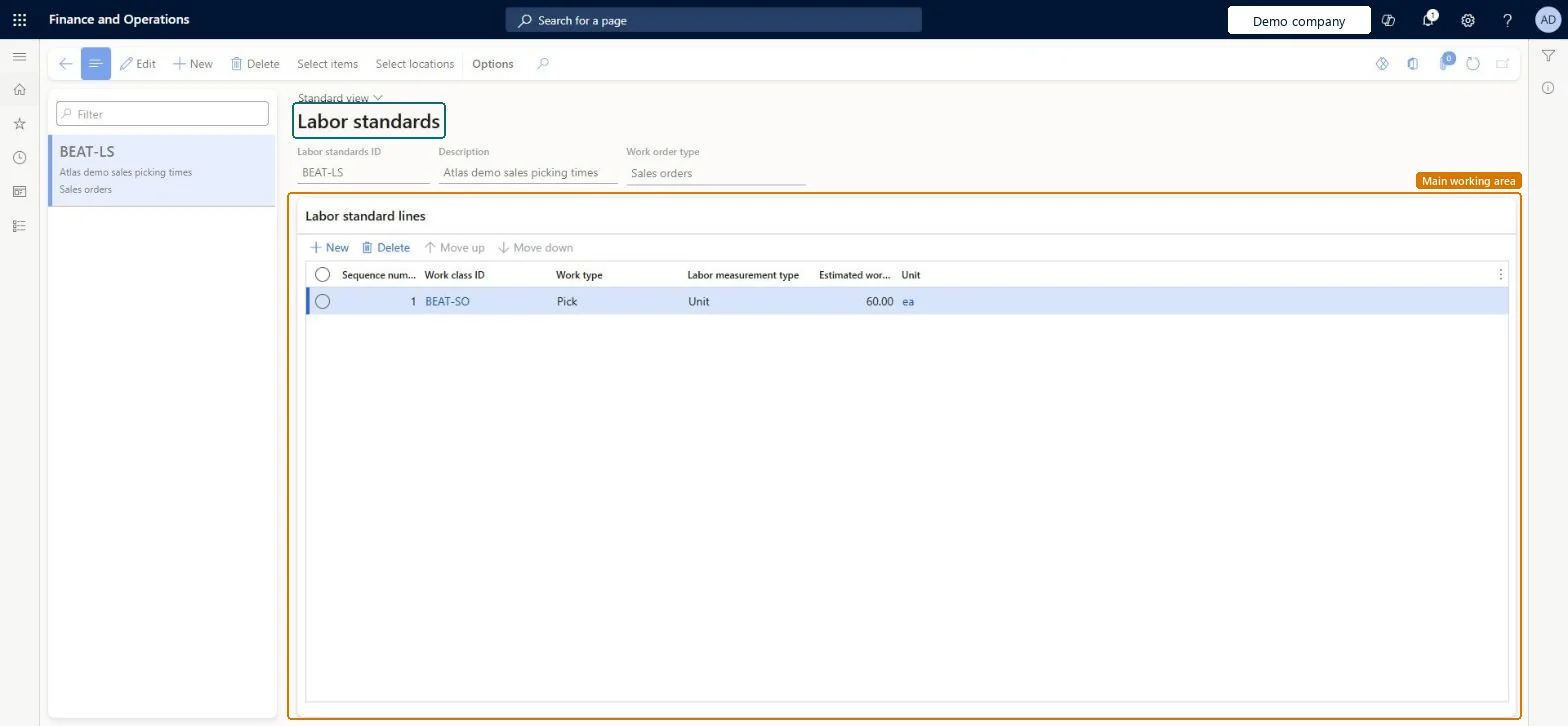
The page in Dynamics 365. page title tab to open what to set or check
About the examples: Examples and screenshots in this guide use BEAT, a demo company in a Dynamics 365 test environment. Use your own company's codes and values instead of copying them.
Setup steps on this page
Set up Labor standards
Use this page to define how the estimated time for work such as picking and putting is calculated, so that it can be compared with the actual time.
How to use it
Go to Warehouse management > Setup > Labor standards.
Select New to create a labor standard.
Enter the Labor standards ID, a Description and the Work order type.
In the Labor standard lines section, select New to add a line.
Set the Sequence number, Work class ID, Work type, Labor measurement type, Estimated work and Unit for the line.
Source: Checked in Dynamics 365
Test checklist
Create a labor standard for sales order picking in one warehouse.
Select Allow labor standards on that warehouse.
Release a sales order and process the wave.
Check the estimated time on the created work and compare it with the actual time after picking.
Define the labor standards, then turn on Allow labor standards for each warehouse where they are usedLabor standards are only applied in warehouses where the Allow labor standards option is selected.
Defining standards on this page but not selecting Allow labor standards on the warehouse, so no estimated time is calculated for that warehouse's work.
PrivilegesMaintain labor standards WHSLaborStandardsMaintainView labor standards WHSLaborStandardsViewDutiesInquire into warehouse operation master WMSWarehouseOperationMasterInquireMaintain warehouse operation master WMSWarehouseOperationMasterMaintain6 security rolesField Service Integration User FieldServiceIntegrationUserProduction supervisor ProdProductionSupervisorProcess engineer RouteProcessEngineerProcess engineering manager RouteProcessEngineeringManagerWarehouse planner WHSWarehousePlannerWarehouse manager WMSWarehouseManagerChecked in Dynamics 365
Roles to set it up and use it
To set it up or change itWarehouse manager WMSWarehouseManagerProcess engineer RouteProcessEngineerTo use itWarehouse planner WHSWarehousePlannerProduction supervisor ProdProductionSupervisorProcess engineering manager RouteProcessEngineeringManagerField Service Integration User FieldServiceIntegrationUserGive people one of these roles. On this system, 6 roles can open this page.Checked in Dynamics 365
Actions on the page
(Action Pane without tabs): Select items, Select locationsChecked in Dynamics 365
WHSLaborStandardEntity (Labor standards): loaded for each company, in Microsoft's default template 400 - Warehouse management.Load order: Microsoft's default template 400 - Warehouse management loads Labor standards at execution unit 1, level 30, sequence 10. Lower levels load first, and entities at the same level load in sequence order.Load first: the default templates at lower levels (System setup to General ledger)Microsoft Learn