SETUP GUIDEHow to set it up8 sections. Choose a role to highlight what matters to you.
Everyone
1What it is and why
What it is
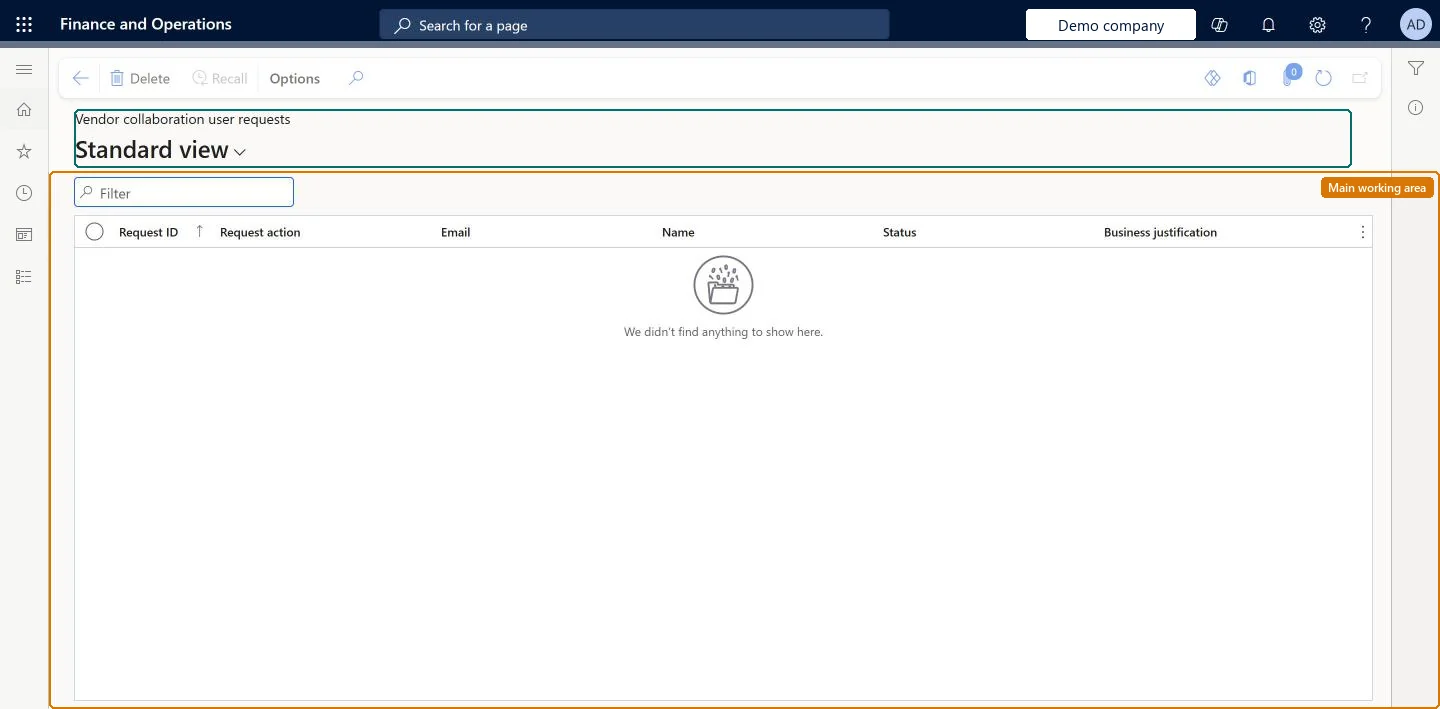
A list page that shows the user requests (provision, inactivate, change roles) submitted for the vendor's contacts.
What you do here
Use this page to see the vendor collaboration user requests that have been submitted and follow them.
Example
For example, the vendor admin of BEAT-000001 submits Provision vendor user for a new contact and sees request REQ-0007 with Request action Provision vendor user and Status In review. When BEAT's workflow approves it, the user can sign in.
The page in Dynamics 365. page title tab to open what to set or check
About the examples: Examples and screenshots in this guide use BEAT, a demo company in a Dynamics 365 test environment. Use your own company's codes and values instead of copying them.
Setup steps on this page
Follow vendor collaboration user requests
Follow requests to provision, inactivate or change vendor users through the workflow.
Steps from Microsoft
Go to Vendor collaboration > Contacts > Vendor collaboration user requests.
Find the request by Request ID or Email.
Read the Status to see where the request is in the workflow.
Select Recall to withdraw a request that is no longer needed.
The number of the user request.Checked in Dynamics 365
REQ-0007
Request action
What is asked: provision a vendor user, inactivate a vendor user, or maintain vendor user roles.Microsoft Learn
Provision vendor user
Email
The email address of the user the request is for; it is the sign-in for a new user.Microsoft Learn
Name
The contact person the request is for.Checked in Dynamics 365
Status
Where the request is in the user request workflow.Checked in Dynamics 365
Business justification
The reason given for an inactivation or a role change.Microsoft Learn
Left the company on 10/31/2026.
Recall
Action that recalls a submitted request.Checked in Dynamics 365
Common errors and fixes
Message
What to do
The request never completes
Check that a user request workflow is active in the customer company and that the email address is a valid work address (not a consumer domain, and an existing Entra account for Entra-registered domains). Microsoft Learn
Test checklist
Submit Provision vendor user for a contact on All contacts.
Check that the request is listed here and in Procurement and sourcing > Vendor collaboration user requests.
Approve it in the customer's workflow and check that the status changes.
Check that the new user is listed on Vendor collaboration users.
Sort by Request ID and check Status after every request; recall requests raised by mistakeEvery request goes through the user request workflow, and the user changes only when the workflow completes.
Microsoft provides two external roles for vendor collaboration: Vendor admin (external), for contacts and user requests, and Vendor (external), for purchase orders, invoices, consignment inventory, RFQs and vendor information. External users created through a user request also get the SystemExternalUser role. On the live system, Vendor admin (external) maintains this page.
Reversible: Requests can be recalled while in workflow.
If you change it later
A provisioning request starts a workflow that creates the user, assigns security roles and links a Microsoft Entra account. Microsoft Learn
Technical architect
6Technical
Menu item
VendVendorPortalUserRequestListPageFilteredChecked in Dynamics 365
Form
SysUserRequestListPageChecked in Dynamics 365
Table
SysUserRequestShown as “USER REQUESTS” in Record infoKey field: RequestIDChecked in Dynamics 365
Data entities
VendVendorCollaborationUserRequestEntityVendor collaboration user requests
Who can open it
PrivilegesMaintain contact person details for vendor external admin VendVendorContactPersonMaintainVendVendorContactPersonViewDutiesMaintain vendor contacts and vendor user request VendVendorUserRequestMaintainView contacts and vendor user requests VendVendorUserRequestView1 security roleVendor admin (external) VendVendorContactExternalAdminChecked in Dynamics 365
Roles to set it up and use it
To set it up or change itVendor admin (external) VendVendorContactExternalAdminGive people one of these roles. On this system, 1 role can open this page.Checked in Dynamics 365
Actions on the page
(Action Pane without tabs): RecallChecked in Dynamics 365
VendVendorCollaborationUserRequestEntity data entity
Data migration
VendVendorCollaborationUserRequestEntity (Vendor collaboration user requests): shared by all companies.Load order: User requests are working records of the user request workflow; don't migrate completed requests. Provision users again in the new environment instead.Load first: contacts, external rolesChecked in Dynamics 365