SETUP GUIDEHow to set it up8 sections. Choose a role to highlight what matters to you.
Everyone
1What it is and why
What it is
A periodic job that generates a general ledger journal containing the costs of indirect activity registrations for a period.
What you do here
Use this page to post indirect activities costs to the general ledger, manually or as a batch job.
Example
For example, at month end the production manager posts October with Transaction date 31 October and From and To dates of 1 and 31 October, with Transactions for dimensions selected so each department's meeting time lands on its own financial dimension.
The page in Dynamics 365. page title tab to open what to set or check
About the examples: Examples and screenshots in this guide use BEAT, a demo company in a Dynamics 365 test environment. Use your own company's codes and values instead of copying them.
When to run it
When to run it
At period end, after the indirect activity registrations for the period are approved and transferred.
How often
Periodically, usually once per accounting period.
Batch settings
You can post indirect activities costs as a batch job; schedule it after the period's registrations are transferred.
What the output shows
A general ledger journal with the cost of indirect activity registrations for the period, per ledger account and, with Transactions for dimensions, per dimension combination. A total that is too high often means Repost was used on a period that was already posted.
Post the cost of indirect activity registrations to the general ledger at period end.
Steps from Microsoft
Go to Time and attendance > Manage indirect activities > Post indirect activities costs.
Select Transactions for dimensions to get one ledger journal line for each combination of financial dimensions and ledger accounts. Leave it cleared for one line per ledger account without dimensions.
In Transaction date, enter the date the ledger journal is posted on, usually the last day of the period.
In From date and To date, enter the period whose indirect activity registrations you want to post.
Select Repost only when you need new ledger journal lines for transactions that are already posted.
Run the job, then open the general ledger journal it created and compare the amounts with the Indirect activities costs statistics report.
Creates a journal line for each combination of financial dimensions and ledger accounts; when cleared, one line per ledger account without dimensions.Microsoft Learn
Creates new journal lines for transactions that were already posted.Microsoft Learn
Common errors and fixes
Message
What to do
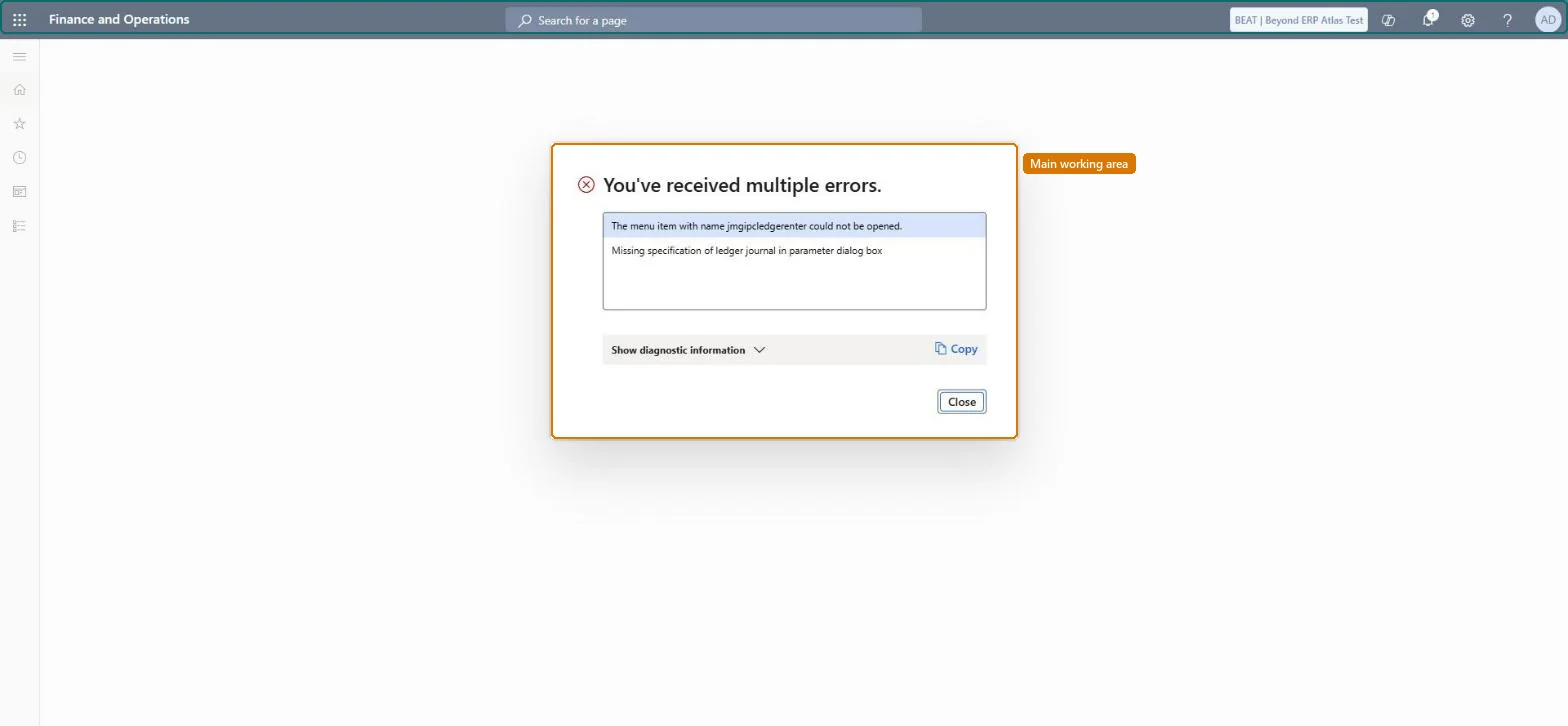
Missing specification of ledger journal in parameter dialog box
Go to Time and attendance > Setup > Time and attendance parameters and set the ledger journal name for indirect activities, then run the job again. Checked in Dynamics 365
The same period's costs are in the ledger twice
Repost creates new journal lines for transactions already posted. Delete the earlier journal lines by hand and use Repost only when you mean to. Microsoft Learn
Test checklist
The ledger journal covers only the From date to To date period.
Line totals match the indirect activity costs for the period.
No period is posted twice unless Repost was intended.
Once per accounting period after the period's registrations are transferred, with the period's last day as Transaction date and Transactions for dimensions selected when costs are reported by dimension.Each run posts the period's indirect costs; Repost only adds new lines for already posted transactions, so a second normal run isn't needed.
Time and attendance roles come from the security read in the Technical section. The roles that open it are being read on this system. The Microsoft Learn article for this page names no Feature management feature to turn on.
Per company: Time and attendance data is kept per legal entity (every Time and attendance entity in Data management is per company), so the job or report works on the registrations of the company it is run in. Microsoft Learn
Can it be undone
Irreversible: Posted costs stay in the ledger; a repost needs the earlier lines deleted by hand.
If you change it later
Posts the cost of indirect activity registrations to the general ledger. Reposting creates new ledger journal lines for already posted transactions, and the earlier lines must then be deleted by hand. Microsoft Learn
Technical architect
6Technical
Menu item
jmgipcledgerenterChecked in Dynamics 365
Developer
7Developer
Open it by URL
https://<your-environment>/?mi=jmgipcledgerenter
Data migration
Load order: Post indirect activities costs has no data entity in Data management, so it can't be loaded from a file or a configuration template. It is a posting job; post the old system's indirect costs there and post new periods here.Checked in Dynamics 365
Checked in a working Dynamics 365 system, version 10.0.49: the menu item, form, table and security, the page.
To cite this step: TA-IND-020, Post indirect costs once per period. Beyond ERP Atlas Hub, 2026-11-11. https://www.beyonderp.cloud/atlas/step/TA-IND-020