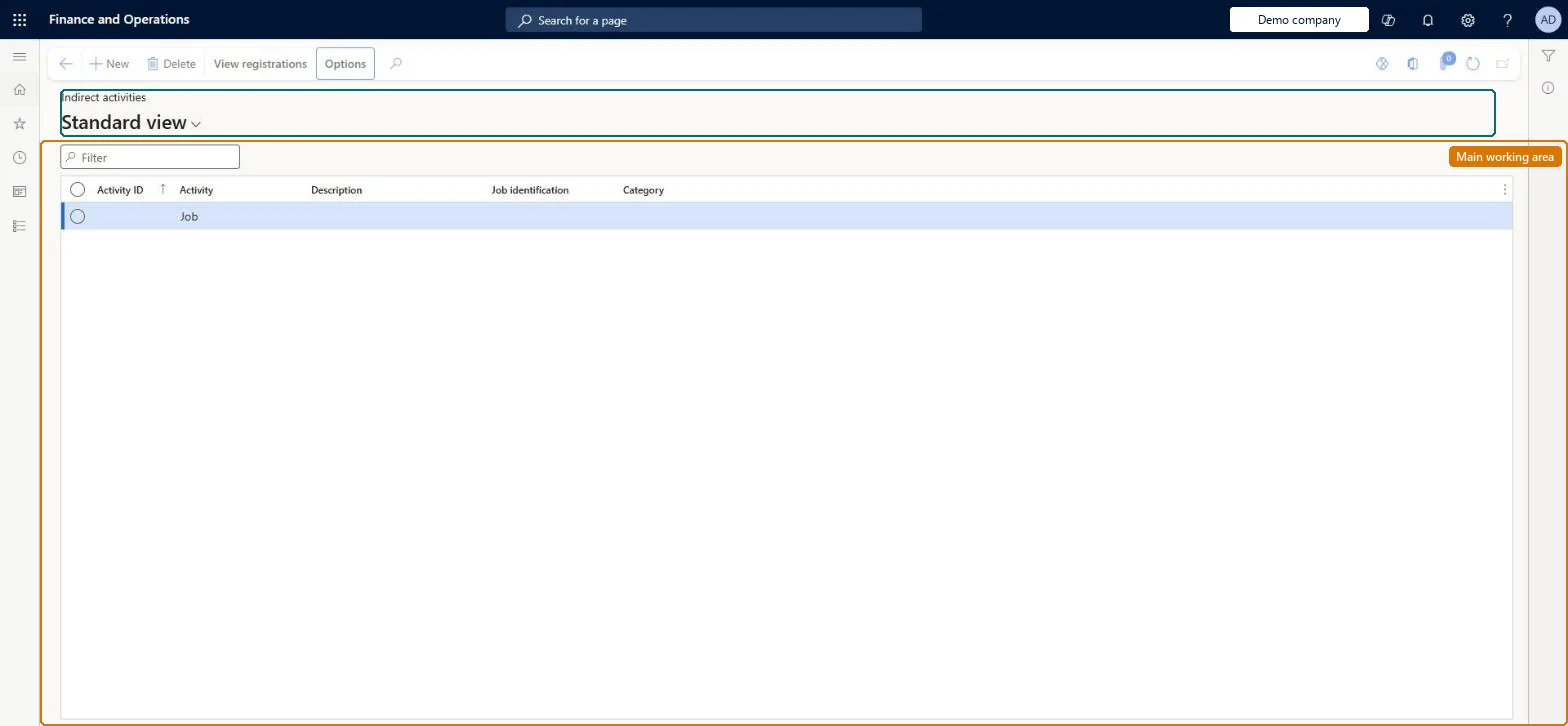
A list page that shows indirect activities, which are nonproductive activities such as meetings, with their details and costs calculated from registrations.
Shop supervisor, Production manager, Production supervisor and 1 more role
Business process
Record employee time
Menu item
JmgIPCStatus
Main table
JmgJobTable
Data entity
None for this page's own settings
Setup steps
1 on this page
Show what matters for
PAGE GUIDEWhat the page does and how to use it8 sections. Choose a role to highlight what matters to you.
Everyone
1What it is and why
What it is
A list page that shows indirect activities, which are nonproductive activities such as meetings, with their details and costs calculated from registrations.
What you do here
Use this page to view indirect activities and their active, untransferred, and transferred registrations.
Example
For example, you create switch code OTBCI, Convert flex to overtime before clock-in, as an indirect activity and add it to a profile line; after the switch code is applied, the worker's overtime rises from 1.50 to 2.00 hours.
The page in Dynamics 365. page title tab to open what to set or check
About the examples: Examples and screenshots in this guide use BEAT, a demo company in a Dynamics 365 test environment. Use your own company's codes and values instead of copying them.
Setup steps on this page
Set up indirect activities by type
Create the breaks, absence codes, switch codes and other nonproductive activities workers register on.
How to use it
Go to Time and attendance > Manage indirect activities > Indirect activities.
Use the Filter box to find an activity.
Select New and enter the Activity ID, Activity, Description, Job identification and Category.
Select a row and select View registrations to see its registrations.
One activity per kind of nonproductive time you want to see or pay separately, in the category of its registration type; breaks set as paid or unpaid, planned or registered.Paid breaks are paid under the pay type of the Break line in the pay agreement, and registered breaks are subtracted from the job time they run beside.
Time and attendance roles come from the security read in the Technical section. On this system the page is opened with roles such as Shop supervisor, Production manager, Production supervisor and 1 more. The Microsoft Learn article for this page names no Feature management feature to turn on.
Reversible: Indirect activities such as meetings, breaks and switch codes are used when registrations are calculated. Changes affect later calculations; transferred registrations on them can be reversed only until the pay transfer is run. Microsoft Learn
If you change it later
Breaks, absence codes and switch codes are indirect activities, so their settings decide how registrations are calculated and paid from the next calculation; days already transferred change only when the transfer is undone. Microsoft Learn
Technical architect
6Technical
Menu item
JmgIPCStatusChecked in Dynamics 365
Form
JmgIPCStatusListPageChecked in Dynamics 365
Table
JmgJobTableShown as “JOB TABLE” in Record infoChecked in Dynamics 365
Data entities
JmgIndirectTimeAndAttendanceActivityEntityIndirect Activities (the indirect activities themselves; the registration lists on this page have no entity) Checked in Dynamics 365
Who can open it
PrivilegesView indirect activities costs JmgIPCStatusViewDutiesInquire into indirect activity costs master data JmgIndirectActivityCostMasterInquireMaintain indirect activity costs master JmgIndirectActivityCostMasterMaintainMaintain job assignments JmgJobAssignmentsMaintainInquire into manufacturing execution progress JmgManufacturingExecutionProgressInquir4 security rolesShop supervisor JmgShopSupervisorProduction manager ProdProductionManagerProduction supervisor ProdProductionSupervisorProduction planner ReqProductionPlannerChecked in Dynamics 365
Roles to set it up and use it
To use itProduction supervisor ProdProductionSupervisorProduction manager ProdProductionManagerShop supervisor JmgShopSupervisorProduction planner ReqProductionPlannerGive people one of these roles. On this system, 4 roles can open this page.Checked in Dynamics 365
Actions on the page
View registrationsChecked in Dynamics 365
Developer
7Developer
Open it by URL
https://<your-environment>/?mi=JmgIPCStatus
Data migration
JmgIndirectTimeAndAttendanceActivityEntity (Indirect Activities): per company.Load order: Load Indirect Activity Categories first, then Indirect Activities, then the profiles and pay agreements that use them.Load first: JmgIndirectTimeAndAttendanceActivityCategoryEntityChecked in Dynamics 365