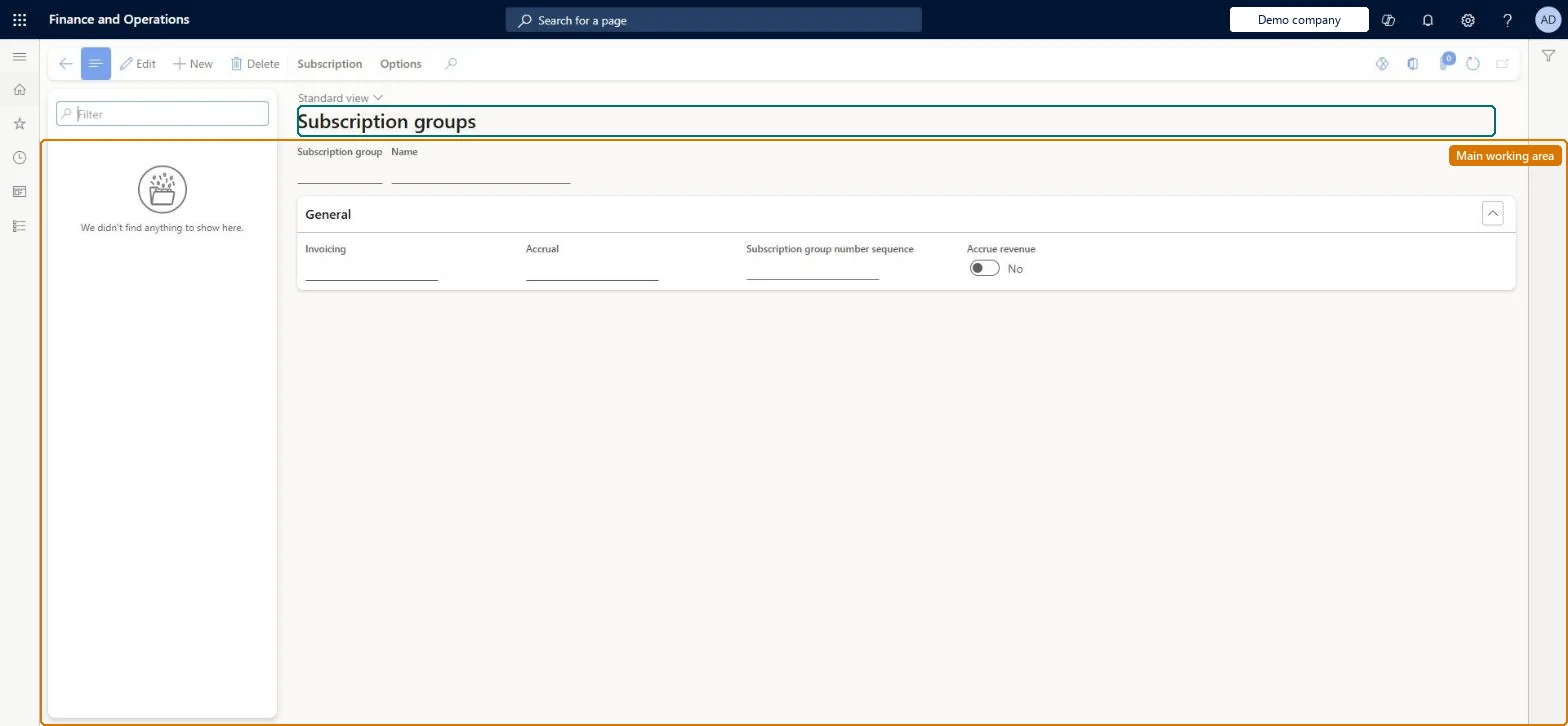
Setup step on the Subscription groups page · Service management
Set up Subscription groups
Use this page to define how subscriptions in a group are invoiced and accrued, and to run group-wide actions such as creating subscription fees, indexing prices and accruing revenue.
SETUP GUIDEHow to set it up8 sections. Choose a role to highlight what matters to you.
Everyone
1What it is and why
What it is
A setup page where you create subscription groups that hold the shared settings of their subscriptions: the number sequence, the invoicing period code, and whether and how often revenue is accrued.
What you do here
Use this page to define how subscriptions in a group are invoiced and accrued, and to run group-wide actions such as creating subscription fees, indexing prices and accruing revenue.
Example
For example, a group with Invoicing set to Quarterly creates fee transactions for all its subscriptions every quarter.
The page in Dynamics 365. page title tab to open what to set or check
About the examples: Examples and screenshots in this guide use BEAT, a demo company in a Dynamics 365 test environment. Use your own company's codes and values instead of copying them.
Setup steps on this page
Set up Subscription groups
Use this page to define how subscriptions in a group are invoiced and accrued, and to run group-wide actions such as creating subscription fees, indexing prices and accruing revenue.
Steps from Microsoft
Go to Service management > Setup > Service subscriptions > Subscription groups.
Select New to create a new subscription group.
In the Subscription group field, enter a name for the new group.
In the Invoicing field, select an invoicing frequency (period code).
To accrue revenue, select the Accrue revenue check box and then select a frequency in the Accrual field.
One subscription group per invoicing frequency (for example Quarterly), with Accrue revenue and an Accrual period only where revenue must be spreadThe Invoicing period code on the group decides how often fee transactions are created for every subscription in it, and accrual is set on the group too.
Putting subscriptions with different billing frequencies in one group. All of them get transactions on the group's invoicing period.Test: Group invoicing period drives fee creation
Solution architect
5Design impact
Can it be undone
Reversible: Invoicing and accrual periods can be changed, but the change applies to every subscription attached to the group.
If you change it later
The group's invoicing and accrual period codes apply to every subscription attached to it, so changing them changes when fee transactions are created and revenue is accrued for all those subscriptions. Microsoft Learn
Technical architect
6Technical
Menu item
SMASubscriptionGroupChecked in Dynamics 365
Form
SMASubscriptionGroupChecked in Dynamics 365
Table
SMASubscriptionGroupShown as “SUBSCRIPTION GROUP” in Record infoChecked in Dynamics 365
PrivilegesMaintain subscription groups SMASubscriptionGroupMaintainView subscription groups SMASubscriptionGroupViewDutiesEnable service subscription process SMAServiceSubscriptionProcessEnableInquire into service subscription reference data SMAServiceSubscriptionRefDataInquire1 security roleService delivery manager SMAServiceDeliveryManagerChecked in Dynamics 365
Roles to set it up and use it
To set it up or change itService delivery manager SMAServiceDeliveryManagerGive people one of these roles. On this system, 1 role can open this page.Checked in Dynamics 365