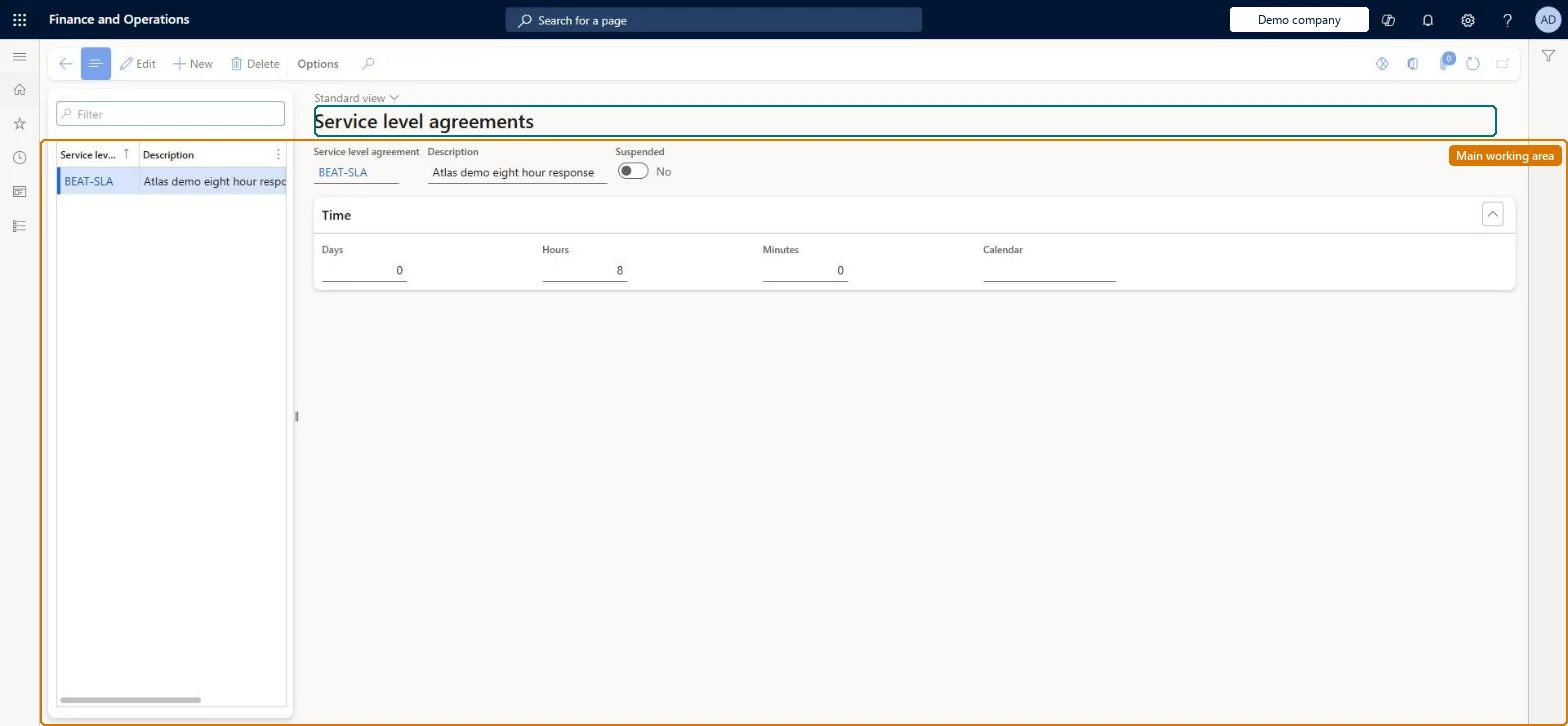
Setup step on the Service level agreements page · Service management
Set up Service level agreements
Use this page to define the response-time standards that are then assigned to service agreements or service agreement groups, so that manually created service orders are tracked and measured for compliance.
SETUP GUIDEHow to set it up8 sections. Choose a role to highlight what matters to you.
Everyone
1What it is and why
What it is
A setup page where you create service level agreements (SLAs): a name, the maximum time allowed to complete service calls, and optionally a calendar that the time is measured against.
What you do here
Use this page to define the response-time standards that are then assigned to service agreements or service agreement groups, so that manually created service orders are tracked and measured for compliance.
Example
For example, create a Premium SLA with a 24-hour completion time based on the company's working-hours calendar, and assign it to the Gold agreement group.
The page in Dynamics 365. page title tab to open what to set or check
About the examples: Examples and screenshots in this guide use BEAT, a demo company in a Dynamics 365 test environment. Use your own company's codes and values instead of copying them.
Setup steps on this page
Set up Service level agreements
Use this page to define the response-time standards that are then assigned to service agreements or service agreement groups, so that manually created service orders are tracked and measured for compliance.
Steps from Microsoft
Go to Service management > Setup > Service agreements > Service level agreements.
Type a name for the service level agreement in the Service level agreement field.
Type the time that you want to allow for completion of service calls attached to the SLA.
Select a calendar if you want to base the SLA on a specific calendar.
One SLA per service level you sell, with the maximum completion time and, where the time should follow working hours, a CalendarAny number of SLAs can be created to offer customers different levels of service, and the time can be based on a specific calendar.
Expecting planned orders to be measured. Only manually created service orders attached to an agreement with an SLA are measured; automatically created orders aren't attached to an SLA.Test: SLA measures manual service orders only
Solution architect
5Design impact
Can it be undone
Reversible: SLAs can be changed or suspended; time tracking starts when a new service order is created for an agreement with the SLA.
If you change it later
SLAs apply only to manually created service orders attached to an agreement with an SLA; automatically created service orders are not measured. Microsoft Learn
Technical architect
6Technical
Menu item
SMAServiceLevelAgreementChecked in Dynamics 365
Form
SMAServiceLevelAgreementChecked in Dynamics 365
Table
SMAServiceLevelAgreementTableShown as “SERVICE LEVEL AGREEMENT” in Record infoChecked in Dynamics 365
PrivilegesMaintain service level agreements SMAServiceLevelAgreementMaintainView service level agreements SMAServiceLevelAgreementViewDutiesInquire into service agreement policies SMAServiceAgreementPoliciesInquireEnable service agreement process SMAServiceAgreementProcessEnableReview service agreement process performance SMAServiceAgreementProcessPerfReview2 security rolesChief executive officer CompanyChiefExecutiveOfficerService delivery manager SMAServiceDeliveryManagerChecked in Dynamics 365
Roles to set it up and use it
To set it up or change itService delivery manager SMAServiceDeliveryManagerTo use itChief executive officer CompanyChiefExecutiveOfficerGive people one of these roles. On this system, 2 roles can open this page.Checked in Dynamics 365