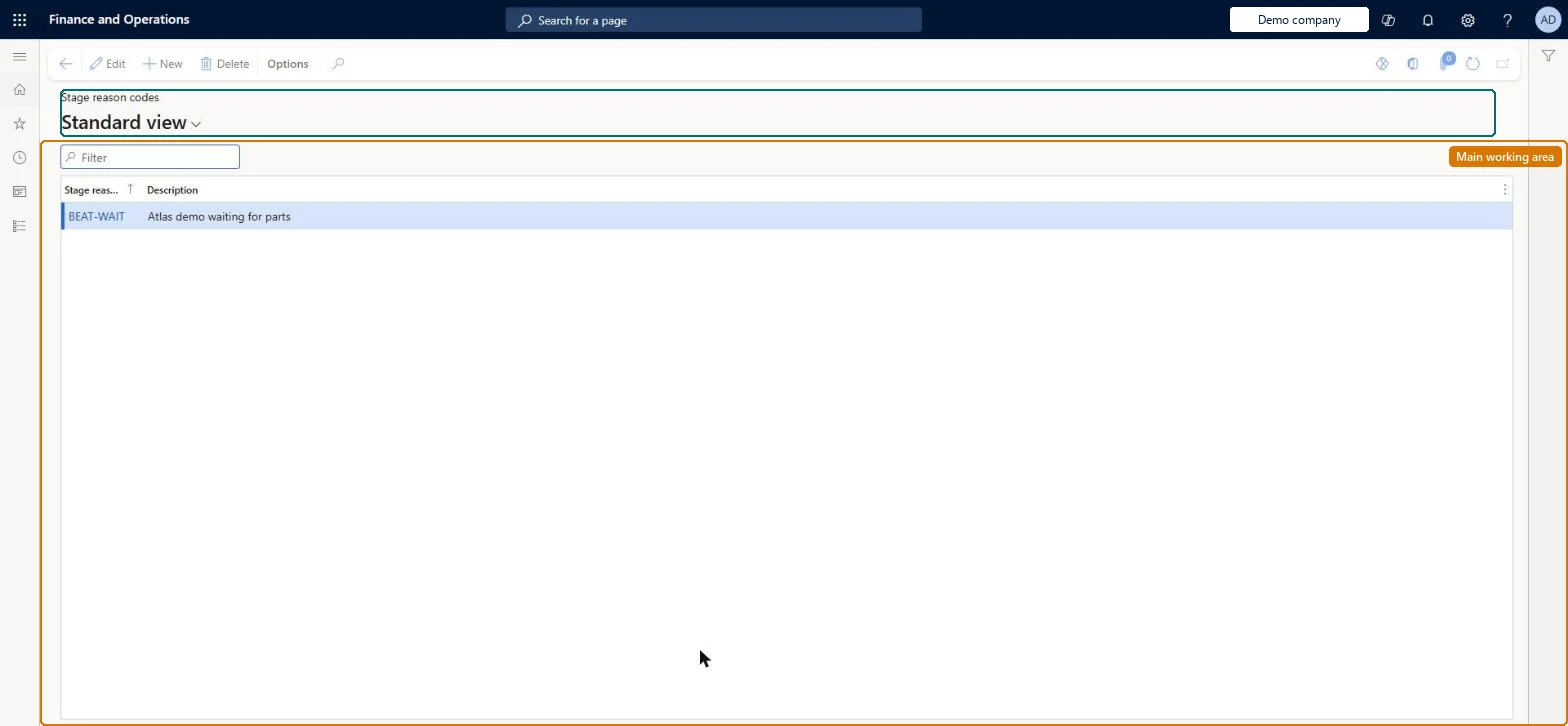
A setup page where you create reason codes (code and description) that explain why the stage of a service order was changed, why an SLA was canceled, or why an SLA time limit was exceeded.
PAGE GUIDEWhat the page does and how to use it8 sections. Choose a role to highlight what matters to you.
Everyone
1What it is and why
What it is
A setup page where you create reason codes (code and description) that explain why the stage of a service order was changed, why an SLA was canceled, or why an SLA time limit was exceeded.
What you do here
Use this page to define the codes that users select when a service stage flagged with Reason is updated, or when the parameters require a reason on canceling an SLA or exceeding its time.
Example
For example, when a dispatcher cancels a service order, they select a reason code for the cancellation, and the Service order progress report lists it.
The page in Dynamics 365. page title tab to open what to set or check
About the examples: Examples and screenshots in this guide use BEAT, a demo company in a Dynamics 365 test environment. Use your own company's codes and values instead of copying them.
Setup steps on this page
Set up Stage reason codes
Use this page to define the codes that users select when a service stage flagged with Reason is updated, or when the parameters require a reason on canceling an SLA or exceeding its time.
Steps from Microsoft
Go to Service management > Setup > Service orders > Stage reason codes.
Select New to create a new reason code.
In the Stage reason code field, enter a unique stage reason code.
In the Description field, enter a description of the stage reason code.
A short list of codes for order cancellation, SLA cancellation and SLA overrun, created before turning on Reason code on canceling or Reason code on exceeding timeReason codes explain stage changes, SLA cancellation and SLA overrun, and the Service order progress report lists them.
Turning on the parameters without agreeing the codes. Users then must enter a code when an order moves to a stage that stops SLA time recording, when it is signed off and when time recording is stopped manually.
Solution architect
5Design impact
Can it be undone
Reversible: Codes can be added or changed, and requiring them is a parameter (Reason code on canceling, Reason code on exceeding time) or the Reason flag on a stage, all of which can be switched off. Microsoft Learn
If you change it later
Once reason codes are required, users must enter one when a service order moves to a stage that stops SLA time recording, when the order is signed off, and when time recording is stopped manually. Microsoft Learn
Technical architect
6Technical
Menu item
SMAReasonCodeTableChecked in Dynamics 365
Form
SMAReasonCodeTableChecked in Dynamics 365
Table
SMAReasonTableShown as “STAGE REASON CODES” in Record infoChecked in Dynamics 365
PrivilegesMaintain stage reason codes SMAReasonCodeTableMaintainView stage reason codes SMAReasonCodeTableViewDutiesEnable service order process SMAServiceOrderProcessEnableInquire into service order reference data SMAServiceOrderReferenceDataInquire2 security rolesService dispatcher SMADispatcherService delivery manager SMAServiceDeliveryManagerChecked in Dynamics 365
Roles to set it up and use it
To set it up or change itService delivery manager SMAServiceDeliveryManagerTo use itService dispatcher SMADispatcherGive people one of these roles. On this system, 2 roles can open this page.Checked in Dynamics 365