SETUP GUIDEHow to set it up8 sections. Choose a role to highlight what matters to you.
Everyone
1What it is and why
What it is
A setup page where you set up more specific business segments, the subsegments, under each segment to categorize prospects and customers in more detail.
What you do here
Use this page to categorize prospects and customers in more detail than segments; each subsegment belongs to one segment.
Example
Under the segment SMB, BEAT adds the subsegments RETAIL and WORKSHOP. Prospect PRO-000171, a bicycle repair shop, gets segment SMB and subsegment WORKSHOP, one of 33 WORKSHOP prospects in the spring campaign.
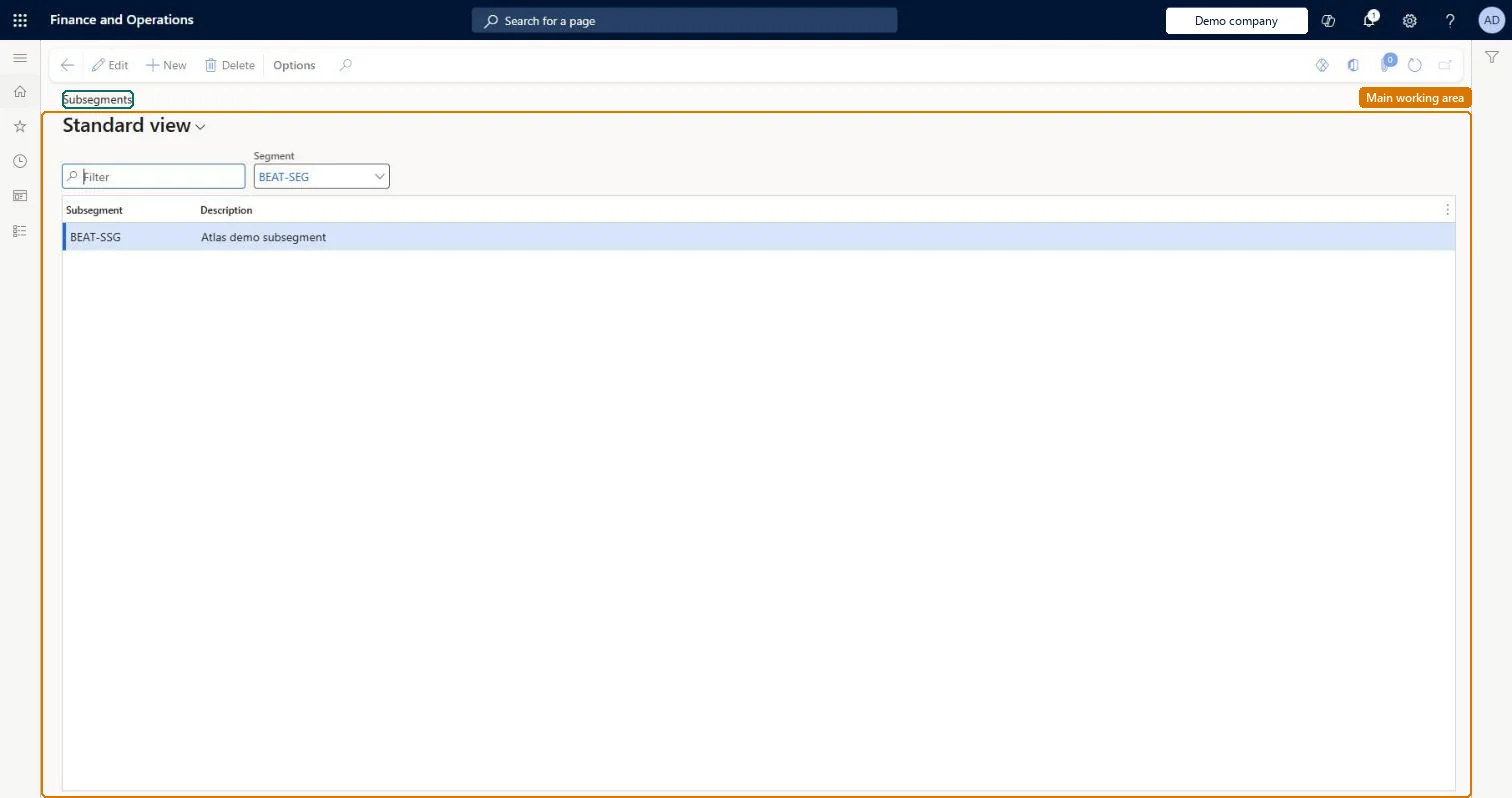
The page in Dynamics 365. page title tab to open what to set or check
About the examples: Examples and screenshots in this guide use BEAT, a demo company in a Dynamics 365 test environment. Use your own company's codes and values instead of copying them.
Step by step, with screenshots
Set up Subsegments1 screen
Use this page to categorize prospects in more detail than segments.
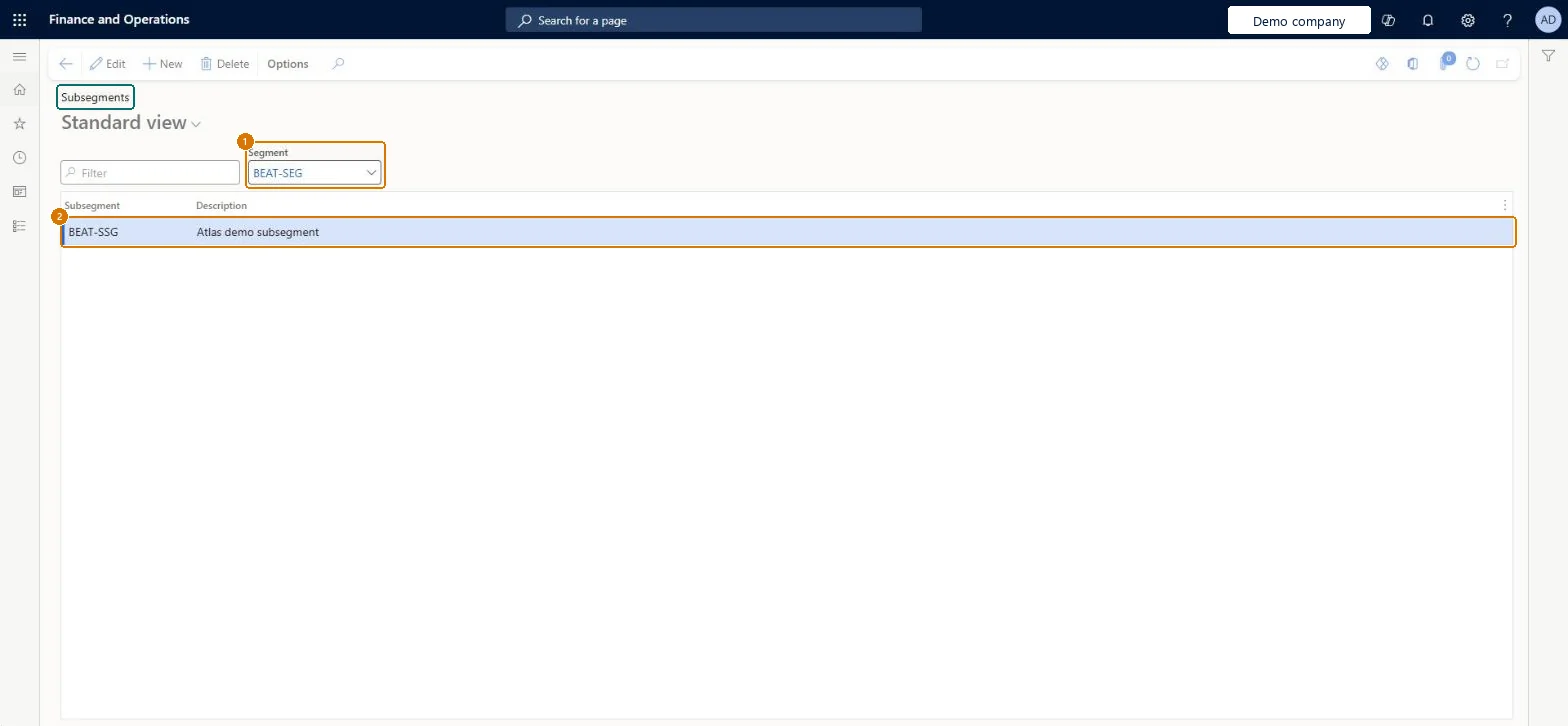
Screen 1
Create a subsegment
Go to Sales and marketing > Setup > Prospects > Subsegments
Make sure the segment exists (Sales and marketing > Setup > Prospects > Segments)
Select the segment in Segment
Select New
Enter the subsegment code and description
Select Save
1Segment
BEAT-SEG
2Subsegment
BEAT-SSG
Description
Subsegment
Show the full screen page title tab to open what to set or check
Steps from Microsoft
Go to Sales and marketing > Setup > Prospects > Subsegments.
Choose the segment that the subsegments belong to.
Select New and enter the Subsegment code, such as RETAIL, and a Description.
Open a prospect on All prospects, select the segment and then the new subsegment.
Subsegments only where a segment needs a finer split, each created under its segment.Each subsegment belongs to one segment, so the segment list must exist first and the pair gives a two-level split for targeting.
On the live system, Sales manager, Marketing manager, Accounts receivable manager, Information technology manager and Collections manager can maintain this page.
Reversible: Subsegments can be changed; prospects and customers keep their codes.
If you change it later
The subsegment is stored on prospects (smmBusRelTable.Subsegment) and customers, together with the segment. A new subsegment is available at once under its segment. Microsoft data model
Technical architect
6Technical
Menu item
smmBusRelSubsegmentGroup
Roles to set it up and use it
To set it up or change itSales manager TradeSalesManagerMarketing manager CRMMarketingManagerAccounts receivable manager CustInvoiceAccountsReceivableManagerInformation technology manager SysServerITManagerCollections manager CollectionLetterCollectionsManagerTo use itAccounts receivable clerk CustInvoiceAccountsReceivableClerkAccounting manager LedgerAccountingManagerCollections agent CollectionLetterCollectionsAgentAuditor AuditPolicyManagerChief financial officer CompanyChiefFinancialOfficerGive people one of these roles. On this system, 14 roles can open this page.Checked in Dynamics 365