SETUP GUIDEHow to set it up8 sections. Choose a role to highlight what matters to you.
Everyone
1What it is and why
What it is
A setup page where you define the probability values, as percentages from 0 to 100, that show how likely an opportunity and the quotations created from it are to become an order.
What you do here
Use this page to estimate the expected value of quotations in the pipeline and to control which quotations master planning includes.
Example
BEAT sets probabilities 25, 50 and 80. Opportunity OPP-000081 is set to 80 and quotation QUO-000214 for 12,500.00 USD is created from it, so its expected value is 10,000.00 USD; the master plan with Probability % 50 includes it.
The page in Dynamics 365. page title tab to open what to set or check
About the examples: Examples and screenshots in this guide use BEAT, a demo company in a Dynamics 365 test environment. Use your own company's codes and values instead of copying them.
Step by step, with screenshots
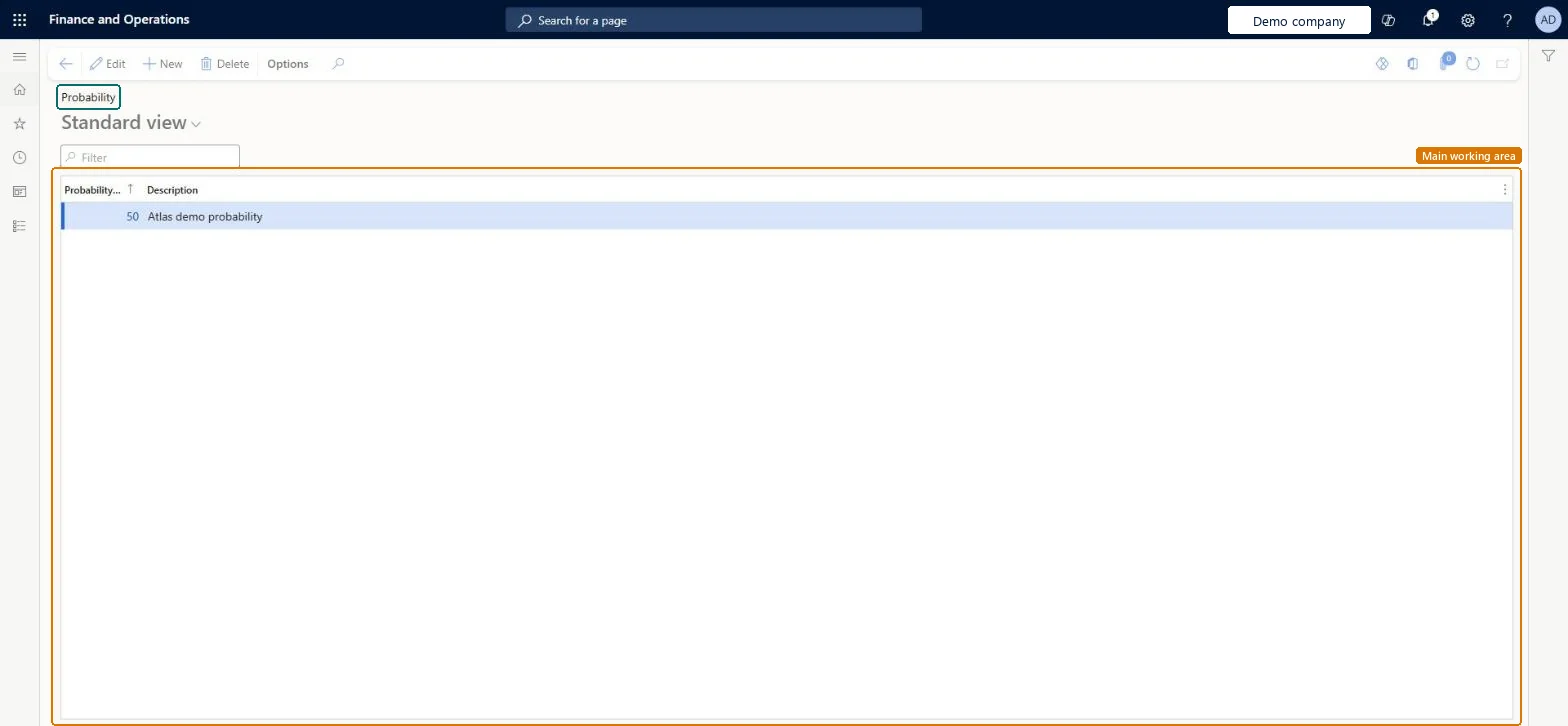
Set up Probability1 screen
Use this page to work out the expected value of quotations in the sales pipeline.
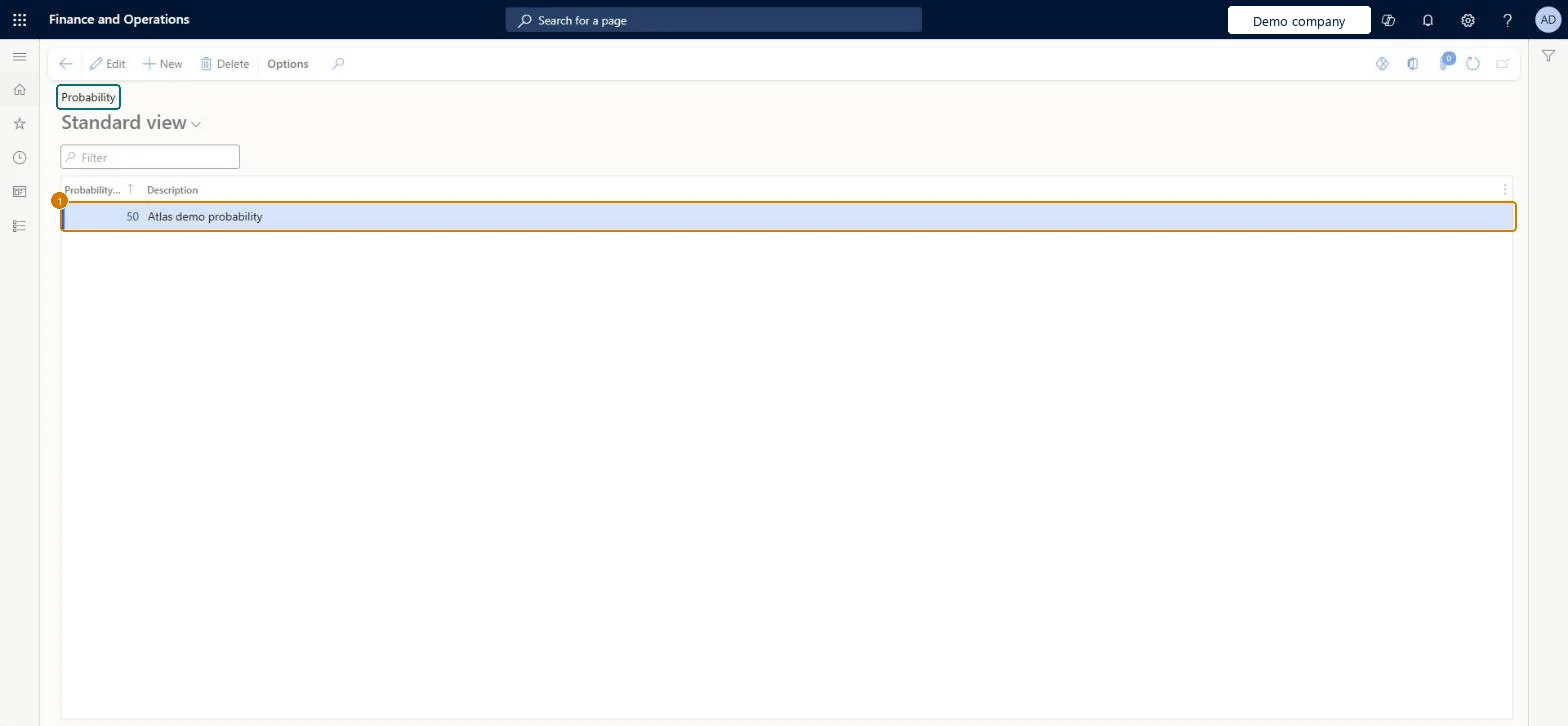
Screen 1
Create a probability
Go to Sales and marketing > Setup > Opportunities > Probability
Select New
Enter the probability percentage and a description
Select Save
Probability %
50
Description
Probability
Show the full screen page title tab to open what to set or check
Steps from Microsoft
Go to Sales and marketing > Setup > Opportunities > Probability.
Select New and enter the Probability % value, such as 80, and a Description.
Open Sales and marketing > Relationships > Opportunities > All opportunities and set the Probability field on an opportunity.
On the Opportunity tab, in the New group, select Sales quotation to create a quotation that inherits the probability.
The probability value, a percentage between 0 and 100, that you select on an opportunity. Quotations created from the opportunity inherit it.Microsoft Learn
50
ProbabilityId
Description
A short description of the probability value.Checked in Dynamics 365
Budget confirmed
Description
Common errors and fixes
Message
What to do
A quotation doesn't create demand in master planning although the plan includes sales quotations.
The quotation was created directly on All quotations, so it has no probability. Create it from an opportunity with a probability at or above the plan's Probability %, or set Probability % to 0 to include all quotations. Microsoft Learn
Test checklist
Set Include sales quotations to Yes and Probability % to 50 on a master plan.
Create an opportunity with Probability 80 and a sales quotation from it; create a second one with Probability 25.
Run the master plan.
Check that only the quotation from the 80 opportunity creates demand.
Probability values that line up with the Probability % thresholds on master plans that include sales quotations.A quotation inherits its probability from the opportunity it was created from, and master planning includes only quotations whose probability meets the plan's Probability % threshold.
Reversible: The probability is set on each opportunity and can be edited there; quotations read it from the opportunity.
If you change it later
The probability is inherited from the opportunity, not set on the quotation. Changing the value on the opportunity changes what the next master planning run includes. Microsoft Learn
Technical architect
6Technical
Menu item
smmQuotationProbabilityGroupChecked in Dynamics 365
Form
smmQuotationProbabilityGroupChecked in Dynamics 365
Table
smmQuotationProbabilityGroupShown as “Quotation probability” in Record infoChecked in Dynamics 365
Data entities
smmOpportunityProbabilityRateEntityOpportunity probability rates Microsoft data model
Who can open it
PrivilegesMaintain quotation probabilities smmQuotationProbabilityGroupMaintainView quotation probabilities smmQuotationProbabilityGroupViewDutiesEnable the Sales and marketing process smmCRMProcessEnableInquire into Sales and marketing reference data smmCRMReferenceDataInquire2 security rolesInformation technology manager SysServerITManagerSales manager TradeSalesManagerChecked in Dynamics 365
Roles to set it up and use it
To set it up or change itSales manager TradeSalesManagerInformation technology manager SysServerITManagerGive people one of these roles. On this system, 2 roles can open this page.Checked in Dynamics 365
Actions on the page
Options: Personalize, Page options, ShareChecked in Dynamics 365
smmOpportunityProbabilityRateEntity (Opportunity probability rates): exported for BEAT from the Data management entity list.Load order: Load smmOpportunityProbabilityRateEntity before opportunities are imported, because each opportunity refers to a probability value.Checked in Dynamics 365
Checked in a working Dynamics 365 system, version 10.0.49: the menu item, form, table and security, the page, the demo records and the values in the screenshots.
To cite this step: SM-SETUP-220, Set up Probability. Beyond ERP Atlas Hub, 2026-11-11. https://www.beyonderp.cloud/atlas/step/SM-SETUP-220