SETUP GUIDEHow to set it up8 sections. Choose a role to highlight what matters to you.
Everyone
1What it is and why
What it is
A periodic job that posts packing slips for sales orders to record that goods were shipped.
What you do here
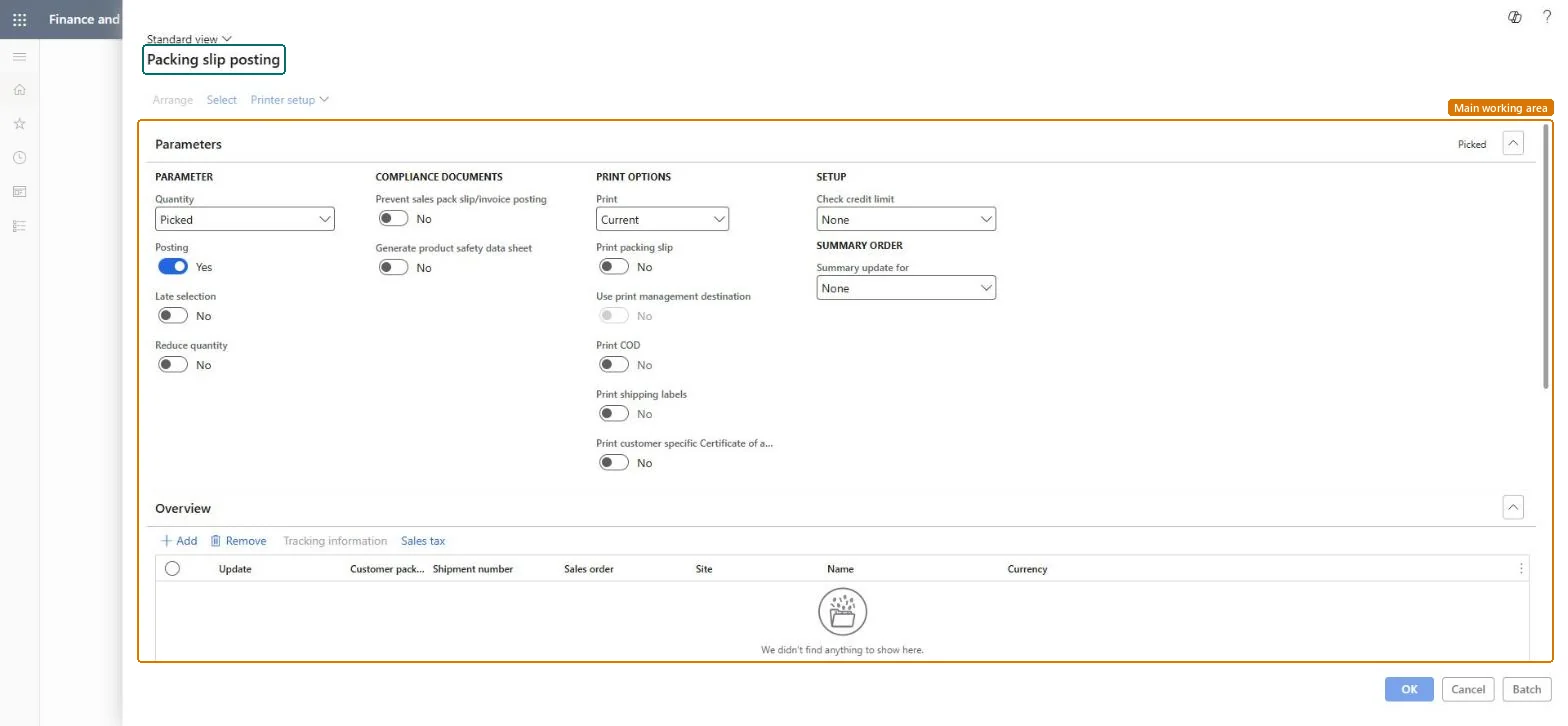
Use this periodic task to record the shipment of all or part of the ordered quantity and print the packing slip.
Example
For example, SO-001234 for BEAT-000123 has 20.00 pcs ordered; the warehouse ships 12.00 pcs today, so the clerk posts the packing slip with Update 12.00, the order stays Open order and Document status becomes Packing slip.
The page in Dynamics 365. page title tab to open what to set or check
About the examples: Examples and screenshots in this guide use BEAT, a demo company in a Dynamics 365 test environment. Use your own company's codes and values instead of copying them.
When to run it
When to run it
When goods leave the warehouse and the shipment must be recorded, for orders that don't use warehouse management processes.
How often
Daily or per shipment, whenever goods are shipped.
Batch settings
Run it in the background for many orders, for example at the end of each shipping day.
What the output shows
Posted packing slips per order, split automatically when lines ship from different sites or to different delivery addresses. They appear on the Packing slip journal page of the order.
Unable to post packing slip when stopping a sales order line after confirming the outbound shipment A quantity cannot be picked.
On the related lines set Stopped to No on the Line details FastTab, General tab, post the packing slip, then handle the cancellation as a return. Microsoft Learn
Test checklist
The packing slip appears in the Packing slip journal.
Delivered quantities on the lines match what shipped.
Order status is Delivered only when all lines are fully shipped.
Use Quantity = Picked when picking is registered, Deliver now for partial shipments; for warehouse-managed items post from the load.The quantity choice decides what is recorded as shipped; packing slips posted from the order for warehouse-managed items can't be canceled.
On the live system, Sales clerk, Customer service representative and Rental manager use this page.
Checked in Dynamics 365
Solution architect
5Design impact
Shared or per company
Per company: works on the sales orders of the current legal entity. Microsoft Learn
Can it be undone
Hard to reverse: Posted packing slips stay in the journal.
If you change it later
Records the shipment on the sales order lines and inventory; it posts to the general ledger only when the item model group posts physical inventory and packing slip ledger posting is on. Microsoft Learn
Technical architect
6Technical
Menu item
action:SalesFormLetter_PackingSlipChecked in Dynamics 365
Form
SalesEditLinesChecked in Dynamics 365
Roles to set it up and use it
To use itRental manager RentalManagerRental coordinator agent RentalCoordinatorAgentSales clerk TradeSalesClerkRental sales manager RentalSalesManagerCustomer service representative TradeCustomerServiceRepresentativeGive people one of these roles. On this system, 12 roles can run this page.Checked in Dynamics 365
Load order: Post packing slip has no data entity in Data management. It's a posting job; packing slips are created by posting and aren't migrated.Checked in Dynamics 365