SETUP GUIDEHow to set it up8 sections. Choose a role to highlight what matters to you.
Everyone
1What it is and why
What it is
A periodic job that calculates new line and header totals for sales orders and syncs them to Dynamics 365 Sales, without recalculating prices or discounts.
What you do here
Use this periodic task to push up-to-date sales order totals to Dynamics 365 Sales as a one-time calculation.
Example
For example, after BEAT corrects delivery charges on 40 sales orders in Supply Chain Management, it runs the job with Ignore documents updated before = 1 and a filter on customer BEAT-000123, so the new totals reach Dynamics 365 Sales without a full price recalculation.
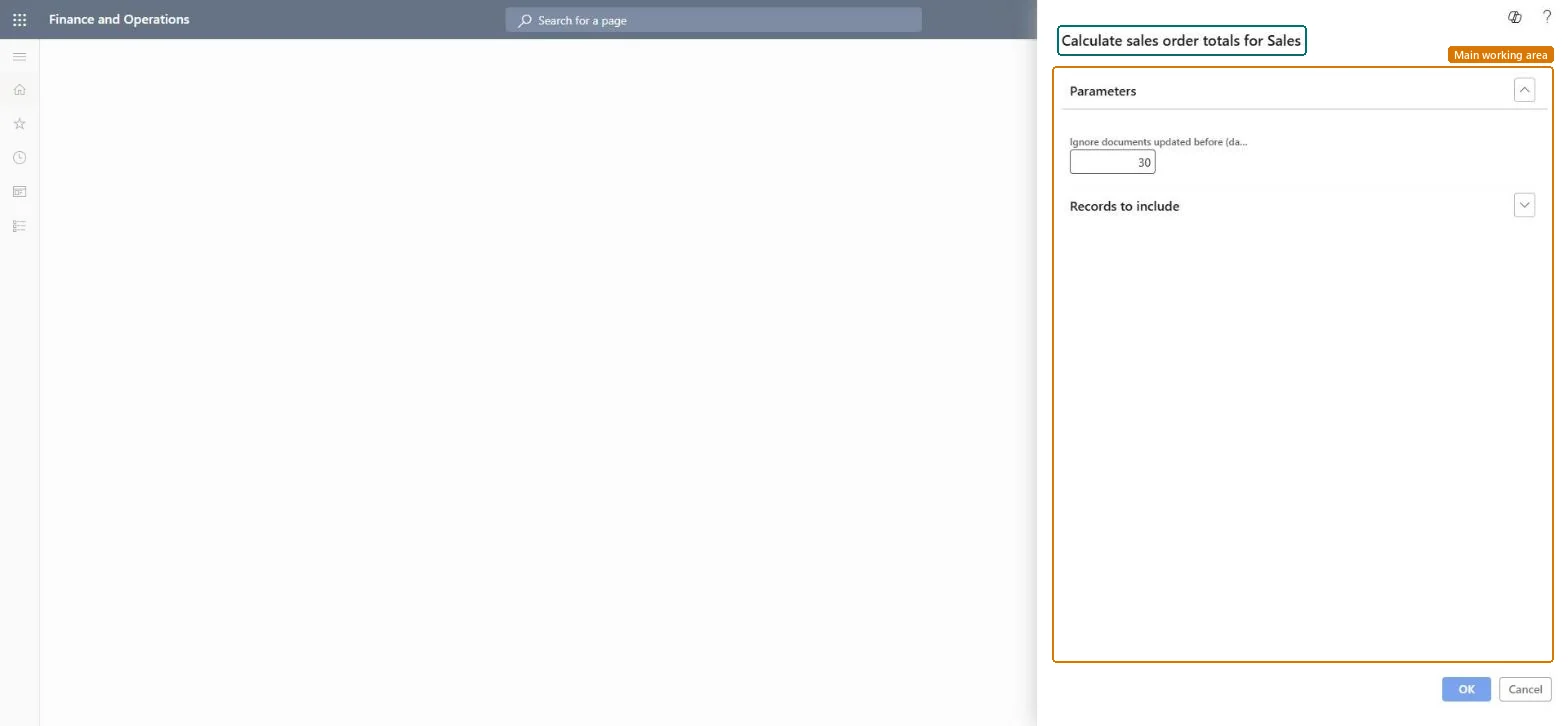
The page in Dynamics 365. page title tab to open what to set or check
About the examples: Examples and screenshots in this guide use BEAT, a demo company in a Dynamics 365 test environment. Use your own company's codes and values instead of copying them.
When to run it
When to run it
When sales orders were updated in Supply Chain Management and their totals must be pushed to Dynamics 365 Sales once, without a full price recalculation.
How often
On demand only. The job can't be set to recur; for regular syncing, schedule Calculate sales totals.
Batch settings
Whether it runs synchronously or in the background depends on Calculate and push prices and totals in batch in Accounts receivable parameters; Microsoft recommends Yes.
What the output shows
New line and header totals for the selected sales orders, synced to Dynamics 365 Sales. Prices and discounts stay as they are; if the totals in Sales still differ, the order probably needs a full Push price and totals.
Send updated sales order totals to Sales once, without recalculating prices or discounts.
Steps from Microsoft
Go to Sales and marketing > Periodic tasks > Calculate sales order totals for Sales.
In Ignore documents updated before, enter the age in days of the oldest sales order to process.
On the Records to include FastTab, select Filter to choose the sales orders to push.
Keep in mind that this job doesn't recalculate unit prices or discounts; use Push price and totals on the sales order when prices must be recalculated.
Run it, then open the orders in Dynamics 365 Sales and check that the line and header totals match Supply Chain Management.
Use it for one-time pushes with a short look-back and a filter; set Calculate and push prices and totals in batch to Yes so it runs through the message processor.It calculates only line and header totals and can't recur; Microsoft recommends asynchronous processing so users don't wait.
Integrate Sales Quotation lifecycle with Dynamics 365 SalesCalculate and push prices, discounts and totals for selective sales orders and sales quotations when integrated to Dynamics 365 Sales
Licence or add-in
On the live system, Sales manager runs this job. It needs Calculate and push prices on the Dynamics 365 Sales integration tab of Accounts receivable parameters, which requires the features Integrate Sales Quotation lifecycle with Dynamics 365 Sales and Calculate and push prices, discounts and totals for selective sales orders and sales quotations when integrated to Dynamics 365 Sales.
Load order: Calculate sales order totals for Sales has no data entity in Data management. It calculates and syncs totals; there is nothing to migrate.Checked in Dynamics 365
Checked in a working Dynamics 365 system, version 10.0.49: the menu item, form, table and security, the page.
To cite this step: SM-JOB-140, Push sales order totals to Dynamics 365 Sales. Beyond ERP Atlas Hub, 2026-11-11. https://www.beyonderp.cloud/atlas/step/SM-JOB-140