Credit management clerk, Credit management manager, Project assistant and 10 more roles
Business process
Estimate and quote sales
Menu item
action:SalesQuotationDelete
Main table
SalesQuotationParmTable
Setup steps
1 on this page
Show what matters for
SETUP GUIDEHow to set it up8 sections. Choose a role to highlight what matters to you.
Everyone
1What it is and why
What it is
A cleanup routine that deletes the sales quotations you select.
What you do here
Use it to delete a group of quotations you no longer need to keep, only after the business has confirmed them.
Example
For example, BEAT selects the 85 quotations with status Lost that expired before 1/1/2026, removes QT-000410 (kept for a dispute) from the list and deletes the other 84.
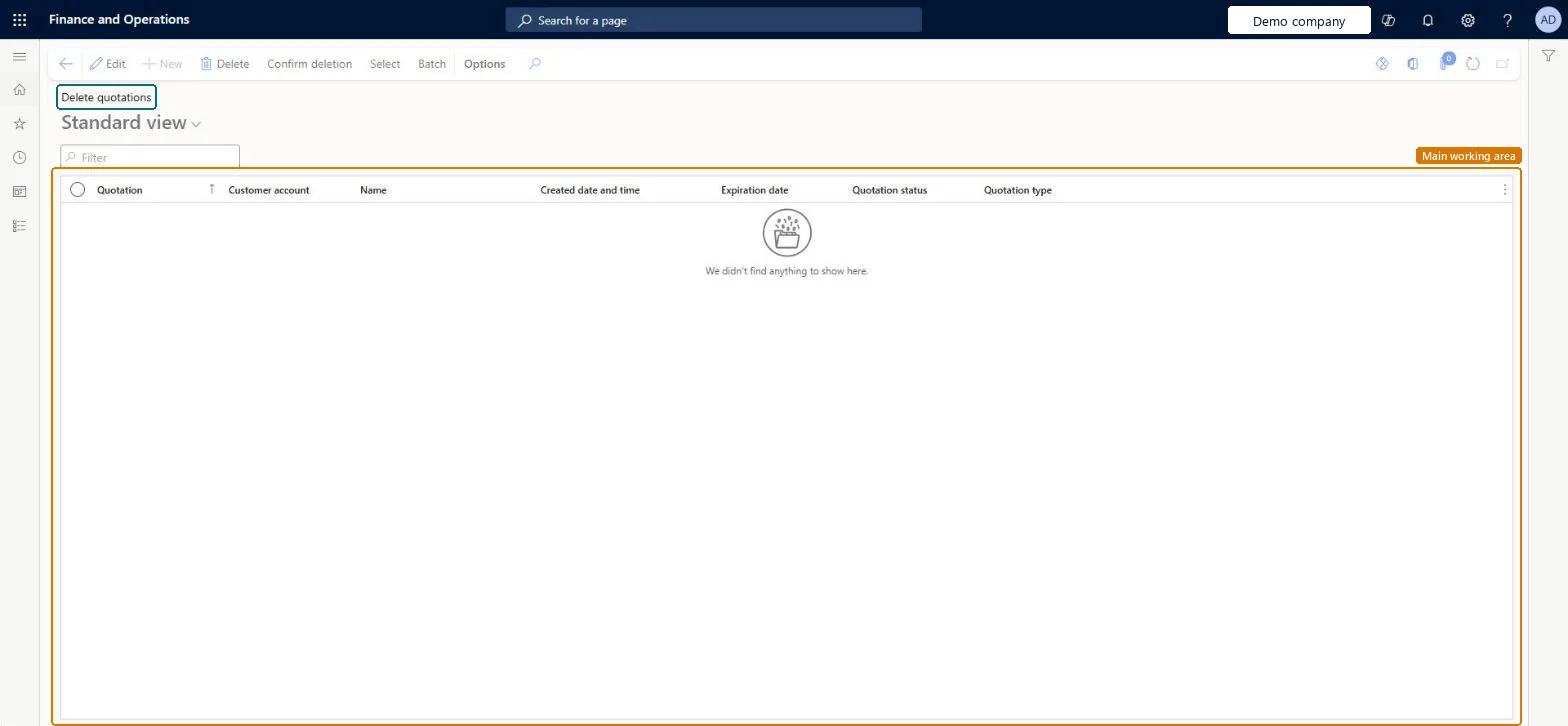
The page in Dynamics 365. page title tab to open what to set or check
About the examples: Examples and screenshots in this guide use BEAT, a demo company in a Dynamics 365 test environment. Use your own company's codes and values instead of copying them.
When to run it
When to run it
When a group of quotations, for example lost or expired ones, is no longer needed and the business has confirmed it.
How often
On demand, for example after a quotation follow-up review.
Batch settings
Use Batch for a large selection, outside business hours.
What the output shows
Every quotation left in the list is deleted when you confirm.
The number of the quotation in the deletion list.Checked in Dynamics 365
QT-000410
Customer account
The customer of the quotation.Checked in Dynamics 365
BEAT-000123
Name
The customer name.Checked in Dynamics 365
Created date and time
When the quotation was created.Checked in Dynamics 365
Expiration date
The date the quotation expires.Checked in Dynamics 365
Quotation status
The status of the quotation, for example Lost or Canceled.Checked in Dynamics 365
Lost
Quotation type
The type of the quotation.Checked in Dynamics 365
Common errors and fixes
Message
What to do
A quotation that should have stayed was deleted.
Every quotation left in the list is deleted. Review the list and remove quotations to keep before confirming, and test in a test environment first. Microsoft Learn
Test checklist
In a copy, list 10 lost quotations and remove 1 from the list.
Select Confirm deletion.
Check that 9 are gone from All quotations and the 1 you removed is still there.
Filter on Quotation status (Lost or Canceled) and an expiration cut-off, review the list, and run it in a copy before production.Every quotation left in the list is deleted, and Microsoft says to confirm the data is no longer required and to test cleanup routines first.
On the live system, 13 roles can run this routine, among them Sales clerk, Sales representative, Project manager and Rental manager. No feature in Feature management is needed.
Irreversible: Deleted quotations can't be restored.
If you change it later
Deletes the selected sales quotations. Microsoft advises running cleanup routines only after detailed analysis confirms the data is no longer required, and testing them in a test environment first. On the live system 13 roles can run it, among them Sales clerk and Sales representative. Microsoft Learn
Technical architect
6Technical
Menu item
action:SalesQuotationDeleteChecked in Dynamics 365
Form
SalesQuotationDeleteQuotationsChecked in Dynamics 365
Table
SalesQuotationParmTableShown as “Quotation - update table” in Record infoKey field: QuotationIdChecked in Dynamics 365
To use itRental manager RentalManagerRental coordinator agent RentalCoordinatorAgentSales clerk TradeSalesClerkSales representative TradeSalesRepresentativeRetail service RetailServiceGive people one of these roles. On this system, 13 roles can run this page.Checked in Dynamics 365
Actions on the page
Options: Personalize, Page options, ShareChecked in Dynamics 365