Credit management clerk, Credit management manager, Project assistant and 7 more roles
Business process
Manage sales orders
Menu item
action:SalesDelete
Main table
SalesParmTable
Setup steps
1 on this page
Show what matters for
PAGE GUIDEWhat the page does and how to use it8 sections. Choose a role to highlight what matters to you.
Everyone
1What it is and why
What it is
A cleanup routine that deletes the sales orders you select, including orphaned sales order records.
What you do here
Use it, only after the business has confirmed the orders are no longer required, to remove old or orphaned sales orders in bulk.
Example
For example, after a migration test BEAT finds 42 orphaned sales orders (SO-001200 to SO-001241) with no lines; the sales manager confirms them, they are deleted in a copy of production first, and then in production with Batch outside business hours.
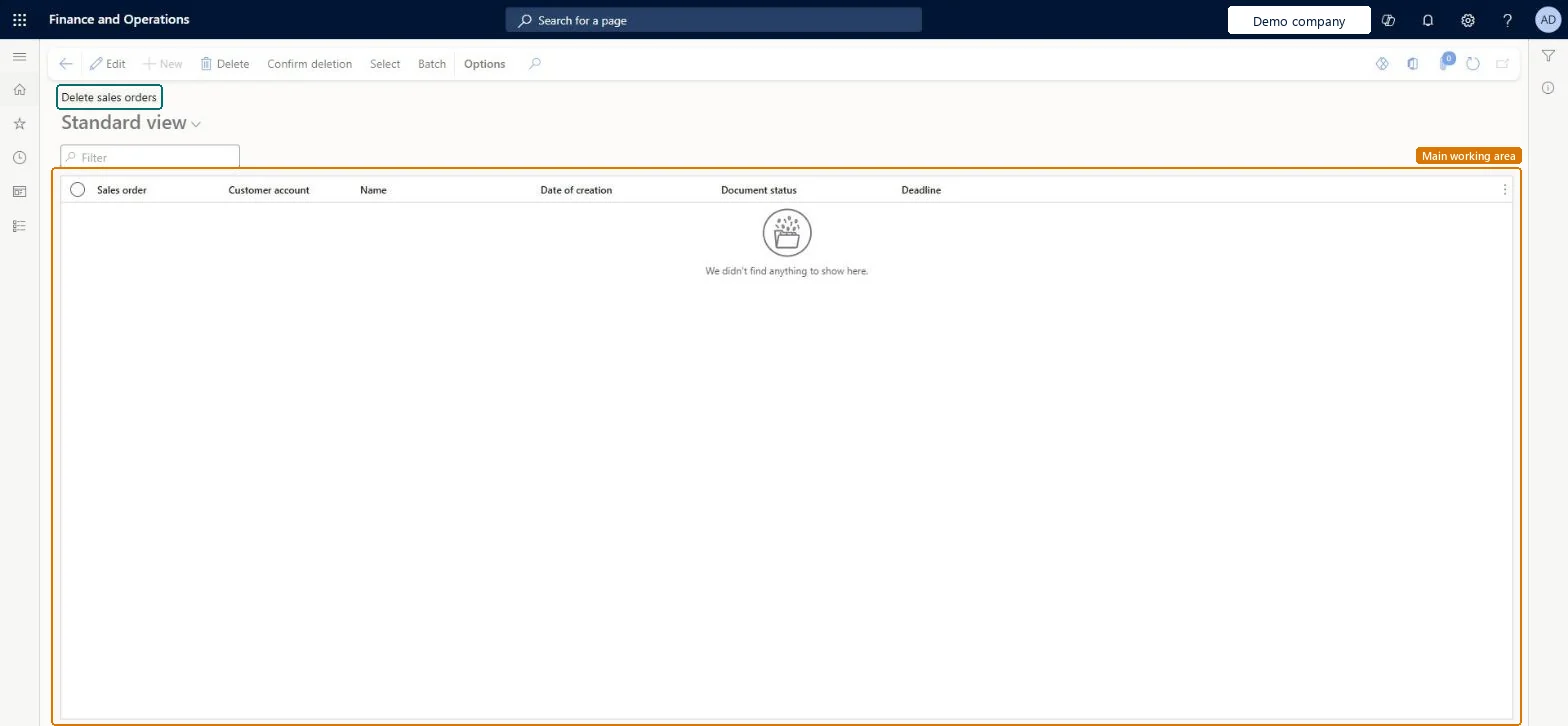
The page in Dynamics 365. page title tab to open what to set or check
About the examples: Examples and screenshots in this guide use BEAT, a demo company in a Dynamics 365 test environment. Use your own company's codes and values instead of copying them.
When to run it
When to run it
Only after the business has done a detailed analysis and confirmed the sales orders are no longer required, and after a test run in a test environment.
How often
On demand, when old or orphaned sales orders build up.
Batch settings
Use Batch when you delete many orders, outside business hours.
What the output shows
The selected sales orders are removed. An order that is still listed wasn't selected.
Remove sales orders the business has confirmed it no longer needs, without losing orders it does need.
Steps from Microsoft
Go to Sales and marketing > Periodic tasks > Clean up > Delete sales orders.
Get written confirmation from the business that the orders are no longer required, and run the same deletion in a copy of production first.
Select Select and enter the criteria for the orders to delete, then review Sales order, Customer account, Document status and Date of creation in the list.
Remove from the list any order that must stay, then select Confirm deletion, or Batch for many orders.
Search All sales orders for the deleted numbers; for an invoiced order, check you can still see its details from the customer's transactions (Original document > View details).
The number of the sales order in the deletion list.Checked in Dynamics 365
SO-001234
Customer account
The customer of the sales order.Checked in Dynamics 365
BEAT-000123
Name
The customer name.Checked in Dynamics 365
Date of creation
When the sales order was created.Checked in Dynamics 365
Document status
The last document posted for the order.Checked in Dynamics 365
Deadline
The deadline of the order.Checked in Dynamics 365
Common errors and fixes
Message
What to do
An invoiced sales order was deleted by mistake.
Go to the customer account > Transactions > Original document > View details, find the invoice and open its details, which include the sales order reference. Microsoft Learn
Test checklist
In a copy of production, list 5 confirmed orphaned orders.
Run Confirm deletion for them.
Search All sales orders for the 5 numbers.
Check that 0 of the 5 are found and the other orders are unchanged.
Run it only with written business confirmation, first in a copy of production, and give the delete privilege only to a few named users.Microsoft says cleanup routines should run only after detailed analysis confirms the data is no longer required, and should be tested in a test environment first. On the live system 10 roles can run it through the Maintain sales order duty, among them Sales clerk, Credit management clerk and Revenue recognition manager.
On the live system, 10 roles can run this routine, among them Sales clerk, Credit management clerk, Credit management manager, Project assistant, Rental manager and Revenue recognition manager. No feature in Feature management is needed.
Checked in Dynamics 365
Solution architect
5Design impact
Shared or per company
The sales orders you select in the current legal entity; each legal entity keeps its own orders. Microsoft data model
Can it be undone
Hard to reverse: The routine deletes the orders. For an invoiced order deleted by mistake, Microsoft describes viewing its details from the customer's transactions (Original document > View details); for other orders no restore is described. Run it in a copy first. Microsoft Learn
If you change it later
Deletes the selected sales orders. Microsoft advises running cleanup routines only after the business has confirmed the data is no longer required, and testing each routine in a test environment first. On the live system 10 roles can run it through the Maintain sales order duty, among them Sales clerk, Credit management clerk and Revenue recognition manager. Microsoft Learn
Technical architect
6Technical
Menu item
action:SalesDeleteChecked in Dynamics 365
Form
SalesDeleteOrderChecked in Dynamics 365
Table
SalesParmTableShown as “Sales order - update table” in Record infoKey field: SalesIdChecked in Dynamics 365
To use itRental manager RentalManagerRental coordinator agent RentalCoordinatorAgentSales clerk TradeSalesClerkRetail service RetailServiceRental sales manager RentalSalesManagerGive people one of these roles. On this system, 10 roles can run this page.Checked in Dynamics 365
Actions on the page
Options: Personalize, Page options, ShareChecked in Dynamics 365
Developer
7Developer
Open it by URL
https://<your-environment>/?mi=action:SalesDelete
Data migration
Load order: Delete sales orders has no data entity in Data management. It deletes data; there is nothing to migrate.Checked in Dynamics 365