Sales and marketingSales quotationsQuotation update
action:SalesQuotationUpdate_Cancelled
Business process
Estimate and quote sales
Menu item
action:SalesQuotationUpdate_Cancelled
Setup steps
1 on this page
Show what matters for
PAGE GUIDEWhat the page does and how to use it8 sections. Choose a role to highlight what matters to you.
Everyone
1What it is and why
What it is
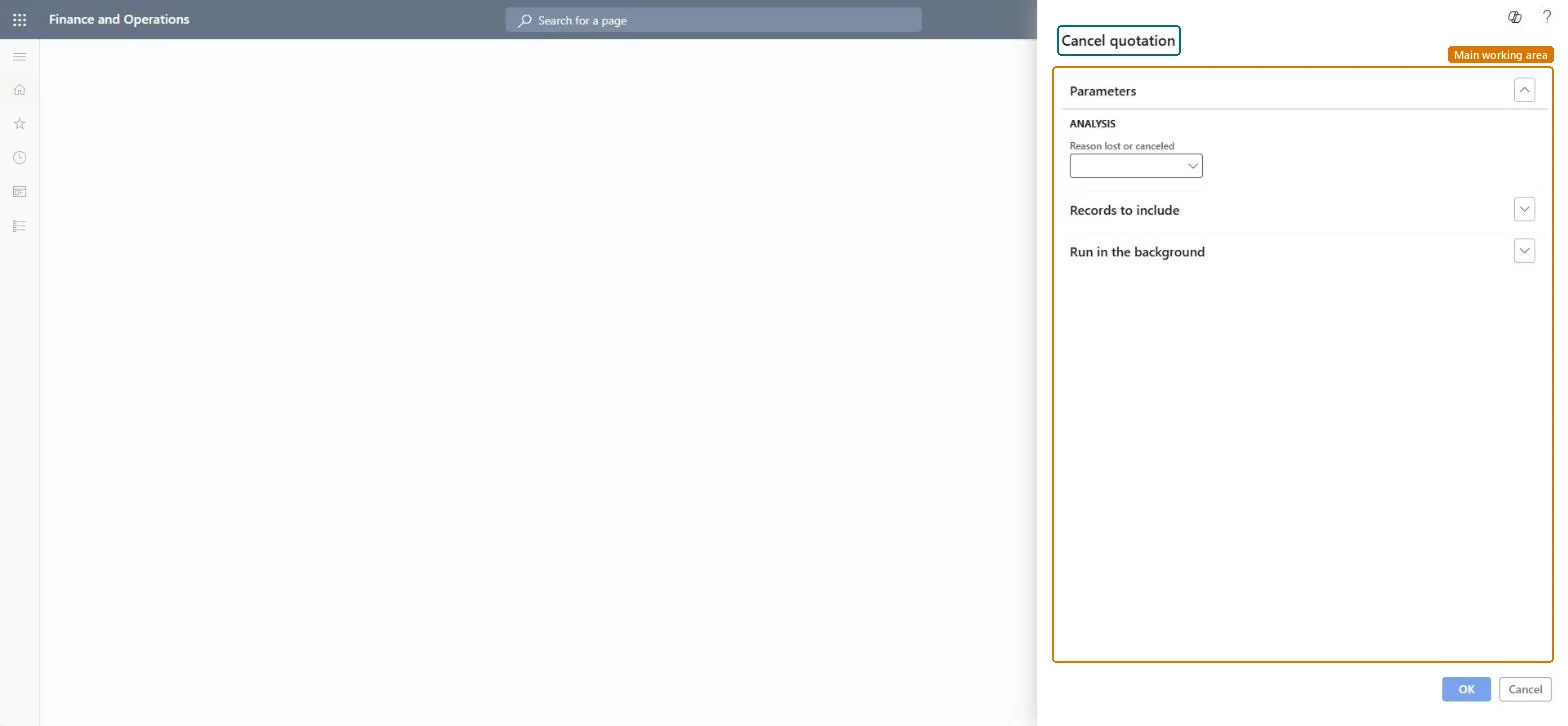
An update dialog that cancels a sent quotation and records the reason.
What you do here
Use this page to set quotations that won't go ahead to Canceled with a reason, as a task from the periodic Quotation update menu instead of from each quotation.
Example
For example, when BEAT stops selling PUMP-150, the sales clerk cancels the 3 quotations still offering it, with reason DISCONT, so they no longer count as open.
The page in Dynamics 365. page title tab to open what to set or check
About the examples: Examples and screenshots in this guide use BEAT, a demo company in a Dynamics 365 test environment. Use your own company's codes and values instead of copying them.
When to run it
When to run it
When a quotation won't go ahead because you or the customer withdrew it, for example the item is no longer sold.
How often
On demand.
What the output shows
The quotation with status Canceled and the reason you chose. Use Lose quotation instead when a competitor won the deal.
Use this page to cancel quotations that won't go ahead.
Steps from Microsoft
Go to Sales and marketing > Sales quotations > Quotation update > Cancel quotation.
Use this entry for quotations you cancel as a back-office task; for a single open quotation, the same Cancel action is on the Follow up tab in All quotations.
In Reason lost or canceled, select the reason, so cancellations can be analyzed later.
Select OK, then open All quotations and check the quotation status is Canceled.
The reason recorded for the cancellation, so canceled quotations can be analyzed later.Microsoft Learn
DISCONT
Common errors and fixes
Message
What to do
A quotation can't be sent, lost, canceled, confirmed or deleted in Supply Chain Management.
The quotation is owned by Dynamics 365 Sales (Integrate Sales Quotation lifecycle with Dynamics 365 Sales). Process it in Sales; you can still edit it here while it is Created. Microsoft Learn
Test checklist
Send a quotation.
Cancel it with a reason.
Check in All quotations that its status is Canceled.
Always select a Reason lost or canceled, and use Cancel only when the deal was withdrawn; use Lose quotation when a competitor won.Canceled and lost are reported separately; the reason is the only record of why the offer stopped.
Integrate Sales Quotation lifecycle with Dynamics 365 Sales
Licence or add-in
With the feature Integrate Sales Quotation lifecycle with Dynamics 365 Sales, quotations owned by Sales can't be canceled from Supply Chain Management.
Per company: the update works on the sales quotations of the legal entity you are working in; quotations of other companies aren't touched. Microsoft data model
Can it be undone
Hard to reverse: Learn gives no step to reopen a canceled quotation; for quotations owned by Sales, a canceled quotation can't be sent, lost, canceled, confirmed or deleted. Create a new quotation if the deal comes back. Microsoft Learn
If you change it later
Sets the quotation status to Canceled and records the reason. For a quotation owned by Dynamics 365 Sales, cancel it in Sales; Supply Chain Management then shows it as Canceled. Microsoft Learn
Technical architect
6Technical
Menu item
action:SalesQuotationUpdate_CancelledChecked in Dynamics 365
Form
DialogChecked in Dynamics 365
Roles to set it up and use it
To use itRental manager RentalManagerRental coordinator agent RentalCoordinatorAgentSales clerk TradeSalesClerkSales representative TradeSalesRepresentativeRental sales manager RentalSalesManagerGive people one of these roles. On this system, 7 roles can run this page.Checked in Dynamics 365
Load order: Cancel quotation has no data entity in Data management: it is an update on existing quotations and stores no records of its own; the reason is stored on the quotation. The quotations it updates load with SalesQuotationHeaderV2Entity.Microsoft data model