SETUP GUIDEHow to set it up8 sections. Choose a role to highlight what matters to you.
Everyone
1What it is and why
What it is
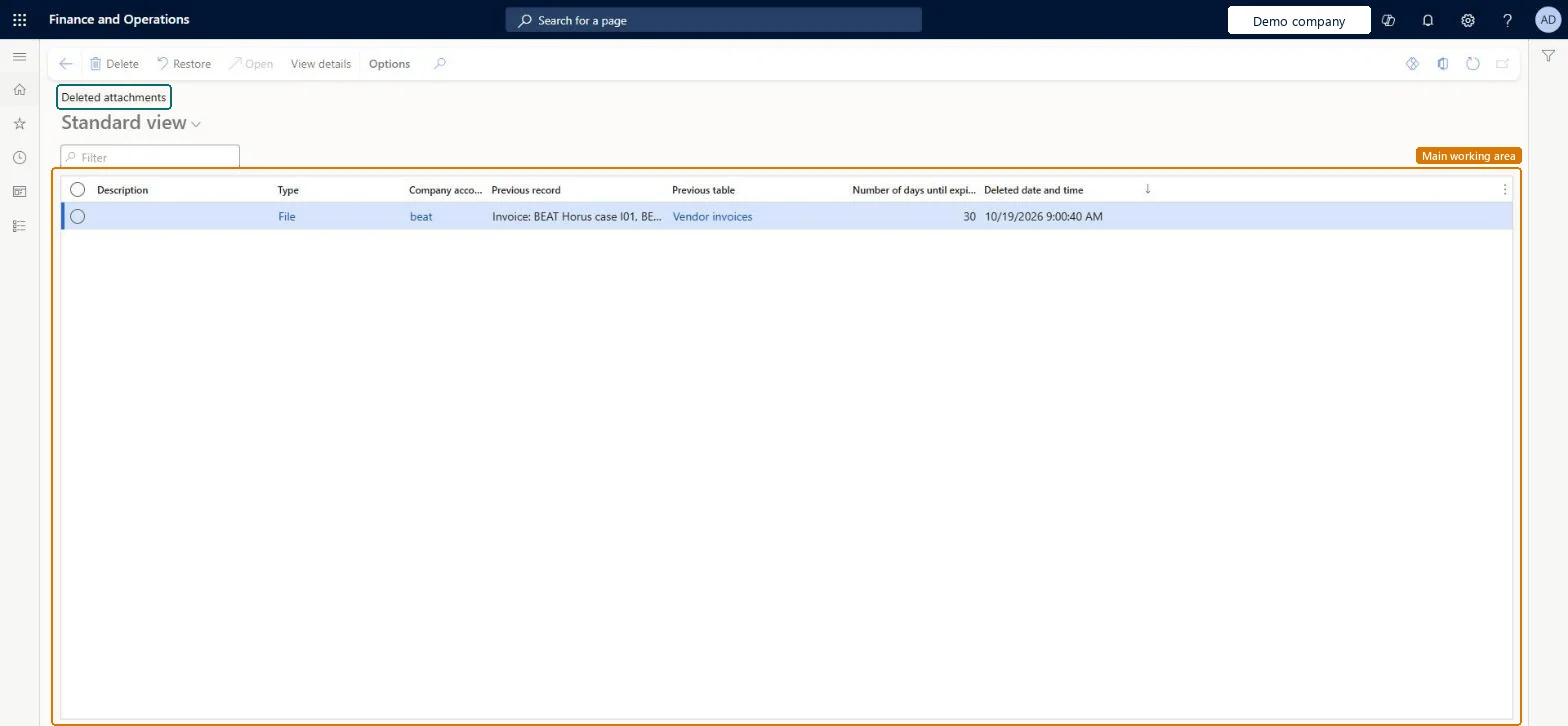
An inquiry page that lists deleted attachments from any record that can still be recovered.
What you do here
Use this page to open deleted attachments for review, restore them, or delete them permanently.
Example
For example, a BEAT user deletes the scanned invoice on a vendor invoice by mistake; within the 30-day retention the administrator finds it here and selects Restore.
The page in Dynamics 365. page title tab to open what to set or check
About the examples: Examples and screenshots in this guide use BEAT, a demo company in a Dynamics 365 test environment. Use your own company's codes and values instead of copying them.
Setup steps on this page
Recover deleted attachments
Use the page to restore attachments deleted by mistake within the retention period.
Steps from Microsoft
Go to System administration > Inquiries > Deleted attachments.
Use the Filter box to find an attachment, and read its Type, Previous record, Previous table, Number of days until expiry and Deleted date and time.
Select an attachment, then select View details to review it.
Select Restore to bring back the selected attachment.
The document type of the attachment.Checked in Dynamics 365
File
Previous record
The record the attachment was on.Checked in Dynamics 365
Number of days until expiry
Days left before the attachment is deleted for good.Microsoft Learn
27
Deleted date and time
When it was deleted.Checked in Dynamics 365
Common errors and fixes
Message
What to do
A deleted attachment isn't listed
Deferred deletion may be off or the retention period has passed; check Number of days to defer deletion on Document management parameters. Microsoft Learn
Test checklist
Attach a file to a record and delete it.
Open Deleted attachments and find it with Number of days until expiry.
Select Restore and check the file is back on the record.
Keep deferred deletion on (30 days by default) and restore from here; delete permanently only on request of the record ownerWithin the retention period a deleted attachment can still be restored; after Delete here it is gone.
Shared: deleted attachments from every legal entity are listed. Microsoft Learn
Can it be undone
Can't be undone: Delete on this page removes the attachment for good.
If you change it later
Deleted attachments are kept only for the number of days set in Number of days to defer deletion (30 by default); a value of 0 keeps them indefinitely. Microsoft Learn
Technical architect
6Technical
Menu item
DocuDeletedDocumentsListChecked in Dynamics 365
Form
DocuDeletedDocumentsListChecked in Dynamics 365
Table
DocuDeletedRefShown as “Deleted document references” in Record infoKey field: TypeId, RefCompanyId, RefTableId, RefRecIdChecked in Dynamics 365
Who can open it
PrivilegesDeleted documents administrator form DocuDeletedDocumentsListMaintain1 security roleDeleted documents administrator form DocuDeletedDocumentsListAccessChecked in Dynamics 365
Roles to set it up and use it
To set it up or change itDeleted documents administrator form DocuDeletedDocumentsListAccessGive people one of these roles. On this system, 1 role can open this page.Checked in Dynamics 365
Actions on the page
Options: Personalize, Page options, ShareChecked in Dynamics 365
Load order: Deleted attachments has no data entity in Data management, so it can't be loaded from a file or a configuration template. Deleted attachments are kept only in the environment where they were deleted.Checked in Dynamics 365