Batch job manager, Retail service, Retail store IT and 2 more roles
Business process
Administer system features
Menu item
BatchJobUser
Main table
BatchJob
Data entity
BatchJobEntity
Setup steps
1 on this page
Show what matters for
SETUP GUIDEHow to set it up8 sections. Choose a role to highlight what matters to you.
Everyone
1What it is and why
What it is
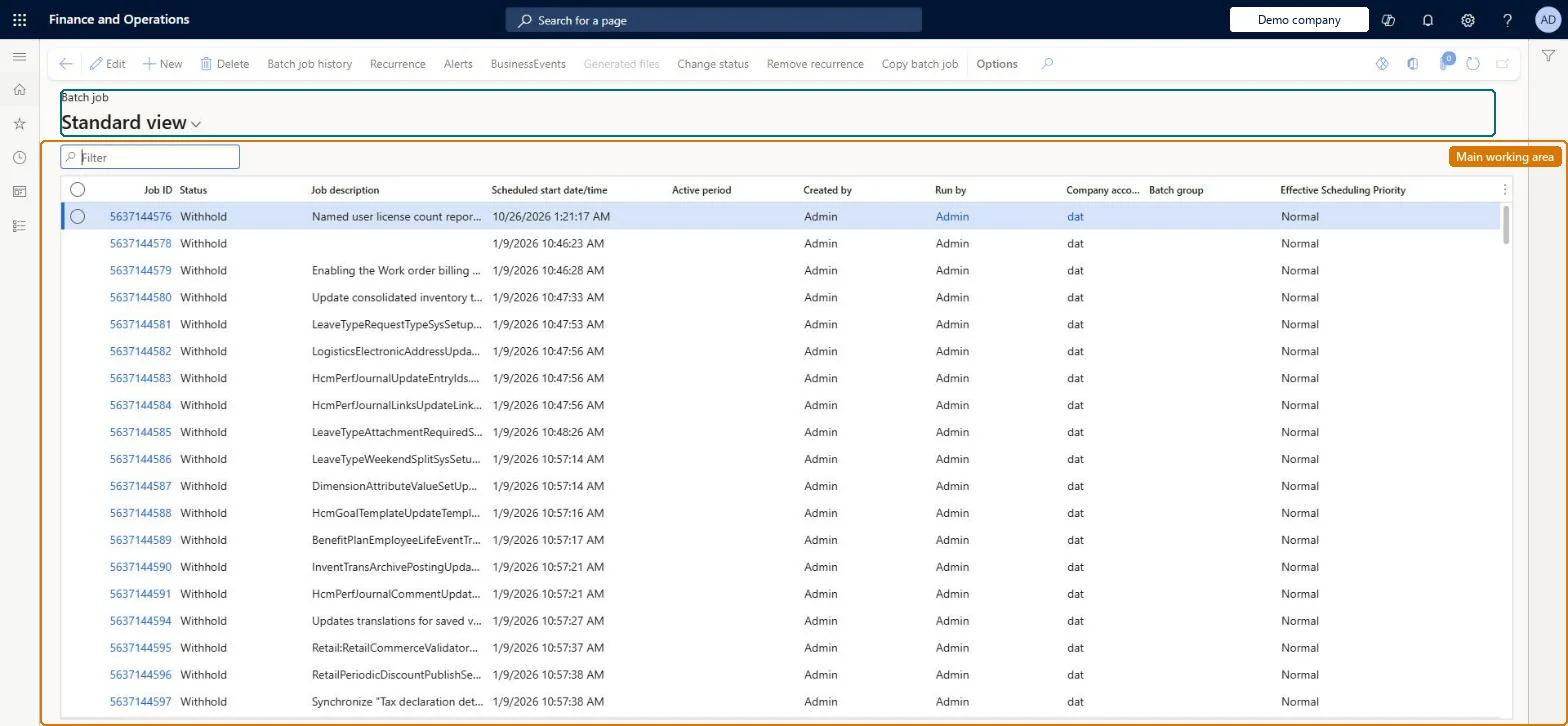
An inquiry page that lists the batch jobs for the current user, with their status, so that the user can find, hold, change, and requeue their own scheduled jobs.
What you do here
Use this page to monitor your own batch jobs and to change a scheduled job, for example by withholding it, editing its task parameters, and setting it back to Waiting.
Example
For example, after scheduling an electronic reporting data import in batch, you withhold the job, change the import file in its task parameters, and set it back to Waiting.
The page in Dynamics 365. page title tab to open what to set or check
About the examples: Examples and screenshots in this guide use BEAT, a demo company in a Dynamics 365 test environment. Use your own company's codes and values instead of copying them.
Setup steps on this page
Manage my batch jobs
Hold, change and requeue the batch jobs you scheduled.
Steps from Microsoft
Go to Common > Inquiries > Batch jobs > My batch jobs.
Filter the list to find the scheduled batch job, and then select it.
Select Change status, select Withhold, and then select OK.
Select the Job ID link to open the job details.
On the Batch tasks FastTab, select Parameters, make your changes, and then select OK.
Select Change status again, select Waiting, and then select OK.
PrivilegesMaintain batch job list - user BatchJobUserMaintainView batch job list - user BatchJobUserViewDutiesMaintain batch jobs BatchJobMaintainUse basic functionality SysServerAXBasicMaintainMaintain system settings SysServerSettingsMaintain8 security rolesAifTestSecRoleBatch job manager BatchJobManagerEventTestRoleRetail service RetailServiceRetail store IT RetailStoreITInformation technology manager SysServerITManagerSystem user SystemUserTestEssentialsRoleChecked in Dynamics 365
Roles to set it up and use it
To set it up or change itSystem user SystemUserTestEssentialsRole Retail store IT RetailStoreITInformation technology manager SysServerITManagerRetail service RetailServiceGive people one of these roles. On this system, 6 roles can open this page.Checked in Dynamics 365
BatchJobEntity (Batch job): shared by all companies.Load order: Recreate recurring jobs from their dialogs in the new environment so their parameters fit the new data; the Batch job entity loads job definitions where that isn't practical.Load first: batch groupsChecked in Dynamics 365