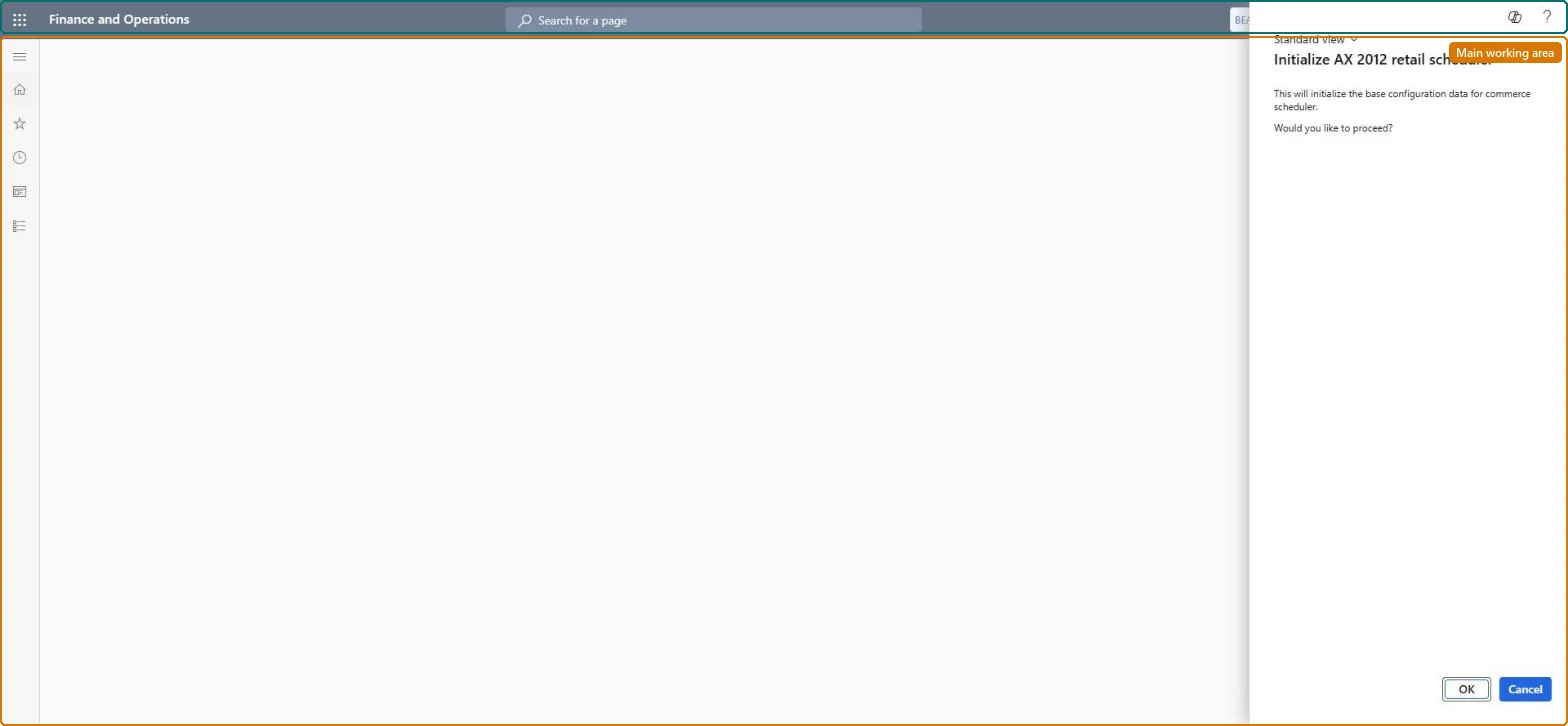
Setup step on the Initialize AX 2012 retail scheduler page · Retail and Commerce
Set up Initialize AX 2012 retail scheduler
Use this page once the connector, shared parameters, scheduler parameters, working folders, channel database group and channel database for the AX 2012 R3 environment have been configured, so the AX63 jobs and distribution schedules exist.
Retail and CommerceHeadquarters setupCommerce schedulerSupport for AX 2012 R3
RetailCDXAX63InitializeMenuItem
Business process
Manage sales channels
Menu item
RetailCDXAX63InitializeMenuItem
Setup steps
1 on this page
Show what matters for
SETUP GUIDEHow to set it up7 sections. Choose a role to highlight what matters to you.
Everyone
1What it is and why
What it is
A dialog page used in Phased Rollout (N-1) setups that creates the AX 2012 R3 versions (suffix AX63) of the Commerce Data Exchange scheduler configuration so that AX 2012 R3 channel components can be fed from Commerce headquarters.
What you do here
Use this page once the connector, shared parameters, scheduler parameters, working folders, channel database group and channel database for the AX 2012 R3 environment have been configured, so the AX63 jobs and distribution schedules exist.
Example
For example, a retailer moving headquarters to Dynamics 365 Commerce while stores still run AX 2012 R3 Modern POS runs this initialization before cutover.
The page in Dynamics 365. page title tab to open what to set or check
About the examples: Examples and screenshots in this guide use BEAT, a demo company in a Dynamics 365 test environment. Use your own company's codes and values instead of copying them.
Setup steps on this page
Set up Initialize AX 2012 retail scheduler
Use this page once the connector, shared parameters, scheduler parameters, working folders, channel database group and channel database for the AX 2012 R3 environment have been configured, so the AX63 jobs and distribution schedules exist.
Steps from Microsoft
Go to Retail and Commerce > Headquarters setup > Commerce scheduler > Support for AX 2012 R3 > Initialize AX 2012 retail scheduler.
Select OK.
On the Distribution schedule page, check that each schedule with the suffix AX63 maps to the AX 2012 R3 channel database groups.
Don't run on current versions: Phased Rollout (N-1) support ended with Commerce 10.0.40Microsoft states that upgrade and N-1 support for Dynamics 365 Commerce end with the 10.0.40 release, and AX 2012 R3 support has ended.
Running it before the connector, shared parameters, scheduler parameters, working folders, channel database group and channel database are configured. The AX63 distribution schedules must then be mapped to the AX 2012 R3 channel database groups.
RetailCDXAX63InitializeMenuItemChecked in Dynamics 365
Form
RetailCDXAX63InitializeDialogChecked in Dynamics 365
Roles to set it up and use it
To set it up or change itRetail service RetailServiceRetail operations manager RetailOperationsManagerRetail store manager RetailStoreManagerRetail store IT RetailStoreITGive people one of these roles. On this system, 4 roles can open this page.Checked in Dynamics 365
Checked in a working Dynamics 365 system, version 10.0.49: the menu item, form, table and security, the page.
To cite this step: RC-CDX-080, Set up Initialize AX 2012 retail scheduler. Beyond ERP Atlas Hub, 2026-11-11. https://www.beyonderp.cloud/atlas/step/RC-CDX-080